

 whyboris
Bulk delete tags
It's been requested often-enough, and it is rather easy to do. The challenge is to have a nice UI for it - probably as easy as adding the x above every tag when in batch mode 🤔
I'll work on this sometime 🤝

Hi @whyboris, can I take a look at this? Or are you already working on it?

Hey @dodoburner - thank you for the offer! Please feel free to work on this issue.
I'll be happy to help (or answer any questions), but I will be away for a bit over a month starting a week from now 🤝
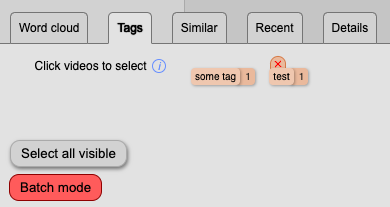
To clarify, the x above every tag may be "easy" (you can copy/paste the UI design) as we already have that functionality over individual (manual) tags in videos, but we don't have that functionality in the bottom tray in the tags tab. The x should only be accessible when a person enters the batch mode ✅
Cheers!
ps - this issue is a duplicate of #756 but I'd like to keep both open until the feature is added to the codebase ⚡
Thanks, @whyboris.
Before you go could you please take out the time to record a short video of the issue and explain the desired functionality?
I would also need clarification on:
- How to delete the individual tags (I can't find how to do it)
- How to enter batch mode
Basically if you could go over the adding/removing tags wherever it is possible in the app, and the desired functionality I would be grateful.
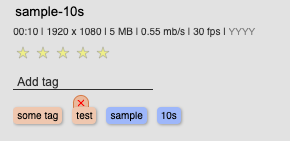
Example tag x in the details menu for a video
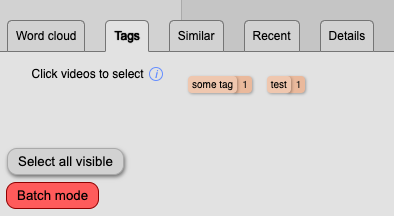
Current Batch mode active in the "bottom tray"
When hovering over a tag it should show up like in the details menu:
"Batch mode" is just a button on the bottom-left in the Tags tab in the bottom tray 😊
I do not have the tags tab in the bottom tray, am I missing something? I cloned the main branch of the repository.
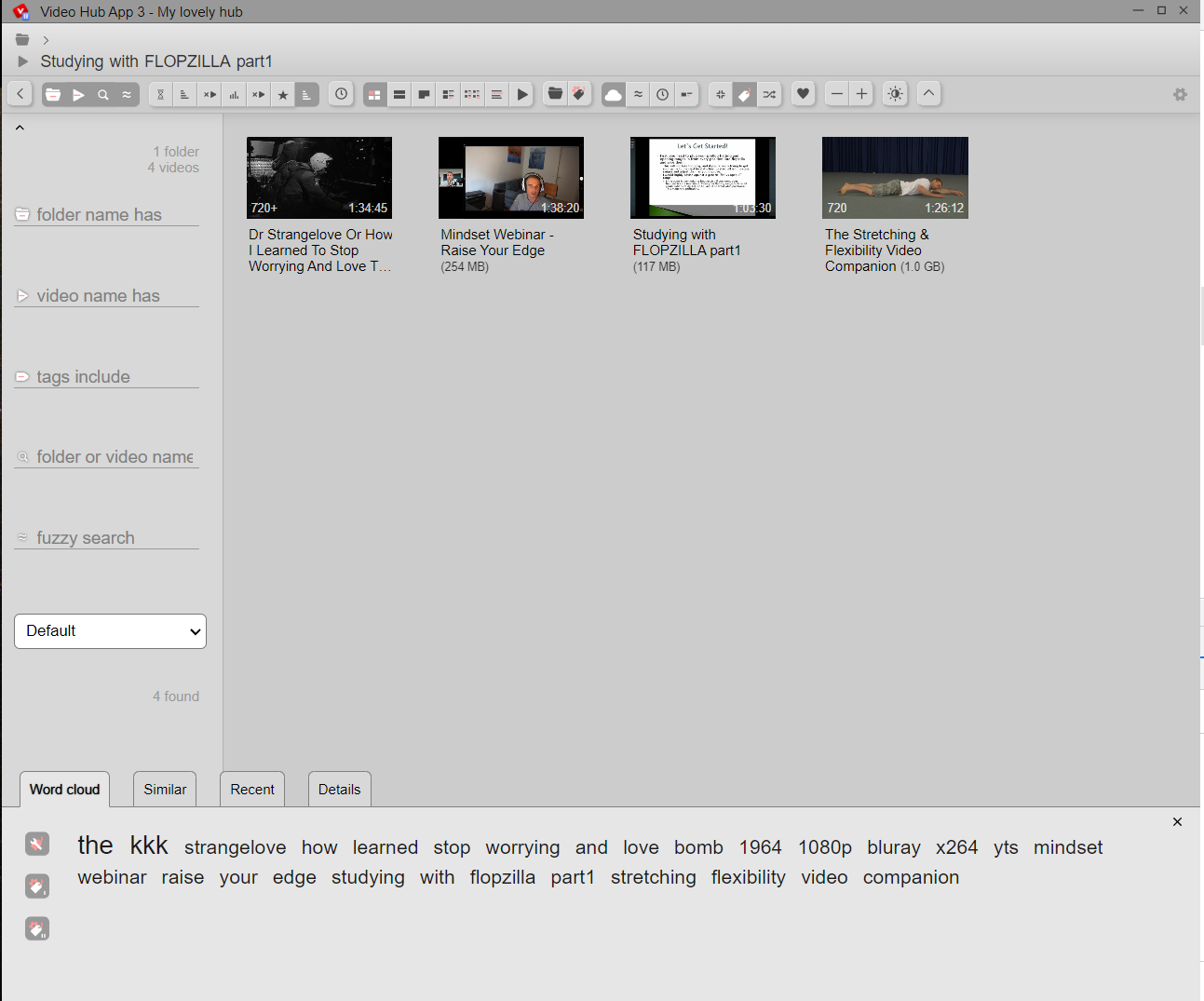
Sorry about this -- please enable tags by going to settings (gear, top right), then to View settings tab (2nd tab), and finally scroll down to 3rd section Bottom tray and click on the eye icon next to Manual tags 😅
I tried to make my app really customizable, but that means many things are hidden unless toggled 😓
Hi @whyboris, Could you please let me know if I can work on this or is someone working on this?

@Nithin-droid thank you -- looks like no one is working on this at this time 🤝 please give it a try at your convenience.
Please let me know if you have any questions 🙇
@whyboris I have created a pull request for this can you please look into it.