
streamlit-webrtc
 streamlit-webrtc copied to clipboard
 whitphx
camera not working on hosted streamlit site
Hi, I'm working on a research project and need this bug fixed asap so a prompt response would be greatly appreciated. When I click start, the camera seems to be on, however, the video doesn't load and after about 30 seconds, the video closes out on its own. FYI, ignore the firebase error that comes up. Here is my source code: import av import cv2 import streamlit as st from streamlit_webrtc import webrtc_streamer from datetime import datetime import firebase_admin from firebase_admin import credentials from firebase_admin import firestore
def video_detection(): st.title("Stony Brook CS Exams Facial Detection") st.write("Make sure you click start right before starting the exam. Keep this page open in the background.") st.write('Once the exam is completed, fill out the information below the camera and submit information.') print('test outside')
# Classifiers to check if camera image of user contains face and eyes
face_cascade = cv2.CascadeClassifier('Resources/haarcascade_frontalface_default.xml')
eye_cascade = cv2.CascadeClassifier('Resources/haarcascade_eye_tree_eyeglasses.xml')

class VideoProcessor:
    def __init__(self) -> None:
        #variables required for cheating percentage detection
        self.start_time = datetime.now()
        self.end_time = -1
        self.total_time = 0
        self.dateAndTimeNoEyes = 0
        self.totalTimeEyesAwayFromCamera = 0
        self.first_read = True
        self.percentage = 100
        self.sbuID = 0
        self.name = ''
        self.db = firestore.client()

    # looping function that takes the user camera frame
    def recv(self, frame):
        # converts image to array and applies necessary changes to detect faces and eyes
        img = frame.to_ndarray(format="bgr24")
        gray = cv2.cvtColor(img, cv2.COLOR_BGR2GRAY)
        gray = cv2.bilateralFilter(gray, 5, 1, 1)

        # detects faces from image
        faces = face_cascade.detectMultiScale(
            gray,
            scaleFactor=1.2,
            minNeighbors=5,
            minSize=(20, 20)
        )

        # if a face exists on the frame, run this conditional statement
        if len(faces) > 0:
            for (x, y, w, h) in faces: # maps the face dimensions
                img = cv2.rectangle(img, (x, y), (x + w, y + h), (0, 255, 0), 2)

                roi_face = gray[y:y + h, x:x + w]
                eyes = eye_cascade.detectMultiScale(roi_face, 1.3, 5, minSize=(20, 20))

                # Examining the length of eyes object for eyes
                if len(eyes) >= 2:
                    # if this is the first frame that is showing eyes, run conditional and update the amount of
                    # time the user wasn't looking at the screen
                    if self.dateAndTimeNoEyes != 0:
                        dateAndTimeWithEyes = datetime.now()
                        eyesAwayFromCamera = (dateAndTimeWithEyes - self.dateAndTimeNoEyes).total_seconds()
                        self.totalTimeEyesAwayFromCamera = self.totalTimeEyesAwayFromCamera + eyesAwayFromCamera
                        self.dateAndTimeNoEyes = 0
                    if self.first_read:
                        cv2.putText(img,
                                    "Eye detected press s to begin",
                                    (70, 70),
                                    cv2.FONT_HERSHEY_PLAIN, 3,
                                    (0, 255, 0), 2)
                        # notifies user on screen to look at screen
                    else:
                        cv2.putText(img,
                                    "Eyes open!", (70, 70),
                                    cv2.FONT_HERSHEY_PLAIN, 2,
                                    (255, 255, 255), 2)
                else:
                    if self.first_read:
                        cv2.putText(img,
                                    "No eyes detected", (70, 70),
                                    cv2.FONT_HERSHEY_PLAIN, 3,
                                    (0, 0, 255), 2)
                        self.dateAndTimeNoEyes = datetime.now()


                    else:
                        print("Blink detected--------------")
                        cv2.waitKey(3000)
                        self.first_read = True
        # if there's no face detected, run else statement
        else:
            cv2.putText(img,
                        "No face detected", (100, 100),
                        cv2.FONT_HERSHEY_PLAIN, 3,
                        (0, 255, 0), 2)
        # return value is the frame that is shown to the user with the updates to the image
        return av.VideoFrame.from_ndarray(img, format="bgr24")

    # Once user clicks stop button, this function is called
    def on_ended(self):
        # updates total time for every loop
        self.end_time = datetime.now()
        self.total_time = (self.end_time - self.start_time).total_seconds()

        # calculates percentage
        if self.totalTimeEyesAwayFromCamera == 0:
            self.totalTimeEyesAwayFromCamera = self.total_time
        self.percentage = (self.totalTimeEyesAwayFromCamera / self.total_time) * 100

        print('FUNCTION ENDED', self.percentage)
        print(self.name)
        print(self.sbuID)

        # adds data to database
        self.db.collection('users').add({'name': self.name, 'sbuID': self.sbuID, 'cheatingPercentage': self.percentage})

        return self.percentage

ctx = webrtc_streamer(key="example", video_processor_factory=VideoProcessor)
if ctx.video_processor:
    ctx.video_processor.name = st.text_input(label='Enter name:')
    ctx.video_processor.sbuID = st.text_input(label='Enter SBU ID:')

    # initializes firestore database
    cred = credentials.Certificate("serviceAccountKey.json")
    firebase_admin.initialize_app(cred)
    # if not ctx.video_processor.is_db_initialized:
    # ctx.video_processor.is_db_initialized = True

    # input values for user so we know which user is being tested
if name == "main": print('start program') video_detection() cred = credentials.Certificate("serviceAccountKey.json") firebase_admin.initialize_app(cred)
And here is the link to the website: https://share.streamlit.io/sidharth-shamshabad/streamlit-app/main/app.py

https://github.com/whitphx/streamlit-webrtc#network-connectivity ?
And the linked page is not visible to me.

Sorry for the late response. Which link is not visible to you? Are you not able to access this? https://share.streamlit.io/sidharth-shamshabad/streamlit-app/main/app.py Also, I used streamlit to host but it's still not working. Additionally, your sample website isn't loading either.
https://share.streamlit.io/sidharth-shamshabad/streamlit-app/main/app.py
Yes. I can't access it. It shows the error below.

I used streamlit to host but it's still not working
What does it mean?
Additionally, your sample website isn't loading either.
Which sample?
And what kind of error is there? If it is something like "Urgh" message, it probably stopped due to resource exhaustion. In that case, Streamlit Cloud should automatically reboots the stopped apps, so check the apps in a different time.
Also, did https://github.com/whitphx/streamlit-webrtc#network-connectivity help as I linked above?
Hi, You should have access to the website now.
When I try to start the camera on your demo site, it doesn't load. My camera seems to be on but the camera is just loading and then resets.

I was using this sample website to test: https://share.streamlit.io/whitphx/streamlit-webrtc-example/main/app.py
This is the error I get on my website:
2022-03-01 16:50:10.500 ICE connection state is closed

2022-03-01 16:50:10.714 Exception in callback Transaction.__retry()

handle: <TimerHandle when=6761770.802099137 Transaction.__retry()>

Traceback (most recent call last):

  File "/usr/local/lib/python3.7/asyncio/selector_events.py", line 1002, in sendto

    self._sock.sendto(data, addr)

AttributeError: 'NoneType' object has no attribute 'sendto'


During handling of the above exception, another exception occurred:


Traceback (most recent call last):

  File "/usr/local/lib/python3.7/asyncio/events.py", line 88, in _run

    self._context.run(self._callback, *self._args)

  File "/home/appuser/venv/lib/python3.7/site-packages/aioice/stun.py", line 309, in __retry

    self.__protocol.send_stun(self.__request, self.__addr)

  File "/home/appuser/venv/lib/python3.7/site-packages/aioice/ice.py", line 243, in send_stun

    self.transport.sendto(bytes(message), addr)

  File "/usr/local/lib/python3.7/asyncio/selector_events.py", line 1011, in sendto

    exc, 'Fatal write error on datagram transport')

  File "/usr/local/lib/python3.7/asyncio/selector_events.py", line 677, in _fatal_error

    self._loop.call_exception_handler({

AttributeError: 'NoneType' object has no attribute 'call_exception_handler'

2022-03-01 16:50:25.826 Exception in callback Transaction.__retry()

handle: <TimerHandle when=6761786.304857956 Transaction.__retry()>

Traceback (most recent call last):

  File "/usr/local/lib/python3.7/asyncio/selector_events.py", line 1002, in sendto

    self._sock.sendto(data, addr)

AttributeError: 'NoneType' object has no attribute 'sendto'


During handling of the above exception, another exception occurred:


Traceback (most recent call last):

  File "/usr/local/lib/python3.7/asyncio/events.py", line 88, in _run

    self._context.run(self._callback, *self._args)

  File "/home/appuser/venv/lib/python3.7/site-packages/aioice/stun.py", line 309, in __retry

    self.__protocol.send_stun(self.__request, self.__addr)

  File "/home/appuser/venv/lib/python3.7/site-packages/aioice/ice.py", line 243, in send_stun

    self.transport.sendto(bytes(message), addr)

  File "/usr/local/lib/python3.7/asyncio/selector_events.py", line 1011, in sendto

    exc, 'Fatal write error on datagram transport')

  File "/usr/local/lib/python3.7/asyncio/selector_events.py", line 677, in _fatal_error

    self._loop.call_exception_handler({

AttributeError: 'NoneType' object has no attribute 'call_exception_handler'
Did you see the link I pasted, https://github.com/whitphx/streamlit-webrtc#network-connectivity and did it help? The error log seems to be related to #552, and if so, the link above could be the solution.
BTW, I could access the app but it showed the error below.
I think this is independent from the problem above and the video app did not work anyway.
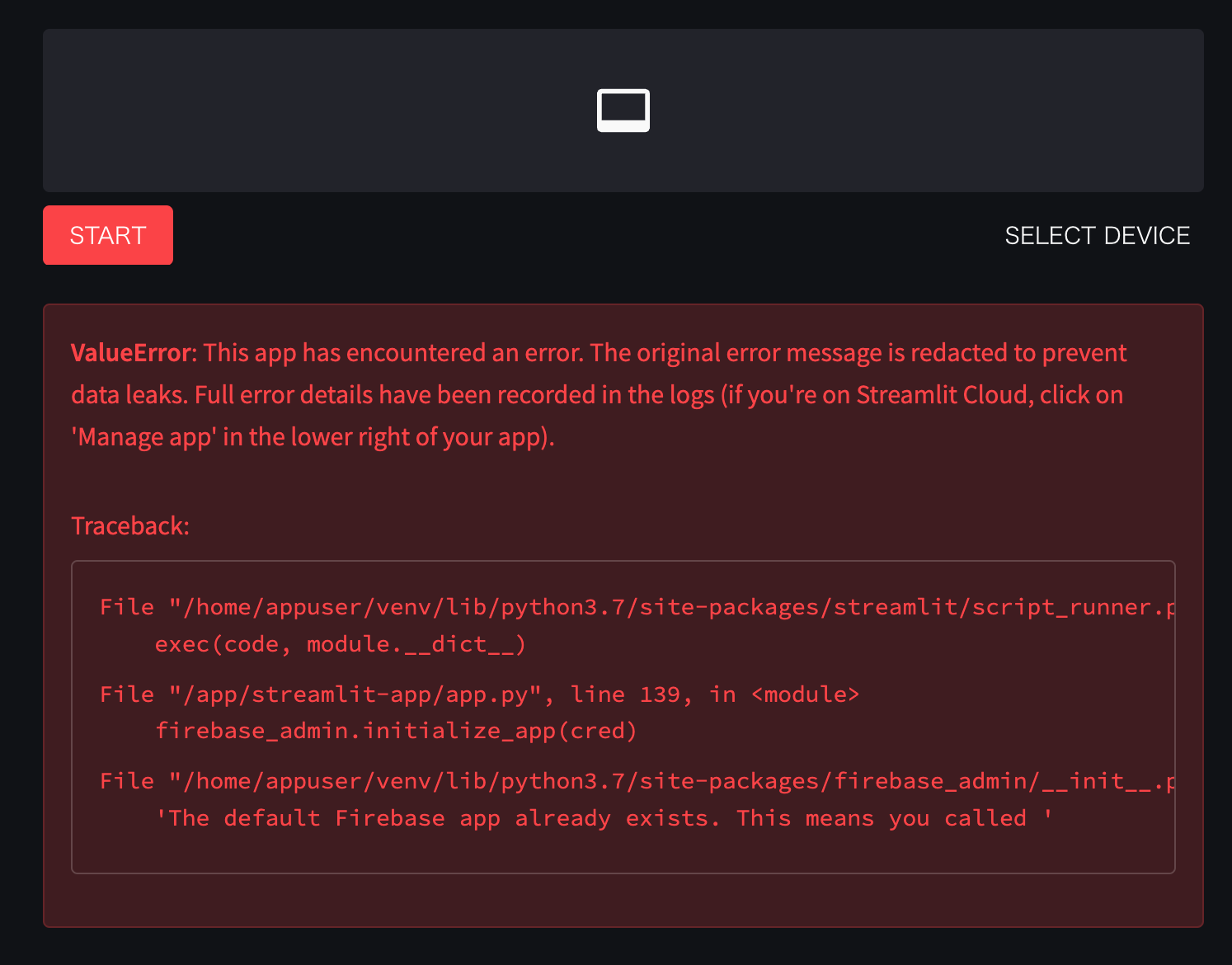
ValueError: This app has encountered an error. The original error message is redacted to prevent data leaks. Full error details have been recorded in the logs (if you're on Streamlit Cloud, click on 'Manage app' in the lower right of your app).
Traceback:
File "/home/appuser/venv/lib/python3.7/site-packages/streamlit/script_runner.py", line 379, in _run_script
    exec(code, module.__dict__)
File "/app/streamlit-app/app.py", line 139, in <module>
    firebase_admin.initialize_app(cred)
File "/home/appuser/venv/lib/python3.7/site-packages/firebase_admin/__init__.py", line 72, in initialize_app
    'The default Firebase app already exists. This means you called '
Hi sorry for the late reply. I set up the TURN server successfully, however, I'm not sure where to add the RTCConfiguration in my application. If you could help me fulfill this last step, that would be greatly appreciated.
const iceConfiguration = { iceServers: [ { urls: 'turn:my-turn-server.mycompany.com:19403', username: 'optional-username', credentials: 'auth-token' } ] }
const peerConnection = new RTCPeerConnection(iceConfiguration);
https://github.com/nicolalandro/hand_tracking_streamlit that works on streamlit site
