

 wesnoth
Move points not displayed properly when moving the cursor from a hex with a unit towards an adjacent hex with another unit
Game and System Information
- What version of the game are you running? 1.14.12
- Where did you download it from? (Steam, Mac App Store, our website, built from source, etc.) Steam
- What OS are you running? Windows 10
Describe the bug
The move points of a unit are not displayed properly.
To Reproduce
Steps to reproduce the behavior:
- Set display resolution to 1280x720 (To be confirmed if bug only exists in this setting)
- Load any scenario (Ive tried it in two different scenarios)
- Then put two units together on adjacent hexes (Ive tried it with different kinds of units)
- Mouse the cursor over one of the units
- Move the cursor over to the adjacent unit
- You will see the MP number on the right bar not displaying properly. You might need to repeat moving the cursor back and forth if the bug doesn't appear the first time.
- Then move the cursor to a terrain not occupied by a unit. The MP points get displayed properly once again.
- Alt+tabbing between windows, while the cursor is still over a unit, changes the way the MP points is incorrectly displayed.
Expected behavior
At any circumstance the MP points of a unit should clearly be displayed.
Screenshots
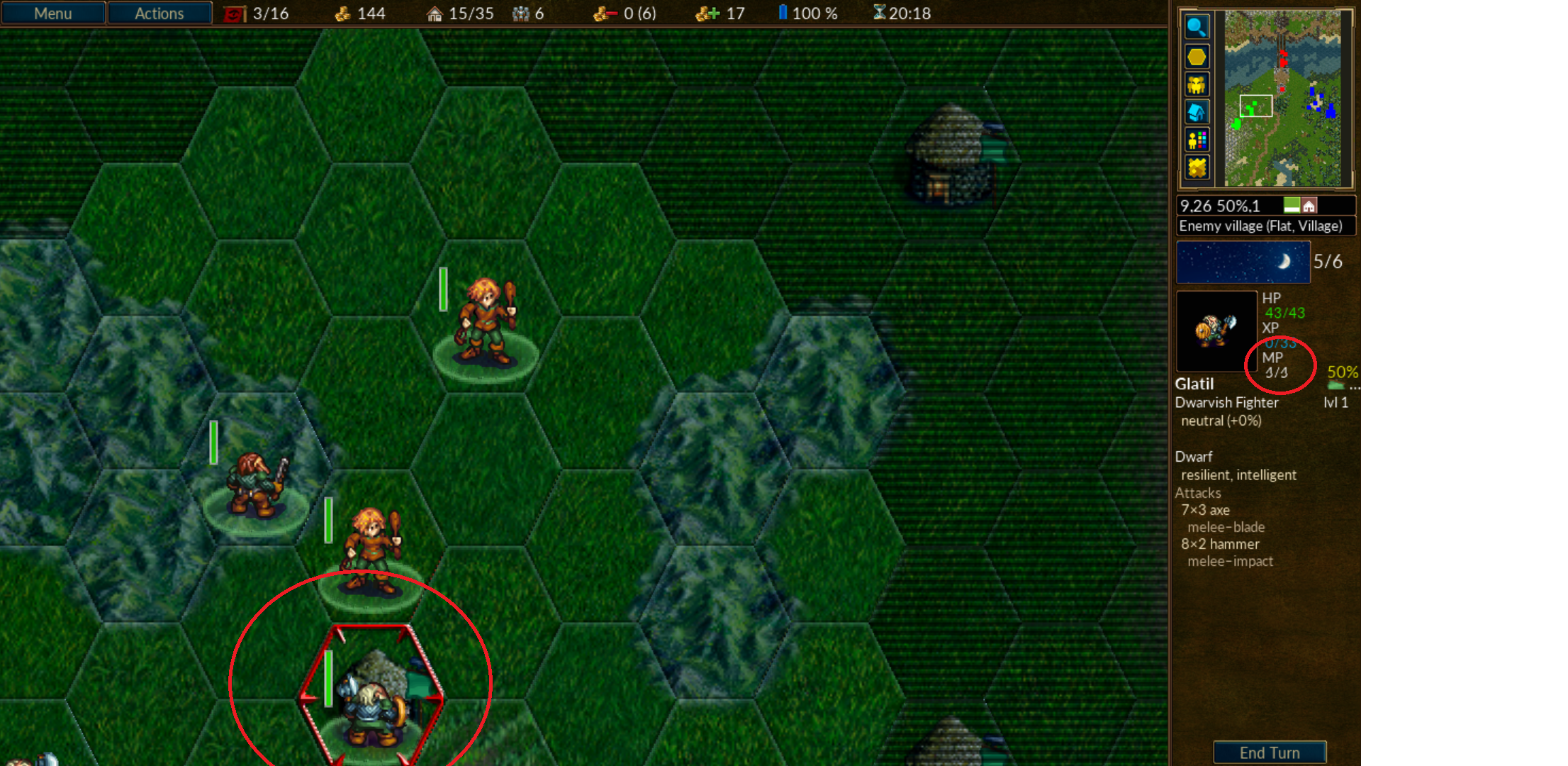
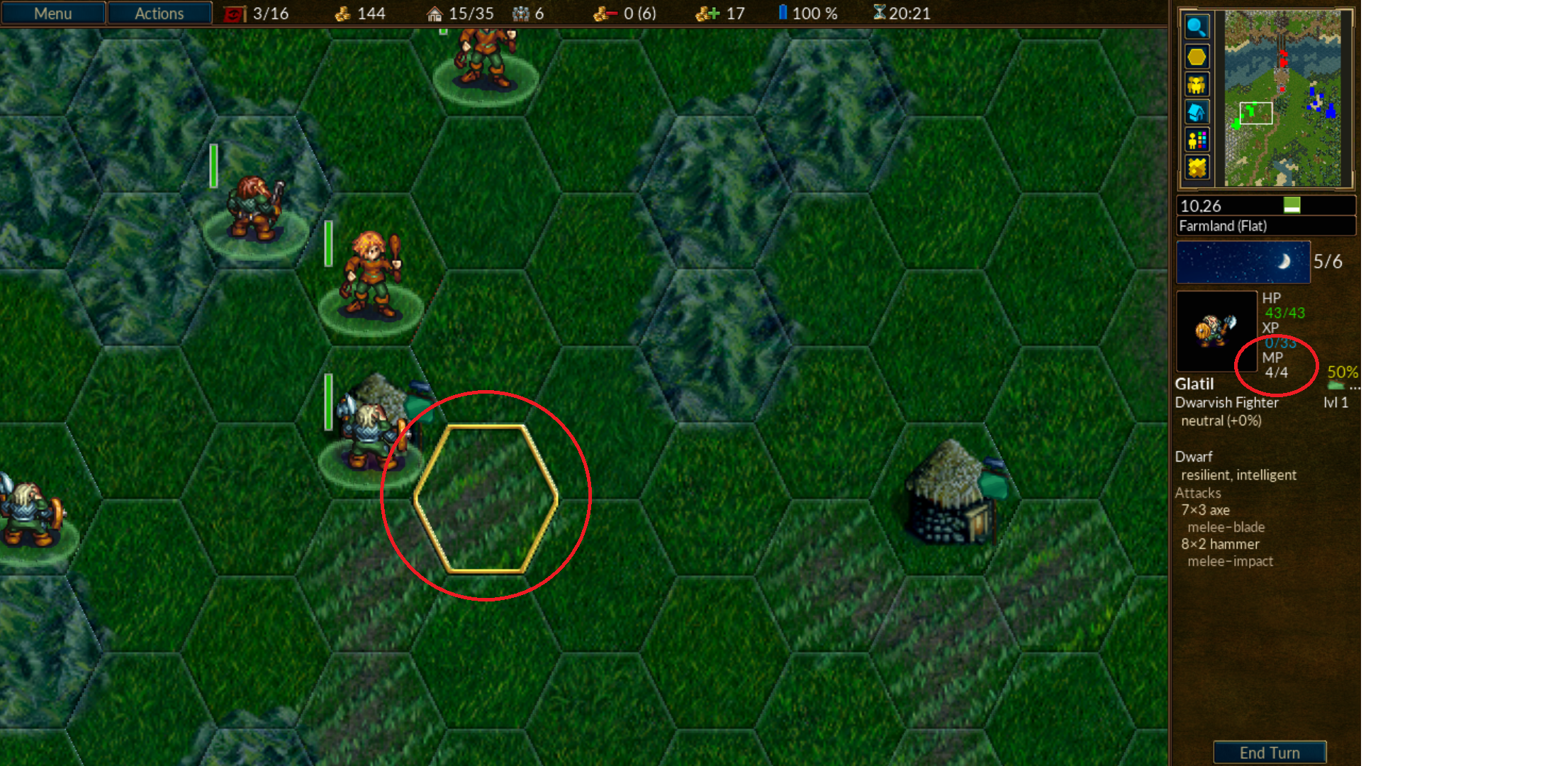
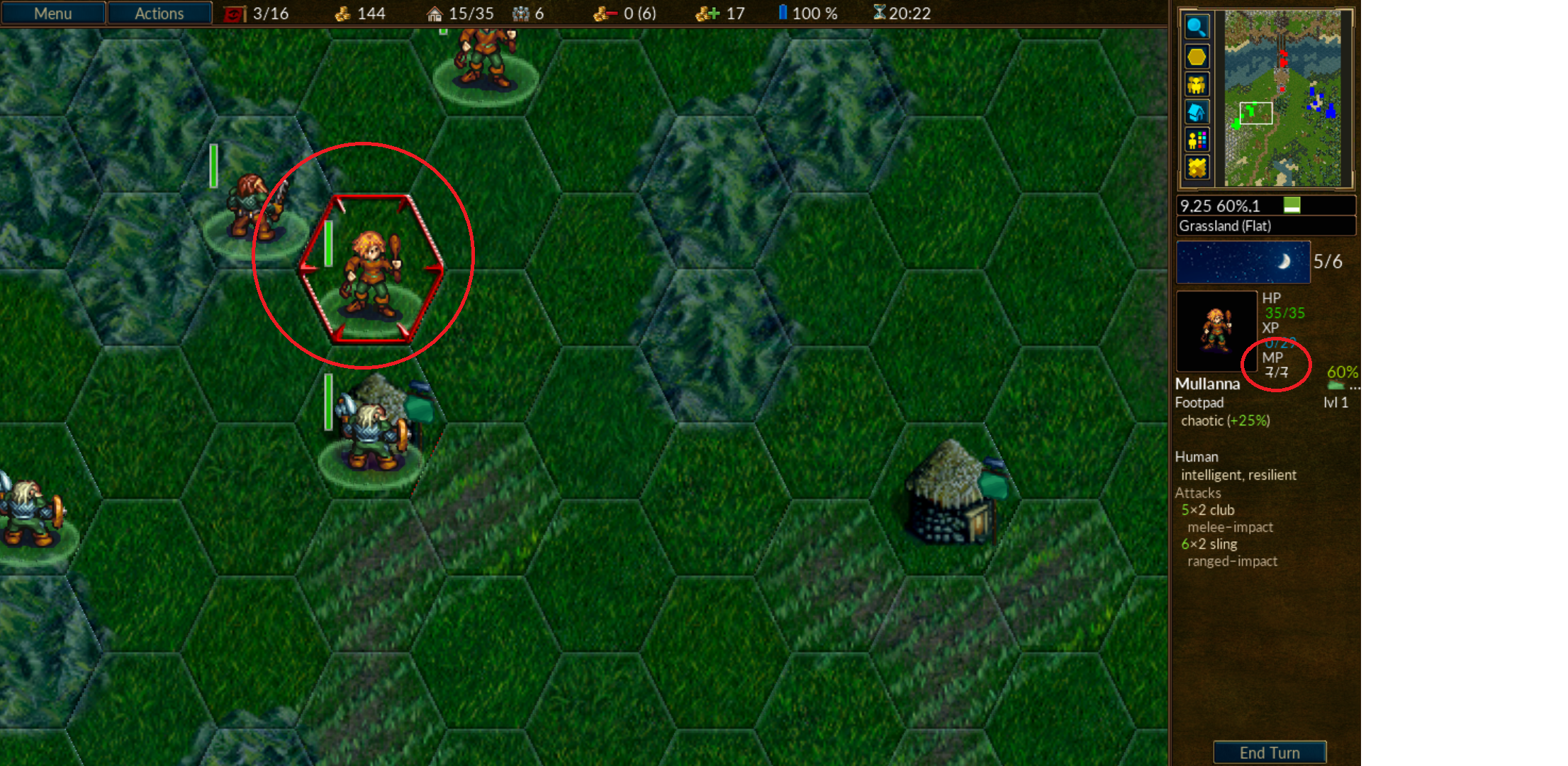
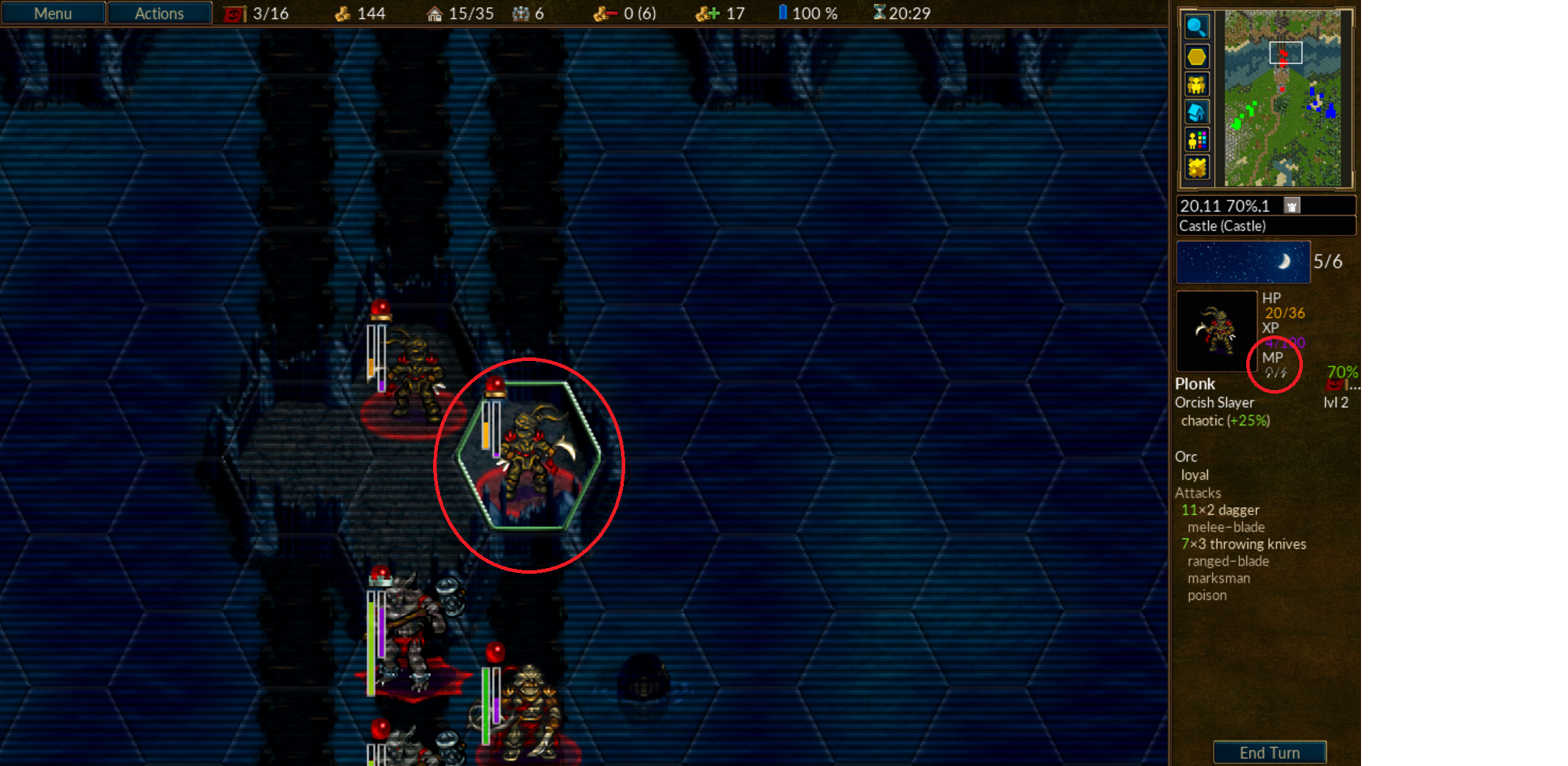
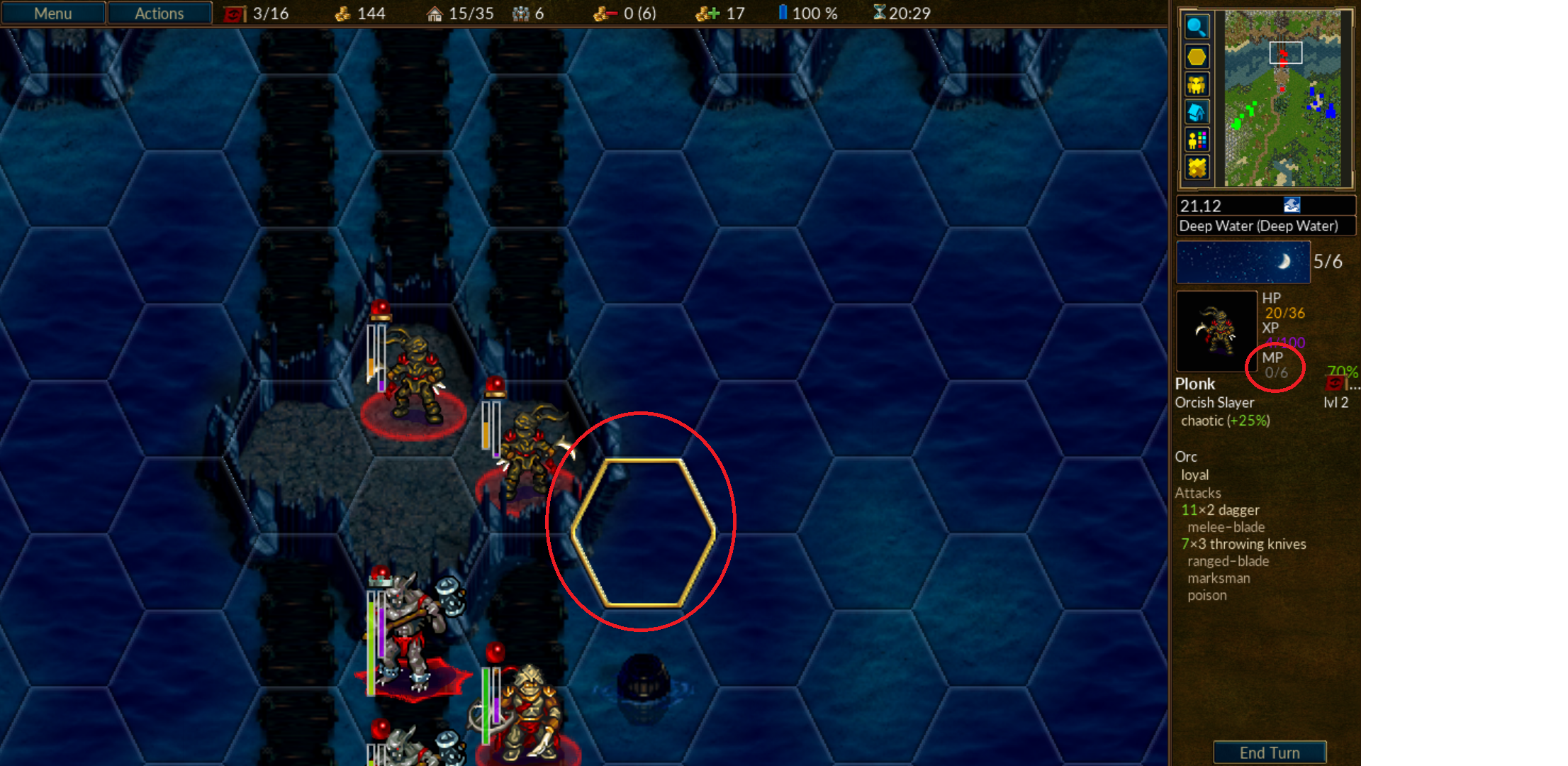
Savefiles
Use any of your saves or scenarios
Additional context
I am using a Samsung Smart TV as my display with HDMI as the interface.

Thanks for reporting. I think this is related to the selection of font sizes relative to the resolution available - probably only occurring at lower resolutions since I didn't observe this at 1920x1200 (for example). Another symptom of the rigid design of the UI - #2969 is but one example of this.

I think the issue is that the text is going below the unit sprite box, and so isn't being redrawn when it should be. For the dwarf -> footpad for example, it ends up with the top part of the 7/7, but the bottom part of the 4/4.

