

 webmin
File manager - Don't open a new tab everytime the File manager opens
If i have a directory open

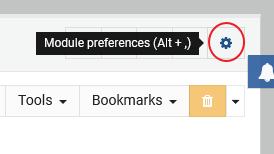
And I then click on the module preferences
I then click on return to file listing
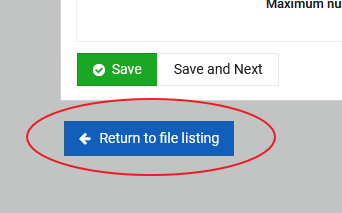
Now i suddenly have two tabs open

This will also happen if i leave the file manager and click on it again in the left menu.
I have discussed this with you before, but it seems that the behavior is still the same 😐
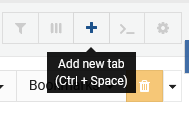
If i want a new tab i can easy click on the plus sign
If i set Restore previously used tabs on initial load to No i will lose the path if i leave the file manager and want to go back again. I will even lose that path if i open module preferences 😒
If i leave and return i soon have 10 tabs open if i don't close them and i will keep my old path there so setting Restore previously used tabs on initial load to No is not an option.
Why create a new tab everytime i open file manager? It make no sense to me. There must others out there that think this is annoying. I can't be the only one?

Hello,
Thanks for the heads up. However, you won't have 10 tabs opened if you go back and forth as you described.
File Manager always makes sure that the tab which is requested in URL (i.e. index.cgi?path=/home/user/public_html) is always opened (for root user, if missing it will open /). If the tab is stored in history it won't be restored twice.

It opens a new tab everytime i open the File manager from the left menu.
I only want to have one. Why this odd behavior?
Windows File Explorer won't open a new File Explorer everytime you restore it from the Taskbar.
I understand it is not the same thing, but the File manager can't be minimized, but when i go back to the File manager is should remember the old path and let me continue my work (without opening a new tab).
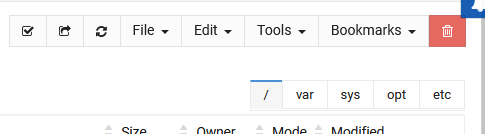
Okay, keep these 5 tabs opened as on the screenshot. Now go to the file manager preferences or any other module and then comeback - which tabs do you have opened then?
Yes, i know that if i have one tab open in the root it won't open a new one, but how many users only works in the root?
What do you want me to do then!? 🙂
Not open a new tab when one tab is already open (regardless what folder i have open).
That link is called from the navigation menu. When path isn't defined it will open /.
We cannot compare the functionality with desktop environment (Windows or mac OS) when you reopen a file manager. However, the functionality resembles the desktops - when you right click a folder to open it, and a file manager window opens with requested directory. This is familiar to what we're doing in Webmin.
If we change it as you ask, then when a user clicks the link when path defined, which directory will be opened?
I don't really understand how you can remember a tab and open that again, but at the same time you need to open a second tab that will open at /?
The tab that have another path than / must be stored somewhere? Why isn't is possible to only open that tab instead of a new tab at /?
Maybe don't open any tab at all and let the user press the + button for a new tab if no other tab is open? If a tab is already open, it will use that regardless the path the tab is in.
I'm not the expert here, you are 😃
The tab that have another path than / must be stored somewhere?
That's the point - no. It gets opened natively, on the initial call from the menu link path=, the same way it would have been done in the old theme.
Why isn't is possible to only open that tab instead of a new tab at /?
Like to accommodate initial design, we could store the last active directory on the navigation menu link path=, and next time you visited it, it would reopened it .. It's easy to fix .. Also, it wouldn't work for Virtualmin, that same way as we need to open a defined home directory.
Maybe don't open any tab at all and let the user press the + button for a new tab if no other tab is open?
Nah, that's unintuitive for the web app.
Alright, good news! Your wish will come true, as latest commit adds ability to preserve previously visited directory. You are welcome to try it already by installing latest devel version of the theme.
Also, I will add more handlers to accommodate links opened from favorites and when returning from File Manager preferences page.