

 webcompat
www.edate.com - Design is broken and links are missing on "Login" page
URL: https://www.edate.com/nw/mobile/#settings
Browser / Version: Firefox Nightly 96.0a1 (🦎 96.0a1-20211108095312) Operating System: Google Pixel 5 (Android 11) - 1080 x 2340 pixels, 19.5:9 ratio (~432 ppi density), Samsung Galaxy S8 (Android 9) - 1440 x 2960 pixels, 18.5:9 ratio (~570 ppi density) Tested Another Browser: Yes Chrome
Problem type: Design is broken Description: Items are overlapped
Prerequisite: VPN active pointing to USA.
Steps to Reproduce:
- Navigate to https://www.edate.com/nw/mobile/#settings
- Observe the page.
Expected Behavior: The page is displayed correctly, no elements are missing or are overlapped.
Actual Behavior: The design of the page is broken, buttons are overlapped and link are missing ("Not a member yet", "Forgot password").
Notes:
- Screenshot attached.
- The issue is not reproducible on Chrome.
- Also reproducible after logging in.
Watchers: @softvision-oana-arbuzov @softvision-raul-bucata
View the screenshot

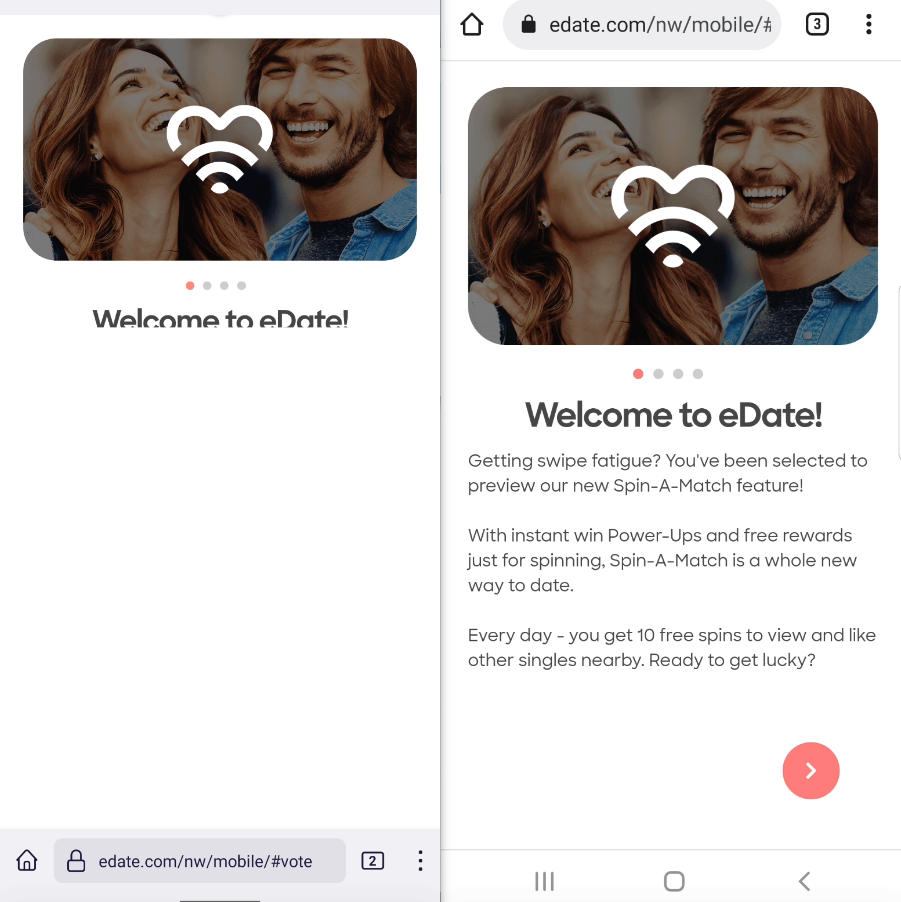
Browser Configuration
- None
From webcompat.com with ❤️


Mate1 (now eDate) is closing it's doors in Europe as of May 25th, 2018.We've been very grateful to come along with you on your journey to find that special someone over the last 15 years and we hope to see you again soon!
The site is not available outside of north america.
This site is built on Sencha ExtJS. In Firefox body height is set to 160px, while in Chrome it's at 100%.
<body id="ext-element-5" style="width: 100% !important; height: 160px !important;" class="x-phone x-android x-firefox x-android-10 x-portrait x-size-monitored x-paint-monitored">
This is based on UA detection, an additional utility class Ext.viewport.Android seems to be used for Firefox and not for Chrome, based on this condition:
Ext.define("Ext.viewport.Viewport", {
    constructor: function(e) {
        var t;
        switch (Ext.os.name) {
        case "Android":
            t = "ChromeMobile" == Ext.browser.name ? "Default" : "Android";
            break;
        case "iOS":
            t = "Ios";
            break;
        case "Windows":
            t = "IE" == Ext.browser.name ? "WindowsPhone" : "Default";
            break;
        case "WindowsPhone":
            t = "WindowsPhone";
            break;
        default:
            t = "Default"
        }
        return Ext.create("Ext.viewport." + t, e)
    }
}),
In both Firefox and Chrome doAutoMaximizeOnReady is run, that calls maximize:
doAutoMaximizeOnReady: function() {
         ...
        this.maximize()
    },
However, maximize in Firefox and Chrome function is different - in Firefox it's maximize from the Ext.viewport.Android class.
Firefox:
    maximize: function() {
        var e, t = this.stretchHeights, i = this.orientation;
        (e = t[i]) || (t[i] = e = this.getActualWindowOuterHeight()),
        this.addressBarHeight || (this.addressBarHeight = e - this.getWindowHeight()),
        this.setHeight(e);
        var n = Ext.Function.bind(this.isHeightMaximized, this, [e]);
        this.scrollToTop(),
        this.waitUntil(n, this.fireMaximizeEvent, this.fireMaximizeEvent)
    },
Chrome:
    maximize: function() {
        this.fireMaximizeEvent()
    },
    fireMaximizeEvent: function() {
        this.updateSize(),
        this.fireEvent("maximize", this)
    },
I recall that there wasn't good support for Firefox on Sencha apps. Given the size gets set correctly when switching to Chrome UA, maybe we could contact the site and possibly add an override.


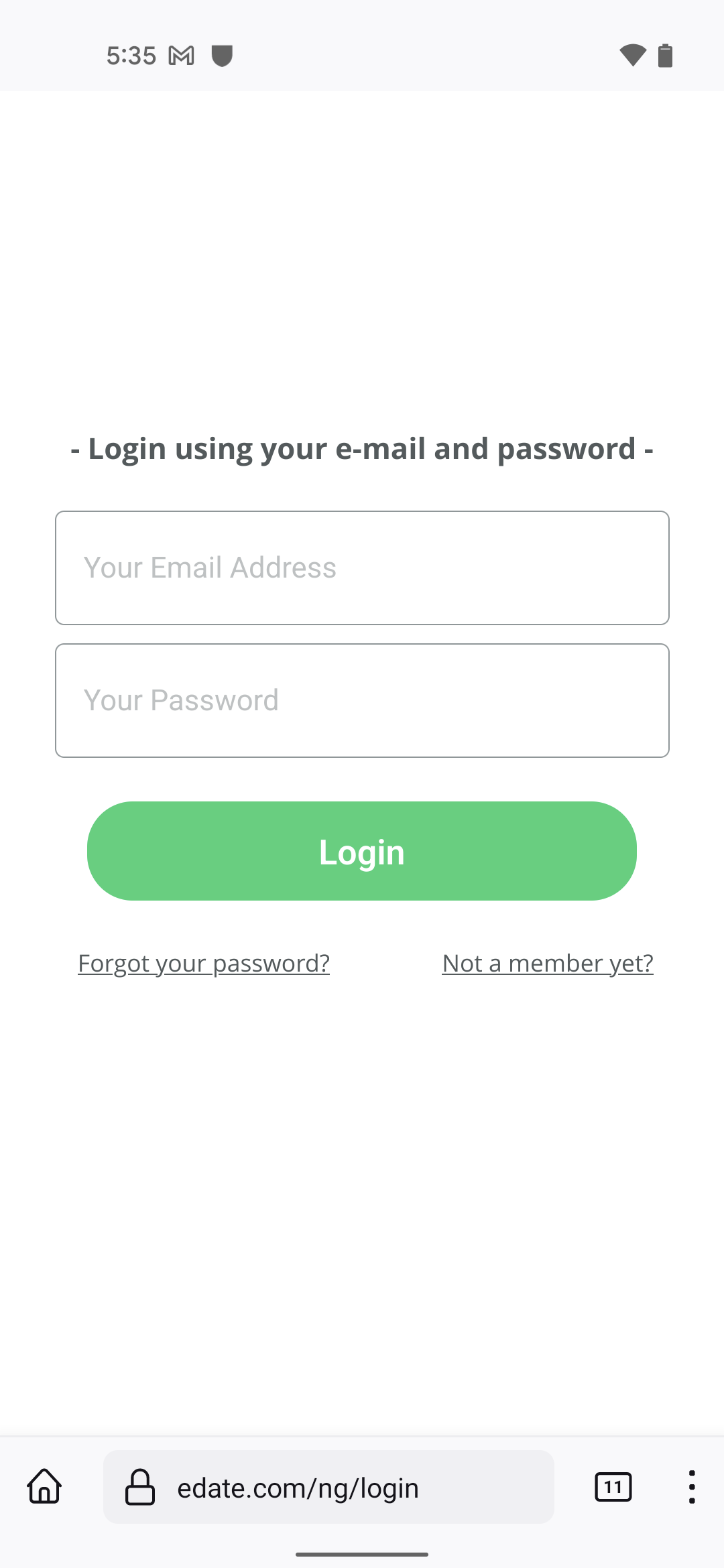
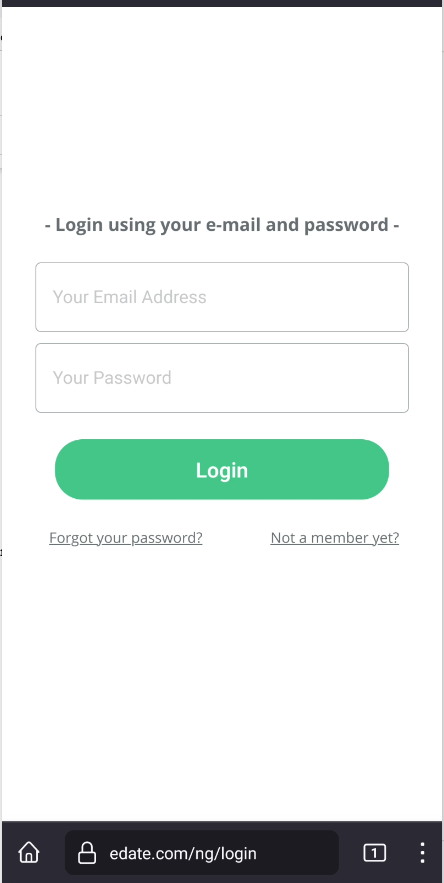
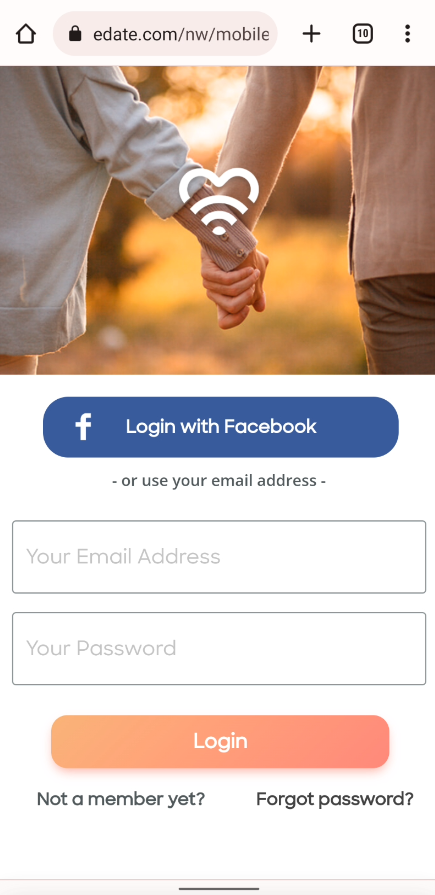
I can confirm that the layout has changed, but "Login with Facebook" button and image are missing, the page design (font, color) is different from Chrome.
Firefox Nightly:
Chrome:
Tested with: Browser / Version: Firefox Nightly 105.0a1 (🦎 105.0a1-20220809093338) Operating System: Google Pixel 5 (Android 12) - 1080 x 2340 pixels, 19.5:9 ratio (~432 ppi density), Samsung Galaxy S8 (Android 9) - 1440 x 2960 pixels, 18.5:9 ratio (~570 ppi density)
Reopening and moving back to Needscontact.
[inv_32/2022]