
web-bugs
 web-bugs copied to clipboard
 webcompat
buskocchi.desuca.co.jp - Map doesn't load
URL: https://buskocchi.desuca.co.jp/smartPhone.html
Browser / Version: Firefox Mobile 76.0 Operating System: Android Tested Another Browser: Yes Chrome
Problem type: Site is not usable Description: Missing items Steps to Reproduce: Google Maps content is not shown on Firefox Nighty but shown on Chrome. The content is shown only for a moment and then disappeared.
View the screenshot

Browser Configuration
- None
From webcompat.com with ❤️

Thanks for the report, I was able to reproduce the issue.
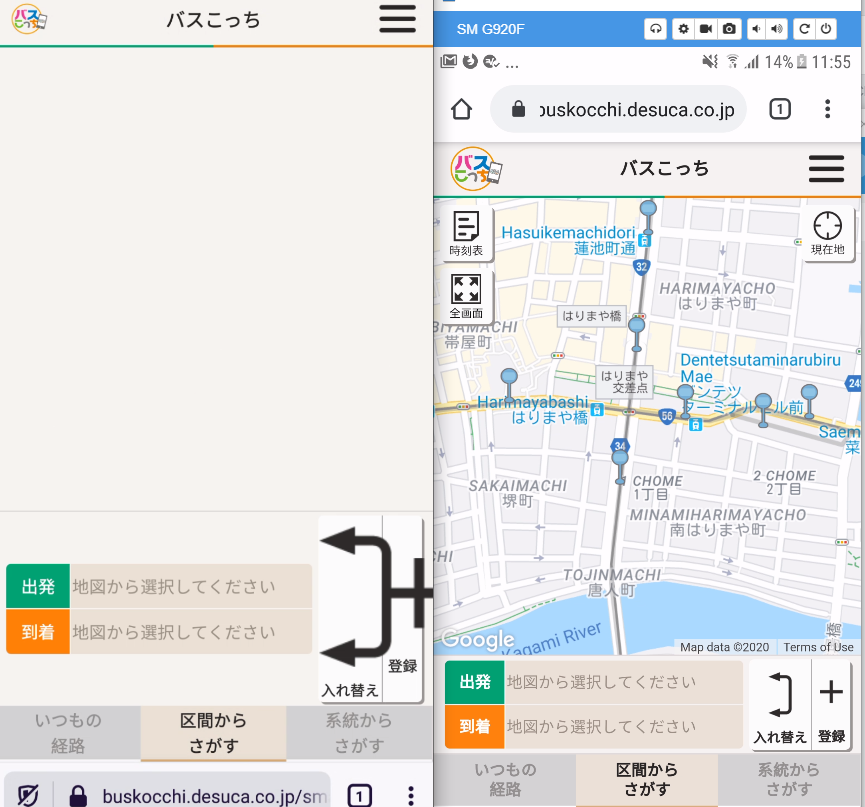
Note:
- The issue is not reproducible on Chrome.
- The issue is reproducible on Firefox regardless if TP is enabled or not.
Tested with: Browser / Version: Firefox Preview Nightly 200329 (🦎: 76.0a1-20200325093457), Firefox Beta 68.7b1 Operating System: Huawei P20 Lite (Android 8.0.0) - 1080 x 2280 pixels, 19:9 ratio (~432 ppi density), Samsung Galaxy S6 Edge (Android 7.0) - 1440 x 2560 pixels (~577 ppi pixel density)
Moving to Needsdiagnosis for further investigation.

https://buskocchi.desuca.co.jp/pc.html loads just fine in Fenix, and https://buskocchi.desuca.co.jp/smartPhone.html also loads, then disappears in Desktop.

Loading failed for the
But disabling Tracking Protection results in the same thing. 🤔
Oh wait, that's my ad blocker. Still reproduces (minus the console errors).
This flashes for a second, but it appears to be a message prompting the user to select start and stop ponts for a journey.

If I manually call init() in the console (defined in https://buskocchi.desuca.co.jp/js/desuca.js), I get a geolocation prompt, the map loads, then it disappears. I wonder if there's some kind of resize happening that messes some calculations up.
But, the debugger seems to struggle showing desuca.js, possibly because it's encoded as Shift_JIS?
@ksy36 can you take a look?
Looks like here the map container height is 0:
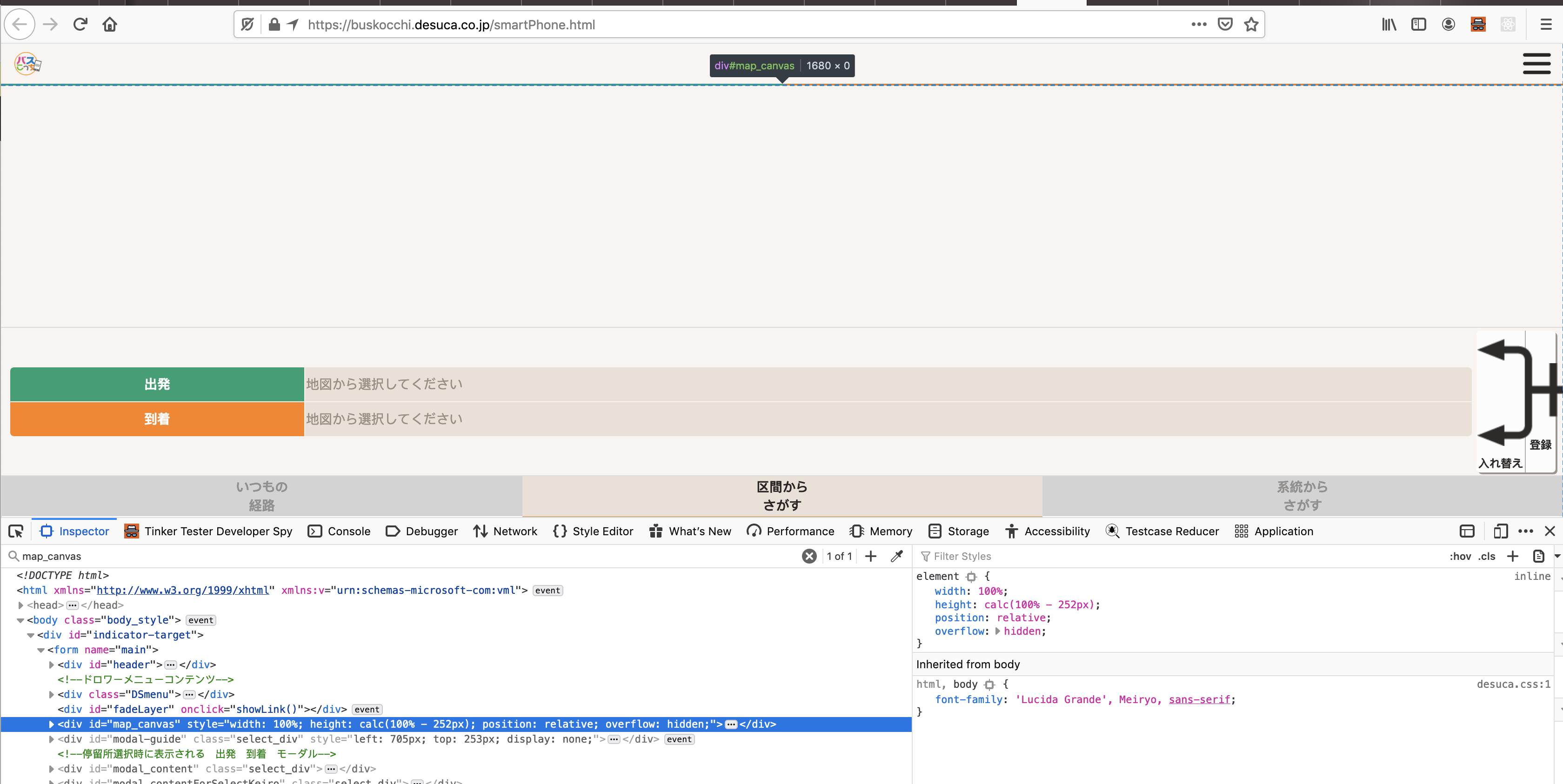
The map is showing if I comment out this line:
document.getElementById("map_canvas").style.height= "calc(100% - " + adjust + "px)";
also it works if I set a height with just pixels (e.g. 400px). That makes me think that parent container height is 0 and calc(100% - " + adjust + "px) in this case is resulting in 0.
The site could fix this by setting height: 100% for the parent container:
form[name="main"] {
    height: 100%;
}
also changing the above code to 100vh would fix the issue:
document.getElementById("map_canvas").style.height = "calc(100vh - " + adjust + "px)";

The issue has an intervention in place: https://bugzilla.mozilla.org/show_bug.cgi?id=1712833. The intervention is still needed, as with the intervention turned off, the issue is still reproducible.
Tested with:
Browser / Version: Firefox Nightly 105.0a1 (2015899475-🦎105.0a1-20220821091424🦎) Operating System: Samsung A51 (Android 11) -1080 × 2400 pixels 20:9 aspect ratio (~405 ppi density) Operating System: Google Pixel 3 (Android 12) -1080 x 2160 pixels, 18:9 ratio (~443 ppi density)
[inv_34/2022]

Service ended on 31st of march 2024, the website is no longer valid, the interventions can be removed.
[inv_17/2024]
