
web-bugs
 web-bugs copied to clipboard
 webcompat
zerofrictioncycling.com.au - see bug description
URL: https://zerofrictioncycling.com.au/lubetesting/
Browser / Version: Firefox 123.0 Operating System: macOS 14.3.1 and many macOS versions, multiple machines Tested Another Browser: Yes Safari
Problem type: Something else Description: Images are corrupted and display as a series of colored stripes Steps to Reproduce: When you look at the images on this site, they are corrupt and will display as a series of colored stripes. The stripes will change color randomly if you resize the window. I also have this on other sites, but usually for very small (icon-sized) images.
Example: The highway markers at Wunderground's Wundermap. https://www.wunderground.com/wundermap?lat=32.287&lon=-110.947&zoom=8&radar=1&wxstn=0
View the screenshot
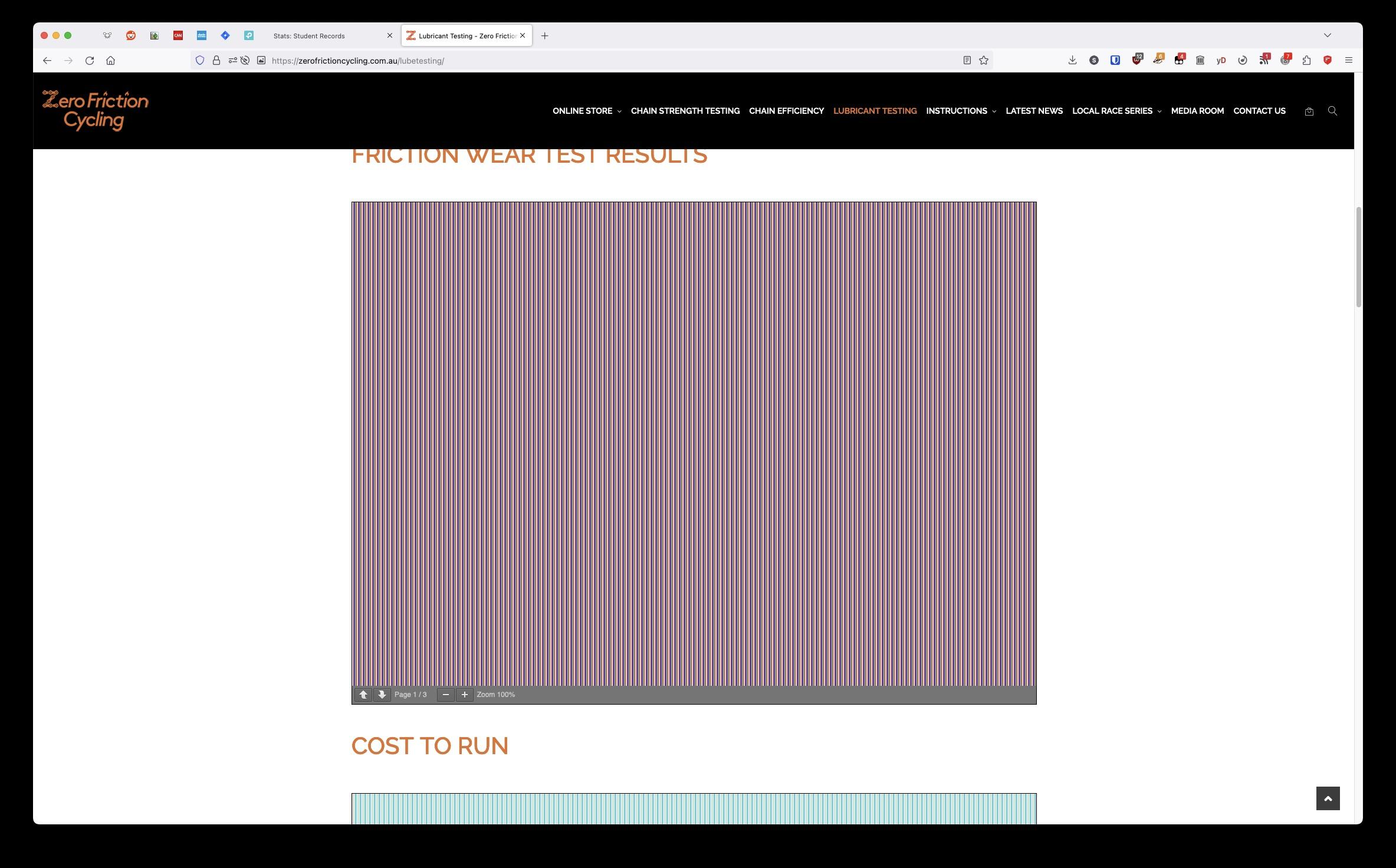
Browser Configuration
- None
From webcompat.com with ❤️

We appreciate your report but I was not able to reproduce this issue, the images are displayed correctly.
Tested on: • Browser / Version: Firefox Nightly 126.0a1 (2024-03-22) / Firefox Release 124 • Operating System: Mac OS Sonoma 14.1.3
Suggestions: • Update the browser • Clear cache/data/cookies, disable Ad-blocker (if available), or use a clean profile and check again • If there are any changes made to the default settings of the browser (e.g. in about:config), please revert to the default settings
How to create a new profile:
- Open a new tab and type in the address bar "about:profiles".
- Click "Create a New Profile".
- Click "Continue", name your profile and then Click "Done".
- Head to your newly created profile and click "Launch profile in new browser".
Note: You can return to your old profile at any given time by accessing "about:profiles" in the address bar
[qa_12/2024]

Curses! You are correct that it's something in my main account or profile. I logged into a different user account on this machine and tried from there and it worked. Sorry I didn't think to check a different profile before submitting the report and thanks for your quick feedback! Eric. On Mar 22, 2024, at 6:17 AM, sv-calin @.> wrote: We appreciate your report but I was not able to reproduce this issue, the images are displayed correctly. image.png (view on web) Tested on: • Browser / Version: Firefox Nightly 126.0a1 (2024-03-22) / Firefox Release 124 • Operating System: Mac OS Sonoma 14.1.3 Suggestions: • Update the browser • Clear cache/data/cookies, disable Ad-blocker (if available), or use a clean profile and check again • If there are any changes made to the default settings of the browser (e.g. in about:config), please revert to the default settings How to create a new profile: Open a new tab and type in the address bar "about:profiles". Click "Create a New Profile". Click "Continue", name your profile and then Click "Done". Head to your newly created profile and click "Launch profile in new browser". Note: You can return to your old profile at any given time by accessing "about:profiles" in the address bar [qa_12/2024] — Reply to this email directly, view it on GitHub , or unsubscribe . You are receiving this because you authored the thread. Message ID: @.>
Thanks for the update, I'm glad to hear that it works on a clean profile. Closing this as worksforme.
[inv_13/2024]
OK, now I have my preferences back to what they basically were before, I have figured out where the bug occurs.
If you set about:config->privacy.resistFingerprinting to TRUE, the corrupt images behavior returns.
Apologies for not figuring out what was causing it until after you closed the bug, but that is what is the trigger. Unfortunately, that is about the only way to actually stop a lot of tracking mechanisms from working, so I would strongly prefer not to turn it off?
(See https://fingerprint.com https://fingerprint.com/ for a with and without demonstration.)
Thanks in advance, Eric.
On Mar 25, 2024, at 3:32 AM, sv-calin @.***> wrote:
Thanks for the update, I'm glad to hear that it works on a clean profile. Closing this as worksforme.
[inv_13/2024]
— Reply to this email directly, view it on GitHub https://github.com/webcompat/web-bugs/issues/134913#issuecomment-2017684703, or unsubscribe https://github.com/notifications/unsubscribe-auth/AAH24LJ5GPYMPEEMQO3UGKDYZ74KZAVCNFSM6AAAAABE7WGM62VHI2DSMVQWIX3LMV43OSLTON2WKQ3PNVWWK3TUHMZDAMJXGY4DINZQGM. You are receiving this because you authored the thread.
-- ... I was thinking of the immortal words of Socrates, who said, "I drank what?" --Real Genius, 1985
Thanks for the extra info, I've moved the issue to bugzilla: https://bugzilla.mozilla.org/show_bug.cgi?id=1887873
[inv_13/2024]
Thanks for your patience in dealing with user hand holding instead of an actual bug.
I feel like a total idiot! I would never in a million years noticed the additional little icon to the left of the URL.
On Mar 26, 2024, at 6:02 AM, sv-calin @.***> wrote:
Moved to bugzilla: https://bugzilla.mozilla.org/show_bug.cgi?id=1887873
Change performed by the Move to Bugzilla add-on https://addons.mozilla.org/en-US/firefox/addon/move-to-bugzilla/.
— Reply to this email directly, view it on GitHub https://github.com/webcompat/web-bugs/issues/134913#issuecomment-2020369770, or unsubscribe https://github.com/notifications/unsubscribe-auth/AAH24LMBEIEIF4R4KONJJVDY2FPUBAVCNFSM6AAAAABE7WGM62VHI2DSMVQWIX3LMV43OSLTON2WKQ3PNVWWK3TUHMZDAMRQGM3DSNZXGA. You are receiving this because you authored the thread.
-- ... I was thinking of the immortal words of Socrates, who said, "I drank what?" --Real Genius, 1985