

 webcompat
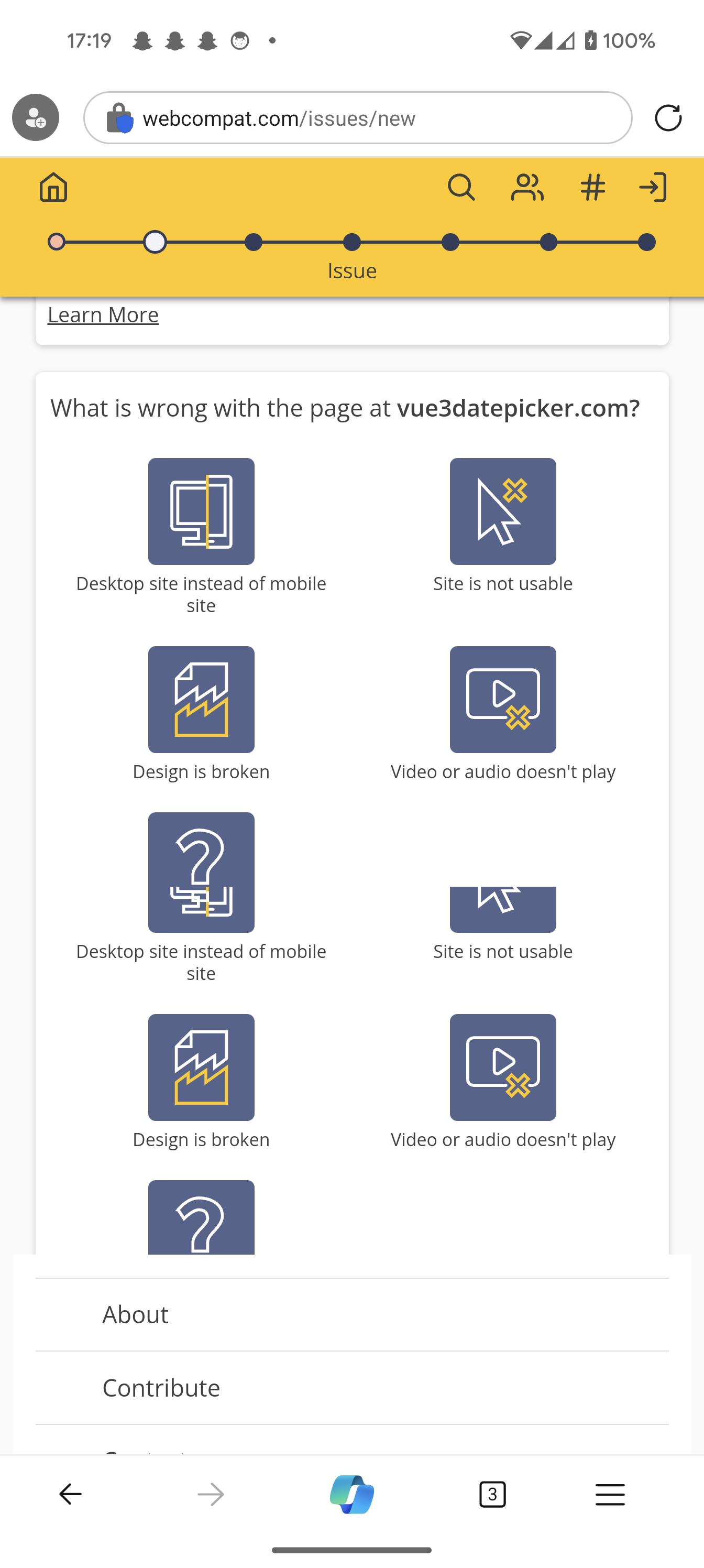
webcompat.com - Rendering issue, page elements randomly duplicating (might be related to devices with Tensor chipset)
URL: https://webcompat.com/issues/new
Browser / Version: Edge Mobile 122.0.0 Operating System: Android 10 Tested Another Browser: Yes Chrome
Problem type: Something else Description: Renderer bugs: content is duplicated randomly and on top of other content, but original content logic remains. Steps to Reproduce: Interact with elements on the page and scroll up and down.
Video attached: https://u.davwheat.dev/ikilPwls.mp4
Running Edge on Pixel 8 Pro on Android 14. Also reproducible on another Pixel 7 device.
Affects multiple websites, not just this.
View the screenshot
Browser Configuration
- None
From webcompat.com with ❤️

Replicated on a Pixel 6a, too. My working assumption is some bug with Tensor chipset hardware acceleration.
https://github.com/webcompat/web-bugs/assets/7406822/2153d551-c890-47c8-b470-9a176fff49ac
We appreciate your report but I was not able to reproduce this issue.
https://github.com/webcompat/web-bugs/assets/107036654/4bf2d911-b6c5-403b-8387-da5ddf140e91
Tested on: • Browser / Version: Edge 122.0.2365.56 • Operating System: OnePlus 6 A6000 (Android 11) - 1080 x 2280 pixels, 19:9 ratio (~402 ppi pixel density) / Google Pixel 5 (Android 14) - 1080 x 2340 pixels, 19.5:9 ratio (~432 ppi density)
Suggestions: • Clear cache/data/cookies, disable Ad-blocker (if available), or create a new profile (without syncing/importing data) and check again • If there are any changes made to the default settings of the browser (e.g. in about:config), please revert to the default settings
[qa_09/2024]

I did rather explicitly say this was only reproducible on Tensor chipset devices...
I understand, we were just trying to clear all the posibilities since we do not have a device with Tensor chipset to test on our own. Does this reproduces on other browsers as well?
[inv_09/2024]
Not reliably... Last night I had some similar weirdness on Chrome, but I've never noticed this before and couldn't reproduce it a second time.
I see a similar issue on several websites, maybe related or not, where the graphical elements get cropped, making it impossible to navigate. Latest Edge and Android on Pixel 8

I work on an Enterprise IoT Platform (so unfortunately no publicly accessible page for you to try this on). One of our enterprise customers has been pushing Edge internally, so they use Edge also on mobile. They noticed the same problem with Edge on a Pixel 6 Pro (multiple devices). The screenshot is of a page with a number of check boxes to select graphs and the graphs below that. Instead it is all spliced together and repeated. Chrome works fine on the same phone.

Got this rendering/flickering issue on Samsung Galaxy S22 Ultra
The image above the calander has flickering issue.

Perhaps it's more generally Exynos-related rather than specifically Tensor then?
I'm also getting the same issues on a Pixel 7
URL: https://quora.com/
Browser / Version: Edge Mobile 122.0.0 Operating System: Android 10 Tested Another Browser: No
Problem type: Design is broken Description: Items not fully visible Steps to Reproduce: Page starts glitching after scrolling down page and in the comment sections, and page starts flickering and going out of alignment.
Browser Configuration

I'm also getting the same issues on a Pixel 7
URL: https://quora.com/
Happens here as well on a Pixel 8.
Same on my Pixel 6a. Here is a workaround I found.
- Go to edge://flags/#enable-gpu-rasterization
- Set "GPU rasterization" to "Disabled"
As long as I have seen so far, the graphic issue is resolved. Looks like android Edge has a bad GPU configuration.

Same on my Pixel 6a. Here is a workaround I found.
- Go to edge://flags/#enable-gpu-rasterization
- Set "GPU rasterization" to "Disabled"
As long as I have seen so far, the graphic issue is resolved. Looks like android Edge has a bad GPU configuration.
I had my customer check this on his Pixel 6 Pro, this did indeed solve the problem for him. Not something we can scale to many users, but let's hope this sets them on the right path to solving the bug.
Thanks!
Enabling the Vulkan graphics engine at edge://flags/#enable-vulkan also seems to fix it on my Pixel 8 Pro
