

 webcompat
www.netflix.com - App is required for both mobile and desktop version of the page [Duplicate purposes]
URL: https://www.netflix.com/watch/81289281?trackId=259465212&tctx=0%2C0%2C469d4924-fb6e-4209-95d0-e1fd54b1eac4-321035306%2CGPS_668AC42FAC3E69D429076B5D7B1619-B4FC553A94192C-A98CCB7BC1_p_1665968828138%2CGPS_668AC42FAC3E69D429076B5D7B1619_p_1665968828138%2C%2C%2C%2C
Browser / Version: Firefox Mobile 105.0 Operating System: Android 10 Tested Another Browser: Yes Edge
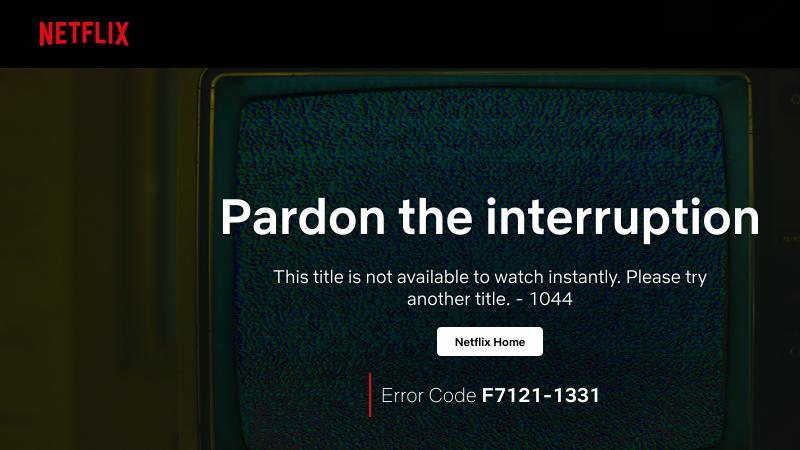
Problem type: Video or audio doesn't play Description: The video or audio does not play Steps to Reproduce: will not run, keeps bringing up error. have tried desktop mode and settings
View the screenshot
Browser Configuration
- gfx.webrender.all: false
- gfx.webrender.blob-images: true
- gfx.webrender.enabled: false
- image.mem.shared: true
- buildID: 20220926183718
- channel: default
- hasTouchScreen: true
- mixed active content blocked: false
- mixed passive content blocked: false
- tracking content blocked: false
From webcompat.com with ❤️

We appreciate your report. Based on what you described, the issue can be reproduced on other browsers and it is not a Compatibility issue. The app is needed to be downloaded in order to play videos on a mobile browser. When playing a video in the Netflix browser on mobile, you will be continually promoted to download the app for watching. The desktop version of the page fails to play the video on all browsers.


For this project, we try to focus our effort on layouts, features, or content that works as expected in one browser but not in another.
Tested with:
Browser / Version: Firefox Release 105.2.0 (2015907747-🦎105.0.2-20221003135607🦎 )/ Firefox Nightly 107.0a1 (2015910315-🦎107.0a1-20221016093143🦎)/ Chrome Mobile Version 106.0.5249.79) Operating System: Samsung A51 (Android 11) -1080 × 2400 pixels 20:9 aspect ratio (~405 ppi density) Operating System: Google Pixel 3 (Android 12) -1080 x 2160 pixels, 18:9 ratio (~443 ppi density)
Closing this as Non-compat.
[qa_42/2022]
