

 webcompat
order.wendys.com - see bug description
URL: https://order.wendys.com/rewards-store
Browser / Version: Firefox 105.2 Operating System: Android Tested Another Browser: Yes Other
Problem type: Something else Description: login with google doesn't work Steps to Reproduce:
- login with Google
- Firefox asks if it's ok to pop up a window. Hit allow and then login with Google.
- The website returns to the wendy's page without logging me in.
Browser Configuration
- None
From webcompat.com with ❤️

We appreciate your report but based on your description I'm unable to do that regardless of the browser I use. There is a message at the bottom of the page that says to head over to their new website. Are you experiencing the same behaviour?
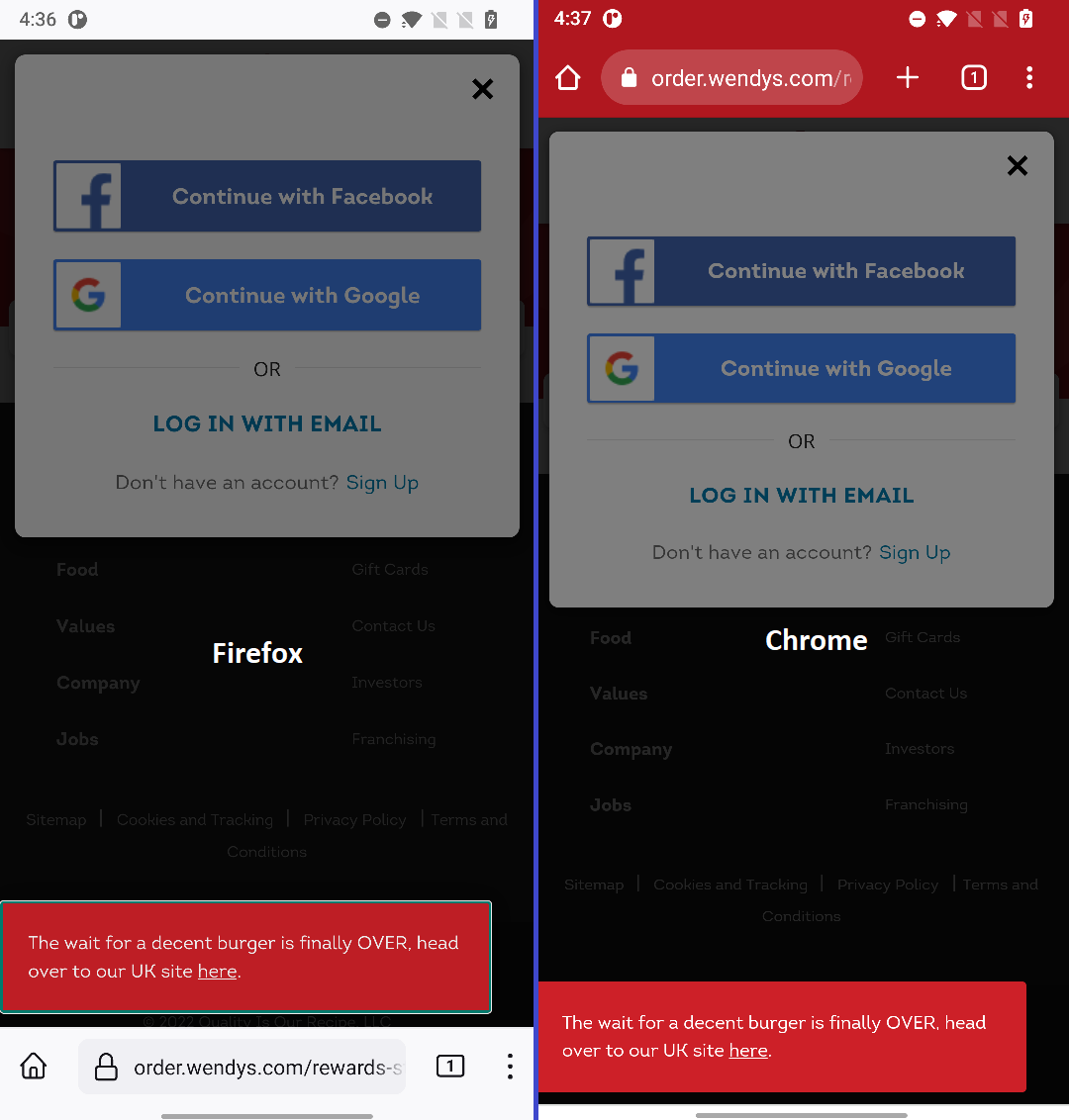
Tested on: • Browser / Version: Firefox Nightly 107.0a1-20221016093143 / Firefox Release 105.0-20220915150737 / Chrome 106.0.5249.126 • Operating System: OnePlus 6 A6000 (Android 11) - 1080 x 2280 pixels, 19:9 ratio (~402 ppi pixel density)
For this project we try to focus our efforts on layouts and content that works as expected on a browser but not on the other.
[qa_42/2022]

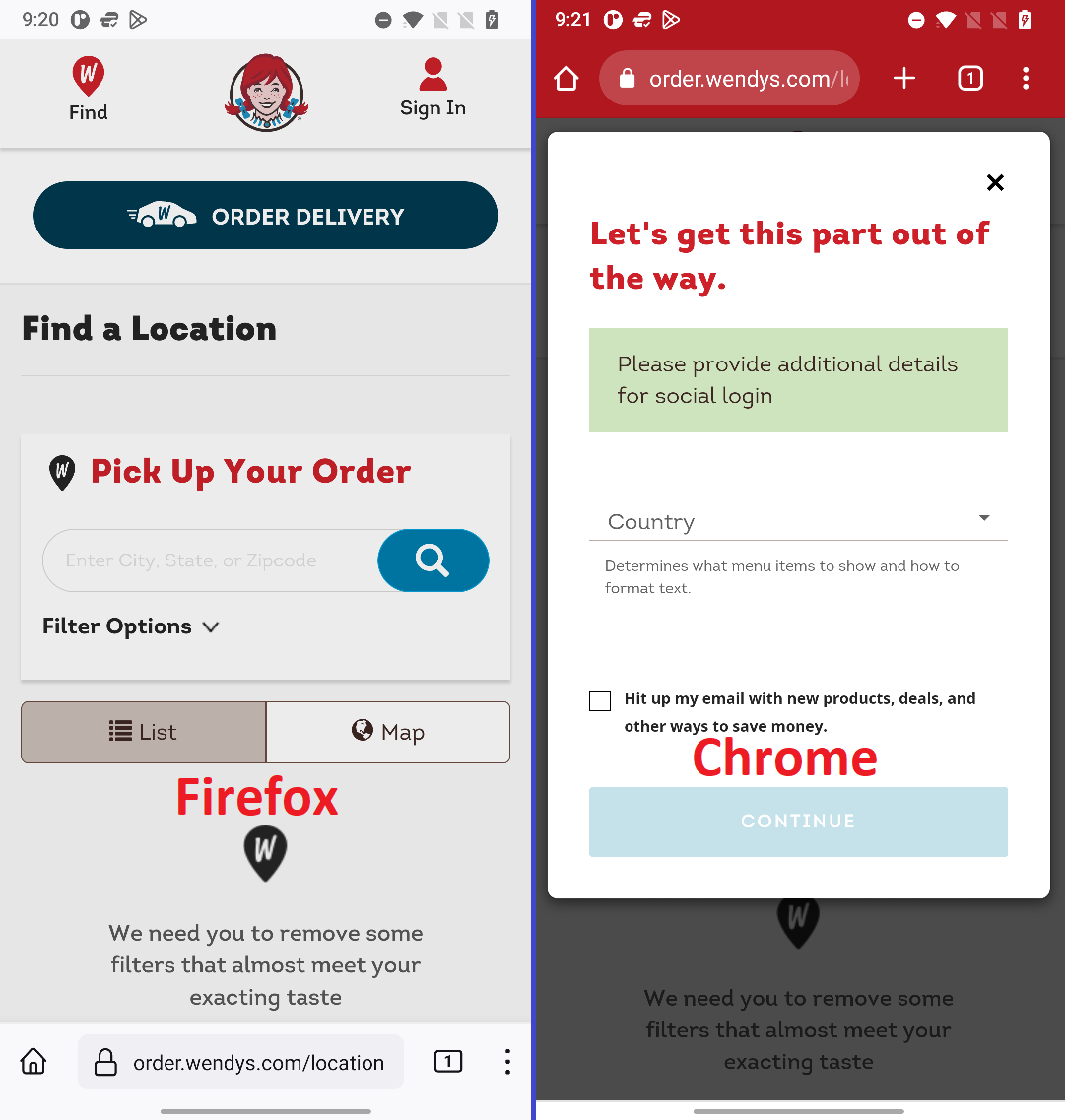
I was able to reproduce this issue with VPN pointing to USA. After entering my credentials I'm still not logged in, it should allow me to finish my account creation for logging in for the first time.
Notes:
- Reproducible on both Firefox Release and Firefox Nightly, regardless of the ETP status
- Not reproducible on Chrome
- VPN needed for users outside of USA and Canada
Moving to needsdiagnosis.
[inv_42/2022]
So this looks like this is a timing issue related to popups. The site is using hello.js library to handle google auth.
Once I click on "Continue with Google", a popup is opened with window.open.
In Firefox, I'm getting the following request to allow popup:
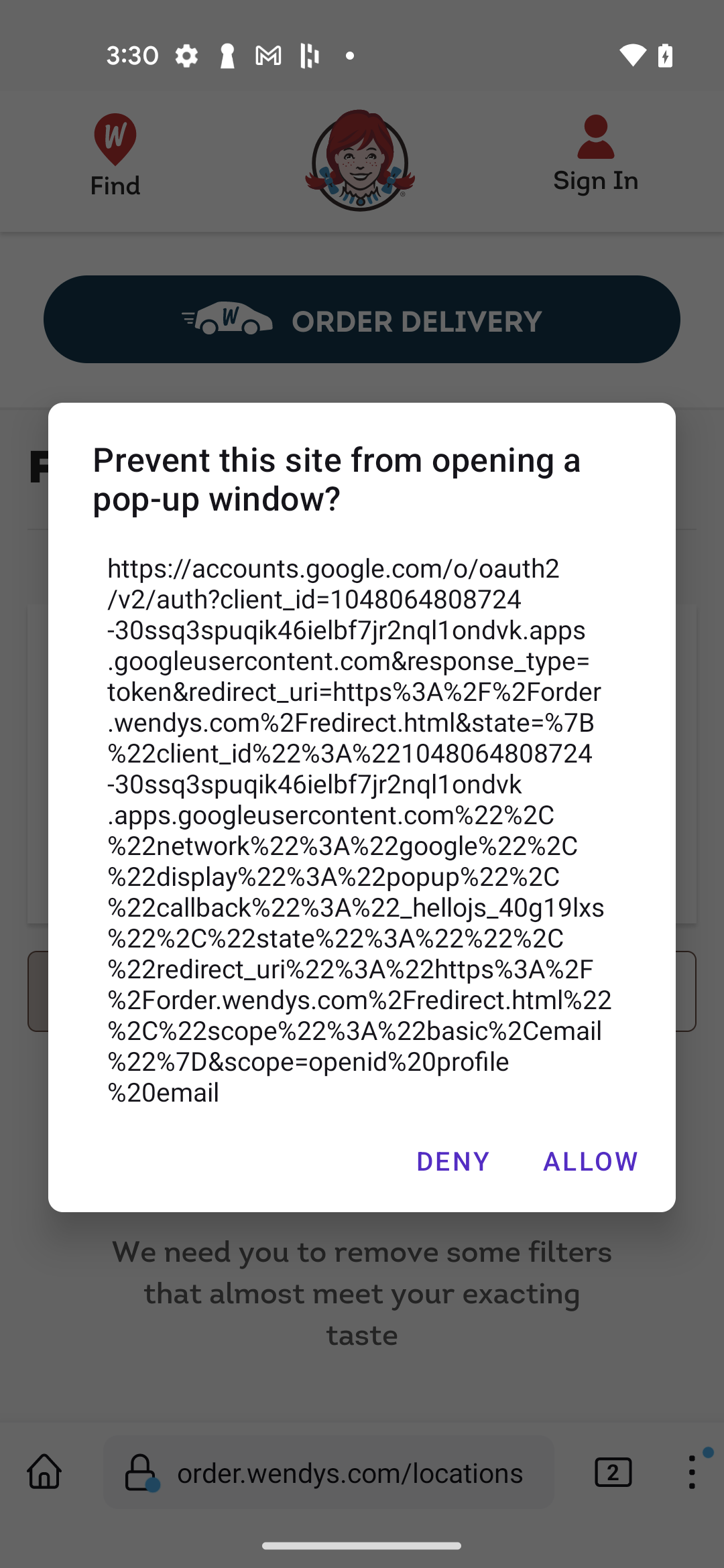
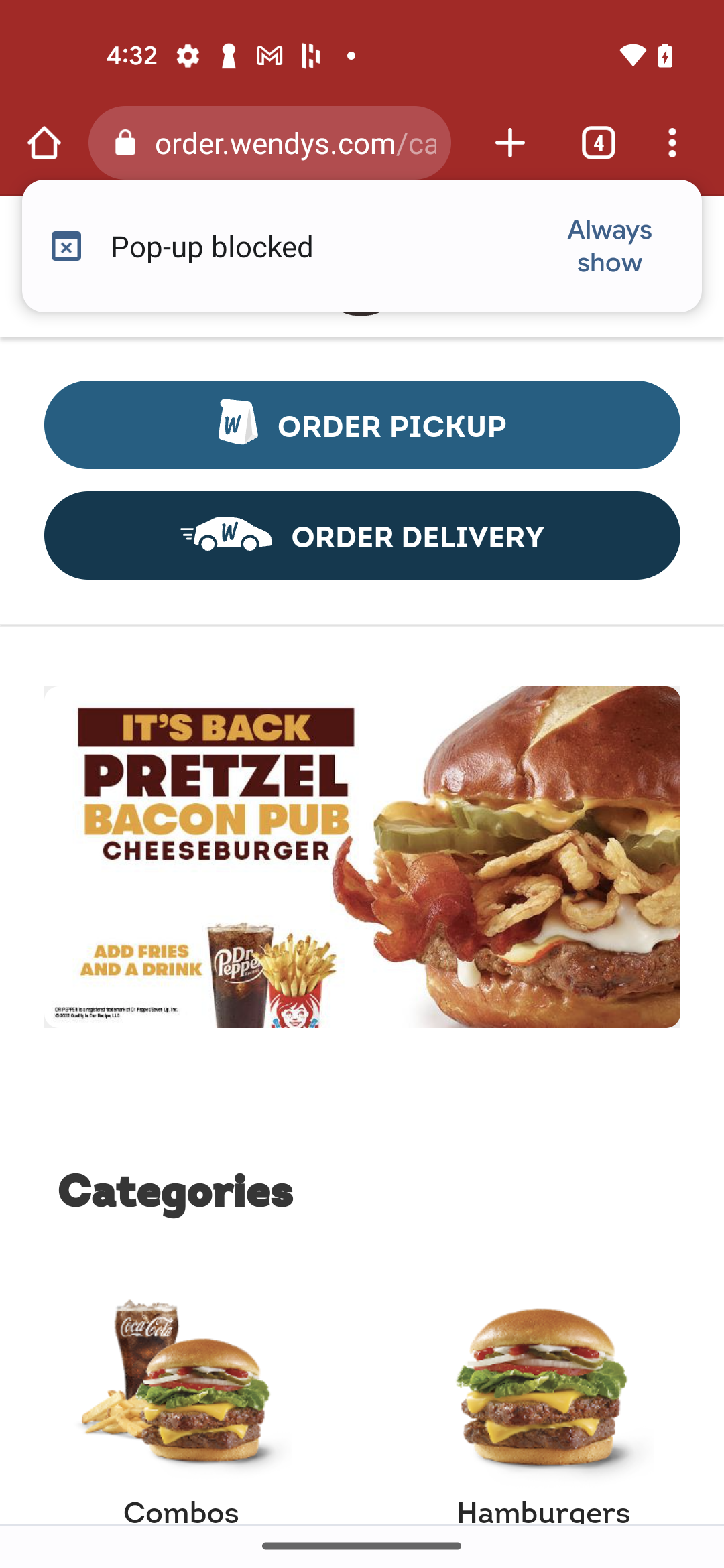
While in Chrome I get no requests to allow/deny it.
The library is expecting variable popup to be defined/ not null in this condition if (!popup || popup.closed) {
From https://github.com/MrSwitch/hello.js/blob/master/src/hello.js:
else if (opts.display === 'popup') {

			var popup = utils.popup(url, redirectUri, opts.popup);

			var timer = setInterval(function() {
				if (!popup || popup.closed) {
					clearInterval(timer);
					if (!promise.state) {

						var response = error('cancelled', 'Login has been cancelled');

						if (!popup) {
							response = error('blocked', 'Popup was blocked');
						}

						response.network = p.network;

						promise.reject(response);
					}
				}
			}, 100);
		}
where var popup = utils.popup(url, redirectUri, opts.popup); is basically opening a new window and suppose to return the window object:
var popup = window.open(
			url,
			'_blank',
			optionsArray.join(',')
		);

if (popup && popup.focus) {
	popup.focus();
}

return popup;
however, in Firefox it only returns the window object if the request to allow popup is accepted, otherwise it returns null and a login promise gets rejected. The setInterval runs every 100 ms and it's hard to accept the dialog within this time (and after the first iteration it's cancelled). The "allow popup" dialog doesn't get triggered in Chrome, and the library seems to be relying on that.
Interestingly, if I set up breakpoints in Firefox, the auth flow starts working. And setting up a few breakpoints in Chrome leads to "allow popup" dialog appearing and the auth flow stops working, similarly to what described in this issue. Which is basically the indication of a timing problem, which happens to be working in Chrome.
We could try filing an issue on github hello.js repository, but it doesn't seem to be actively maintained. So perhaps the best course of action is to contact wendy's

