
web-bugs
 web-bugs copied to clipboard
 webcompat
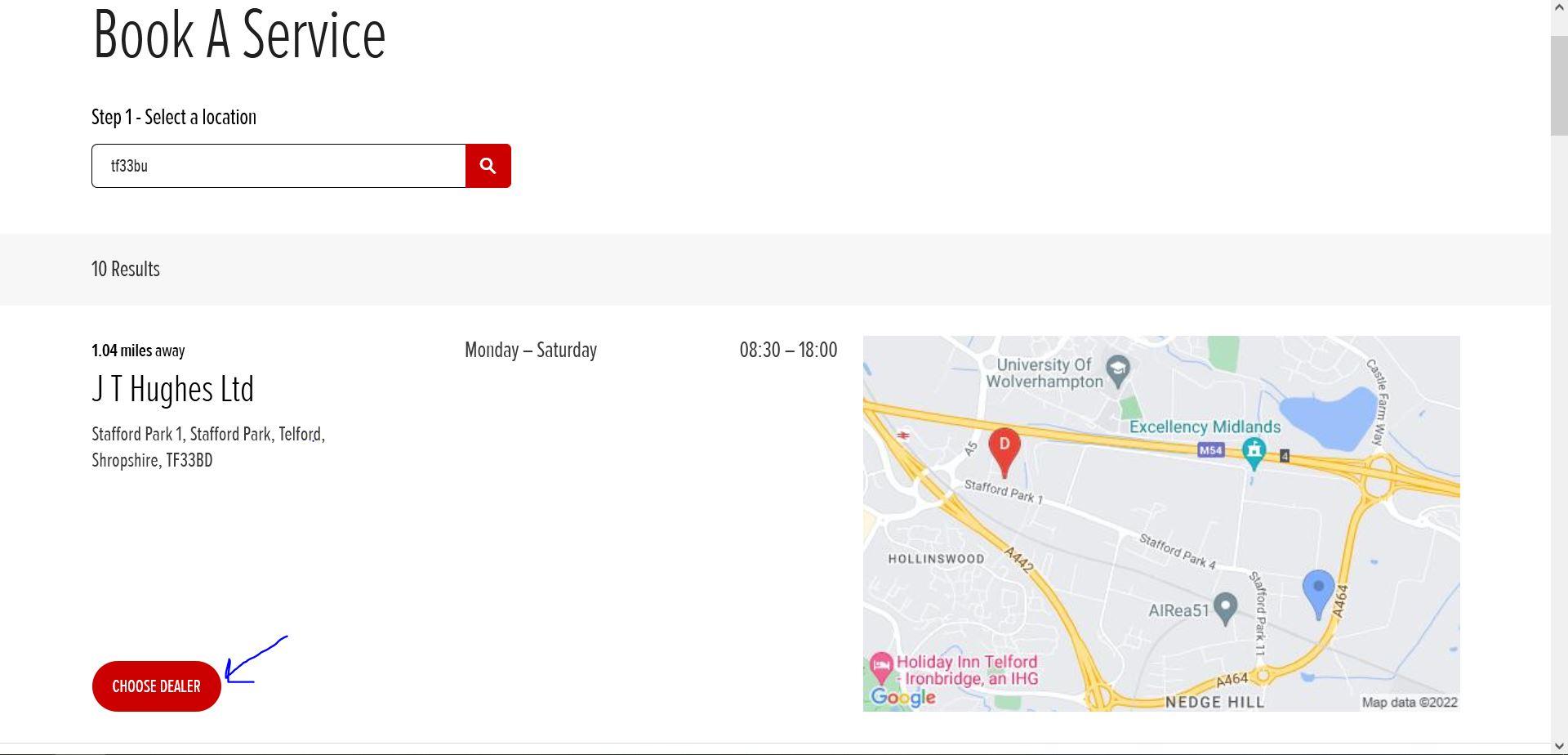
www.honda.co.uk - "Choose Dealer" button is not working
URL: https://www.honda.co.uk/cars/book-a-service.html#search?query=tf33bu
Browser / Version: Firefox 103.0 Operating System: Windows 10 Tested Another Browser: Yes Edge
Problem type: Site is not usable Description: Buttons or links not working Steps to Reproduce: When opening the page and searching for a postcode (UK) it loads up the available service sites. The link that states "Choose Dealer" is not possible to click. I have tested this on Edge and it works correctly. I am running Ublock Origin & Facebook Container if that helps.
View the screenshot
Browser Configuration
- None
From webcompat.com with ❤️

We appreciate your report. I was able to reproduce the issue. The "Choose Dealer" button is not working:

Tested with:
Browser / Version: Firefox Release 103.0.2 (64-bit)/ Firefox Nightly 105.0a1 (2022-08-16) (64-bit) /Microsoft Edge Version 104.0.1293.54 (Official build) (64-bit) Operating System: Windows 10 PRO x64
Notes:
- Reproducible regardless of the status of ETP.
- Reproducible on the latest build of Firefox Nightly and Release.
- Works as expected using Edge.
Moving this to NeedsDiagnosis for further investigations.
[qa_33/2022]

There is actually an element overlapping on the buttons, causing them to not be clickable. It's the flexbox that uses order, and if I add z-index:2 to the buttons, then they start working again. So this is another case of https://bugs.chromium.org/p/chromium/issues/detail?id=606208, where Chrome is ordering flex-items incorrectly. The site will want to fix this, as it's considered Chrome's bug, which they want to address this year.


