

 webaverse
Kalidokit interface

@avaer @skaljac Can someone else pick this up and modify the PR, fix the conflicts, make it ready for integration ? or is this waiting on a heavy update before it can be merged?

I actually think the pose resolution calculations in kalidokit leave a lot to be desired.
That code uses mostly vector math hacks with tons of corner case detection, which has strange singularities, like the pose having a strong tendency to lean to the left, which feels very slightly wrong.
I think we can perhaps do basic world quaternion pointing with the mediapipe data (which is presented in world XYZ based on what the model thinks) to get a much more accurate avatar pose out of it.
I see no reason the math couldn't be perfect without any corner cases, as long as the model is giving us correct data.
This page really helped me: https://google.github.io/mediapipe/solutions/pose_classification.html
Especially this diagram:

With basic 3d maths you can easily compute the corresponding avatar bones quats.

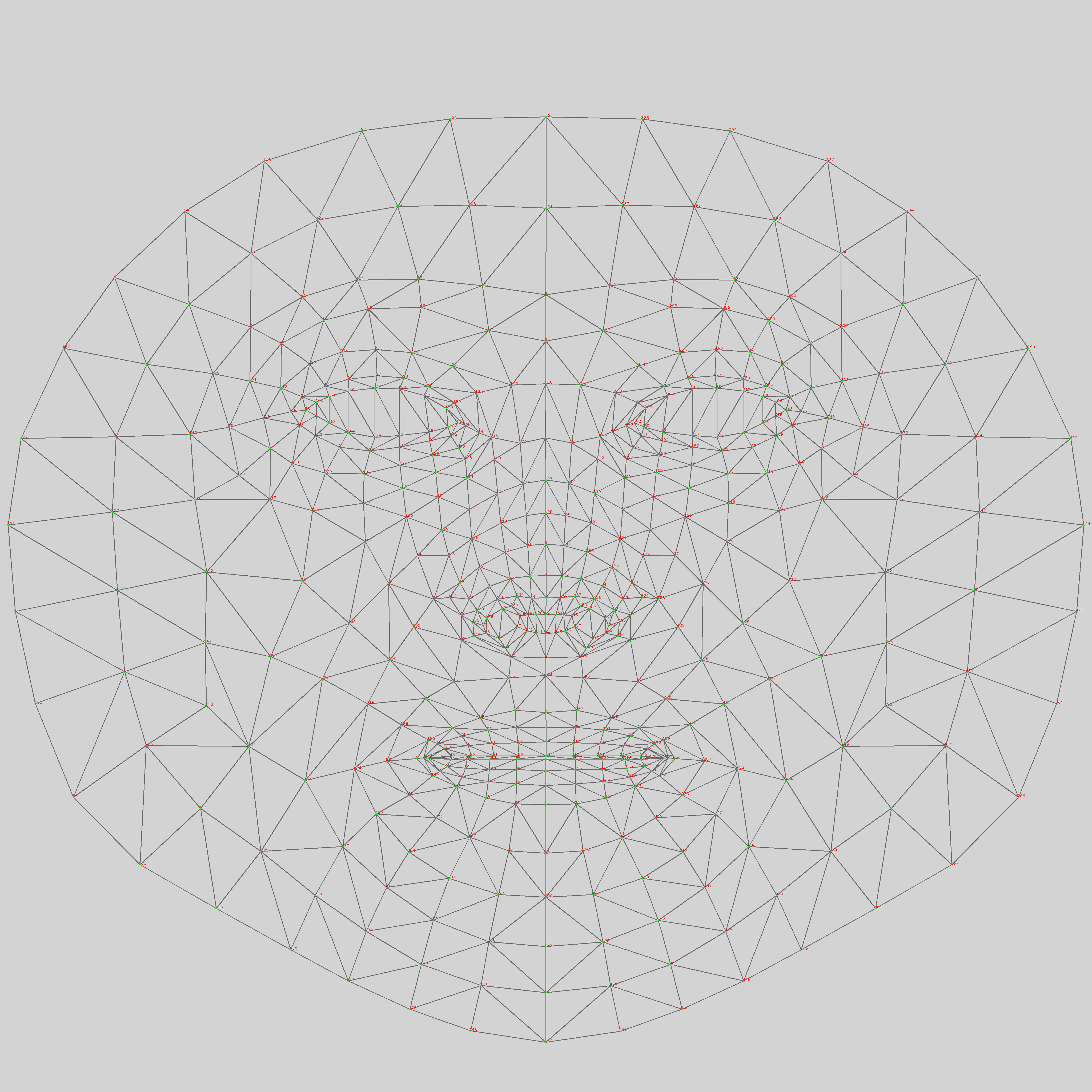
Examples of kalidokit hax/code problems:
https://github.com/yeemachine/kalidokit/blob/505e21e5bcb86771edf96acaa72a0493bd358200/src/utils/vector.js#L243 https://github.com/yeemachine/kalidokit/blob/505e21e5bcb86771edf96acaa72a0493bd358200/src/PoseSolver/calcHips.js#L29
This is almost done.
I rewrote the core to use my own math rather than kalidokit and indeed, it turned out cleaner code and higher quality output. We should probably get rid of kalidokit entirely, porting over the necessary parts.
I also want to optimize this by running the AI pose model in a worker.
Somewhat blocked on https://github.com/webaverse/app/issues/1848, which screws up the main model's posing.
I ended up implementing the isolated origin iframe version of this to take advantage of the strict process separation in that mode.
Note that to make this work, fake RAF is need to make the iframe seem active in 3d. Apparently rendering is not enough to trigger that heuristic in Chrome. If you do not include it you will mysteriously have the iframe tick rate throttled behind time tickets.
This works great so far, but the slowest part is the pixel read back in the iframe. It does not hog the main render loop and therefore does not reduce game FPS, but it does lock up the iframe while it is running.
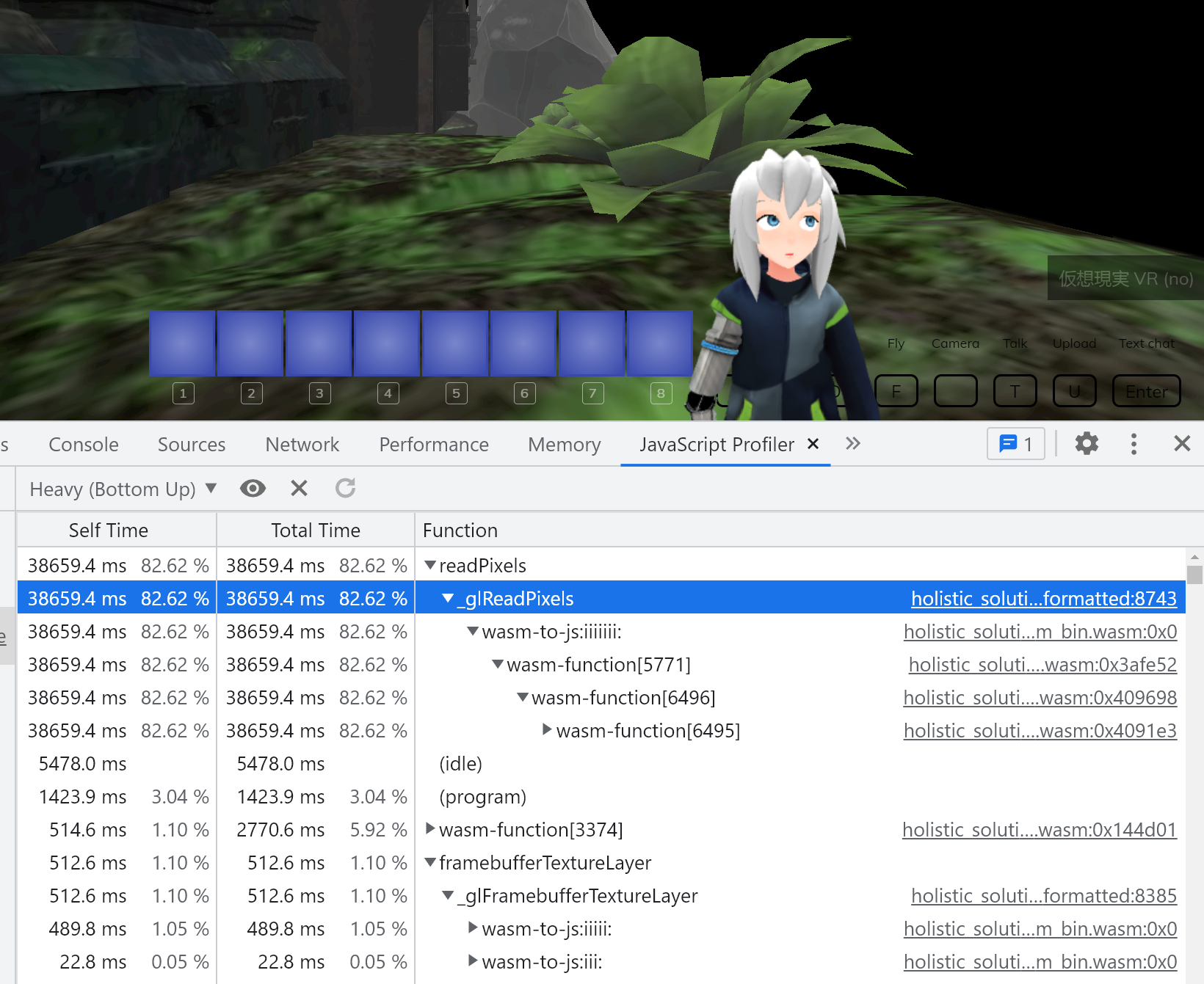
I wonder if that can be optimized, though I do get similar results in the mediapipe codepen demos so I wonder if it's something else, like camera frame rate...
https://codepen.io/mediapipe/pen/jOMbvxw
Is anyone else available to check the performance characteristics of the mediapipe pose demo on their hardware?
https://codepen.io/mediapipe/pen/jOMbvxw
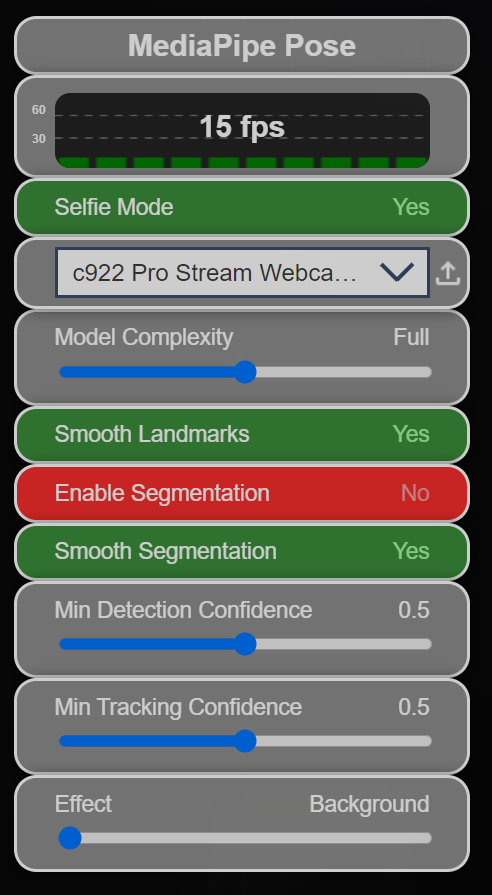



I suspect it is a camera driver issue on my end, though if that is true I won't be the only one. I'll play around more, and also order a different camera for testing.
This is working quite performantly after I changed the camera read technique to use an intermediate canvas, from which we source the ImageBitmap. This seems to get around some camera driver GPU fencing that was causing blocks when you read the texture from the camera media stream directly.
I also added support for the full emotion gamut using custom face pose detection math which maps to the VRM shape keys.
This is done enough that someone other than me could take it to the finish line.
- [ ] needs to take in inputs from the actual hands, rather than the
fakeQuaternionwhich was being used to test rotation orders (it's an easy switch, the necessary code is already there and commented out) - [ ] needs major cleanup/optimization, mostly for allocations which are everywhere in the face tracking code path. the cleanup is mostly mechanical as the code should be well behaved and abstracted already, the only problem being dead code and cloning.
Device: Dell precision 7710 Nvidia Quadro m5000m 8gb ram: 16 gb Ci7 6th gen 2.70 GHz
The PR has issue on my device as it doesn't shows the avatar down the bottom right, instead, it shows ''StandBy''. Meanwhile, the camera is being used. I have attached the log ss.

