

 wbond
wbond
Package control: error
Package Control: Installing 1 missing dependency Package Control: Error downloading package. HTTP exception InvalidCertificateException (Host codeload.github.com returned an invalid certificate (_ssl.c:493: error:1409442E:SSL routines:SSL3_READ_BYTES:tlsv1 alert protocol version)) downloading https://codeload.github.com/codexns/sublime-bz2/zip/1.0.0. error: Package Control
Où je peux installer les fichiers de "https://codeload.github.com/codexns/sublime-bz2/zip/1.0.0." ? Que puis-je faire ? Je n'arrive toujours pas à utiliser Emmet à cause de ça. D'avance merci. Je suis sur: OS X: Yosmite Version 10.10.2

It seems you're using an old version of Sublime Text 2 (or Package Control?). Update to Sublime Text 3.

I encountered the same problem that @MLHFOX had. I am using Sublime Text 2 and a new installation of macOS Mojave. I encountered "Unable to download bz2" every time upon starting or launching Sublime Text 2 after installing Package Control. I resolved it like this:
Press Cmd+Shift+P to open the Command Palette then type 'package' then select 'Preferences: Package Control Settings - User' then add "downloader_precedence": { "osx": ["curl"] }, to the first line of the settings file after the opening curly brace (checking that the syntax is correct if other settings were present). Here's what the entire Package Control.sublime-settings file now looks like (although github has stripped out my tabs and line breaks):
{ "downloader_precedence": { "osx": ["curl"] }, "bootstrapped": true, "in_process_packages": [ ], "installed_packages": [ "Package Control" ] }
Save, then after a few seconds you should see a dialog: 'Package Control: 1 missing dependency was just installed. Sublime Text should be restarted, otherwise one or more of the installed packages may not function properly.'
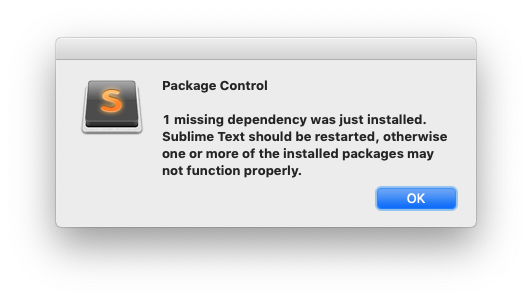
Restart Sublime Text 2 and the problem should be gone.
This answer comes by way of @fabritw at #1134 even though that's not exactly the same problem and even though that issue mentions Sublime Text 3 instead of ST2.

@frankfarm Sublime Text 2 does not properly work on Mojave, nor High Sierra. Some of it will work, but other things are broken and can't be fixed since Apple changed Python 2.6 to 2.7 behind the scenes.
Beyond that, Sublime Text 2 is unsupported by Sublime HQ, and Sublime Text 3 is leaps and bounds beyond ST2 in almost every regard.
The next release of Package Control will likely be dropping ST2 support.
