

 waymondrang
Firefox dark mode is basically unreadable
For some reason my dark mode puts a weird white layer over the page which makes text unreadable. Changing background color and text color doesn't effect anything. I'm on Firefox with Windows 10 and I've turned all my extensions on and off with no change. It's been like this for a month at least.


Hello,
Thank you for creating an issue. I apologize that the extension did not work as expected. I believe this issue may be caused by the non-white page color shown in the screenshot without dark mode. It also appears that you have enabled the invert option in DocsAfterDark. This may contribute to the low contrast page in your screenshot with dark mode.
Can you try to reproduce the issue with a white page color?

Hi @waymondrang , I'm reporting the same thing on Firefox 108.0.2 (64-bit) and macOS Monterey 12.6.2.
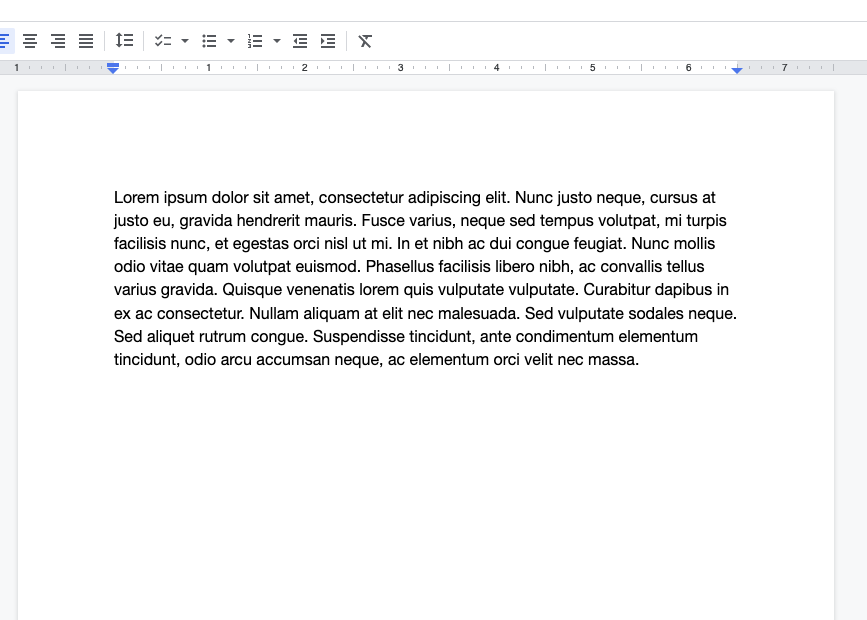
Extension disabled showing white page.
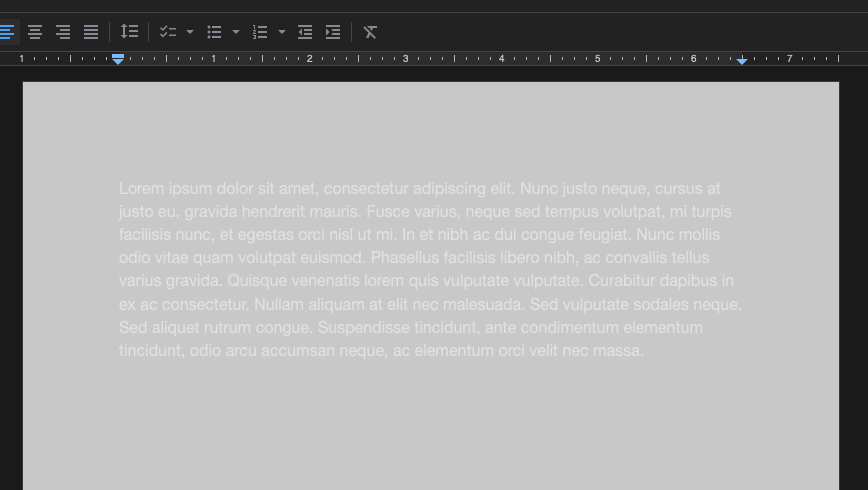
Extension enabled, Dark (Invert).
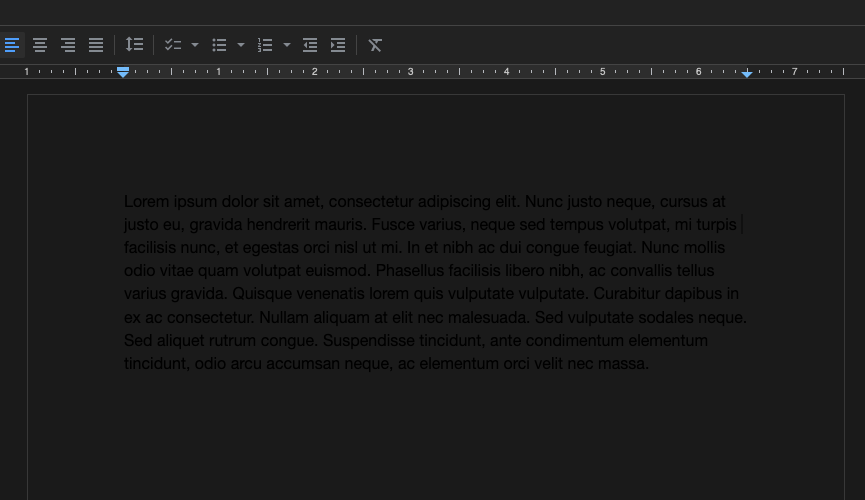
Extension enabled, Dark (No invert).
Extension enabled, Black(No invert).
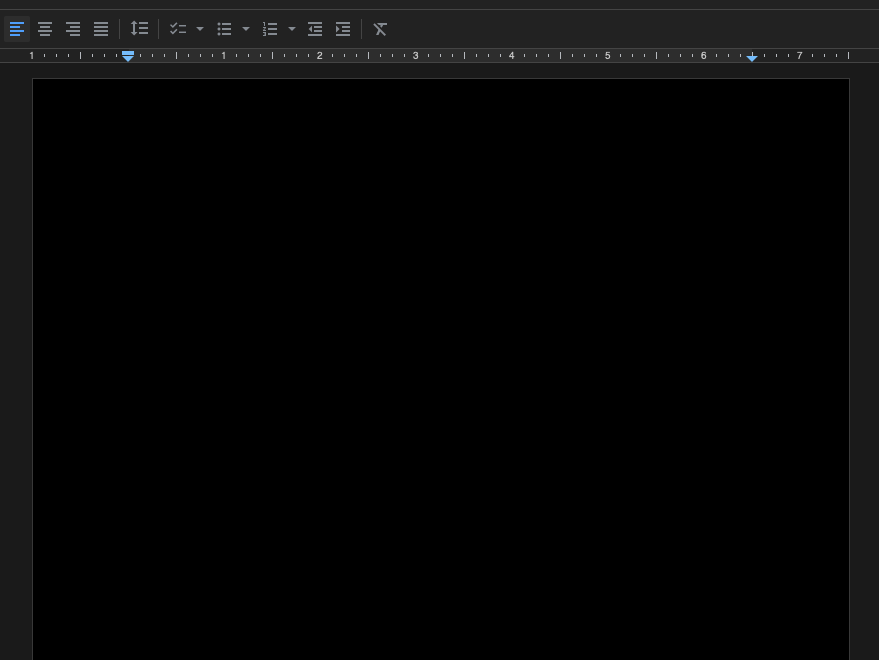
Extension enabled, Black (Invert).


Hello, this is the expected behavior for DocsAfterDark on Firefox, as changing the background color should not also change the text color. I would recommend using the default background color with invert and grayscale enabled. If you are still experiencing invert problems or any other problems on the latest version, v1.0.0, please feel free to open another issue!