waveshareteam
7.5in black and red display dimming when I update with Python
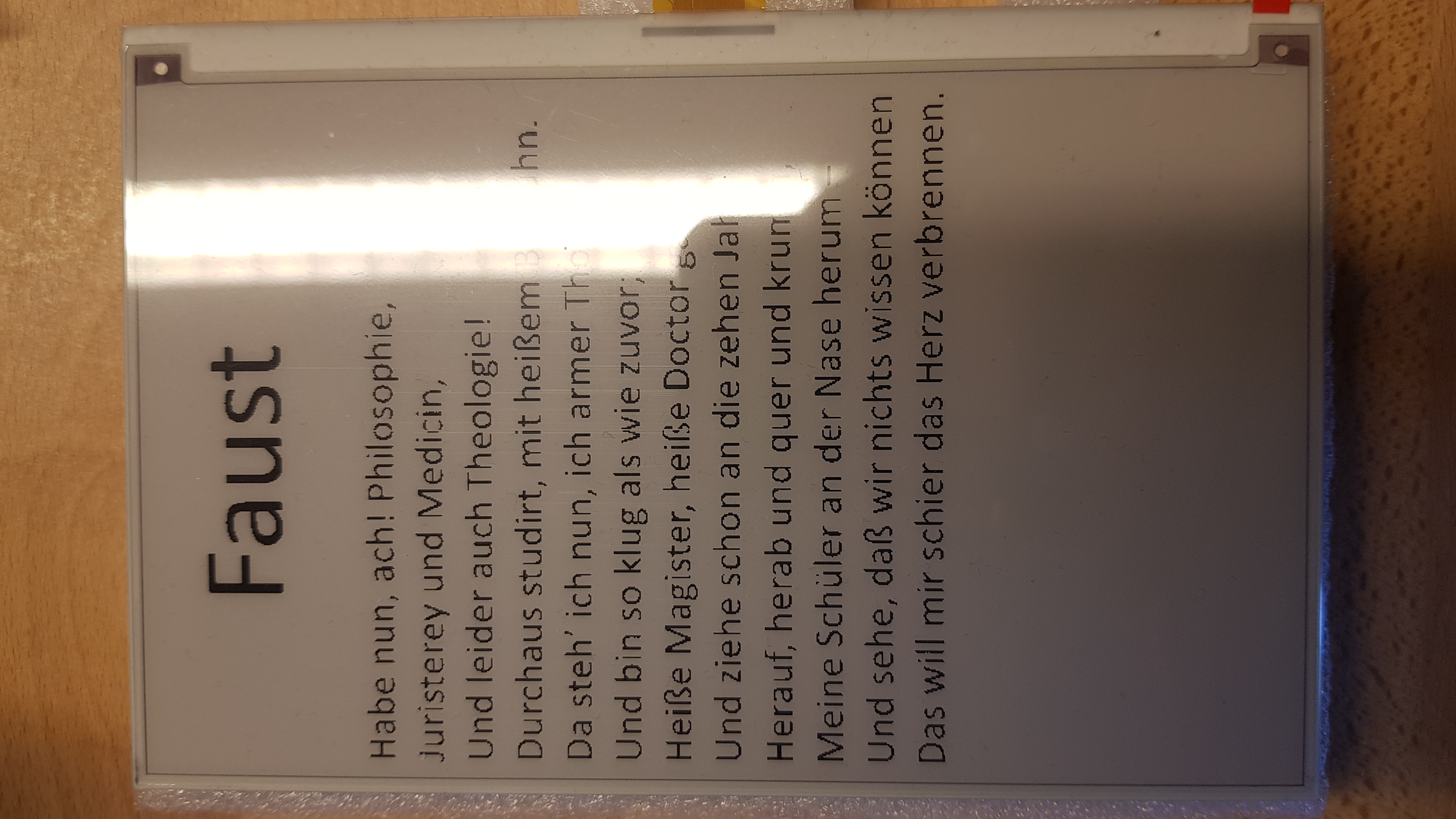
Parts of my display are much dimmer than other and I cannot figure out why looks washed out starting at the top left, but much botter on the bottom right. I can't figure out why its doing it

Try toggling the 'Display Config' switch. If there is no improvement, please uncomment lines 84-88 on epd7in5b_V2.py. Still invalid, please contact our after-sales staff. good luck

@faspina I think I have the same issue with 800x480, 7.5inch E-Paper (B) E-Ink Raw Display, Red / Black / White (13380). I didn't have this with my old 7.5inch HD E-Ink (17087), but I had to order the other one because my old one was out of stock.
After updating it keeps flashing (like every second) some white distortion on top of the (before) good looking image. This happens a few times and then the white lines and distortions stay and I get a dimmed image in the end.
Is this also your issue?
Btw. I'm using an ESP8266 driver board.

I'm using this demo sketch of the demo source code (https://www.waveshare.com/wiki/E-Paper_ESP8266_Driver_Board): epd7in5bc_V2-demo
I made a video of the issue:
https://user-images.githubusercontent.com/41804639/124511160-bcc91780-ddd5-11eb-9659-424363b765ea.mp4
The demo in this repo (https://github.com/waveshare/e-Paper/blob/master/Arduino/epd7in5b_V2/epd7in5b_V2.ino) is crashing (makes wdt reset) in line 35.
I made another video where you can see the effect more clearly:
https://user-images.githubusercontent.com/41804639/124513741-c3f32400-dddb-11eb-959a-7f70d14d0b56.mp4
This is my own code (I only modified the epd specific commands for this display - worked on my old 7.5inch HD E-Ink (17087)).
@FelixWeichselgartner, Sorry for the late reply, I admit our screen updates didn't match the hardware very well.(Too many versions of the screen and too much hardware to accommodate...)
A temporary solution might be to try:
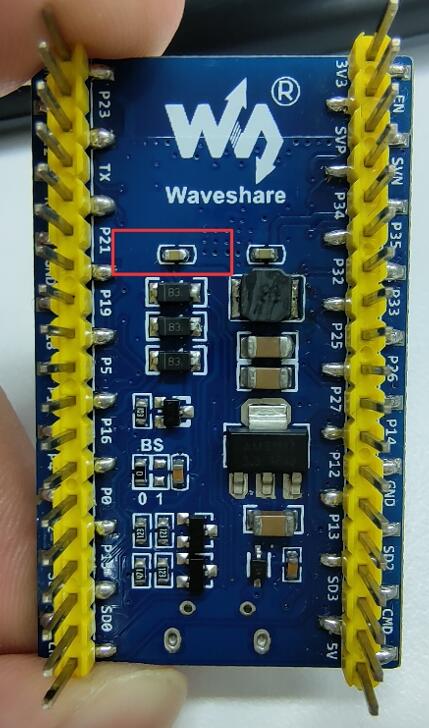 Change the capacitance to 4.7uF 25V/0603 (1uF or 10uF is also acceptable)
good luck
Change the capacitance to 4.7uF 25V/0603 (1uF or 10uF is also acceptable)
good luck
@SSYYL I think this did the trick for me. TY - the image looks way more intense now.