

 warpdotdev
Global Hotkey Window / Quake Mode window should float / appear above fullscreen apps (on active screen above other windows)
Describe the bug
In Iterm you could configure hotkey window to be floating above fullscreen apps, but Warp does not currently support it.

From @ideea via 859
something like that. https://monosnap.com/file/CvJdptdKjfHk0TWYYY2Zcs7V3ESXCm

Here's a GIF of the behaviour I originally described in the feedback survey compared between Warp and iTerm
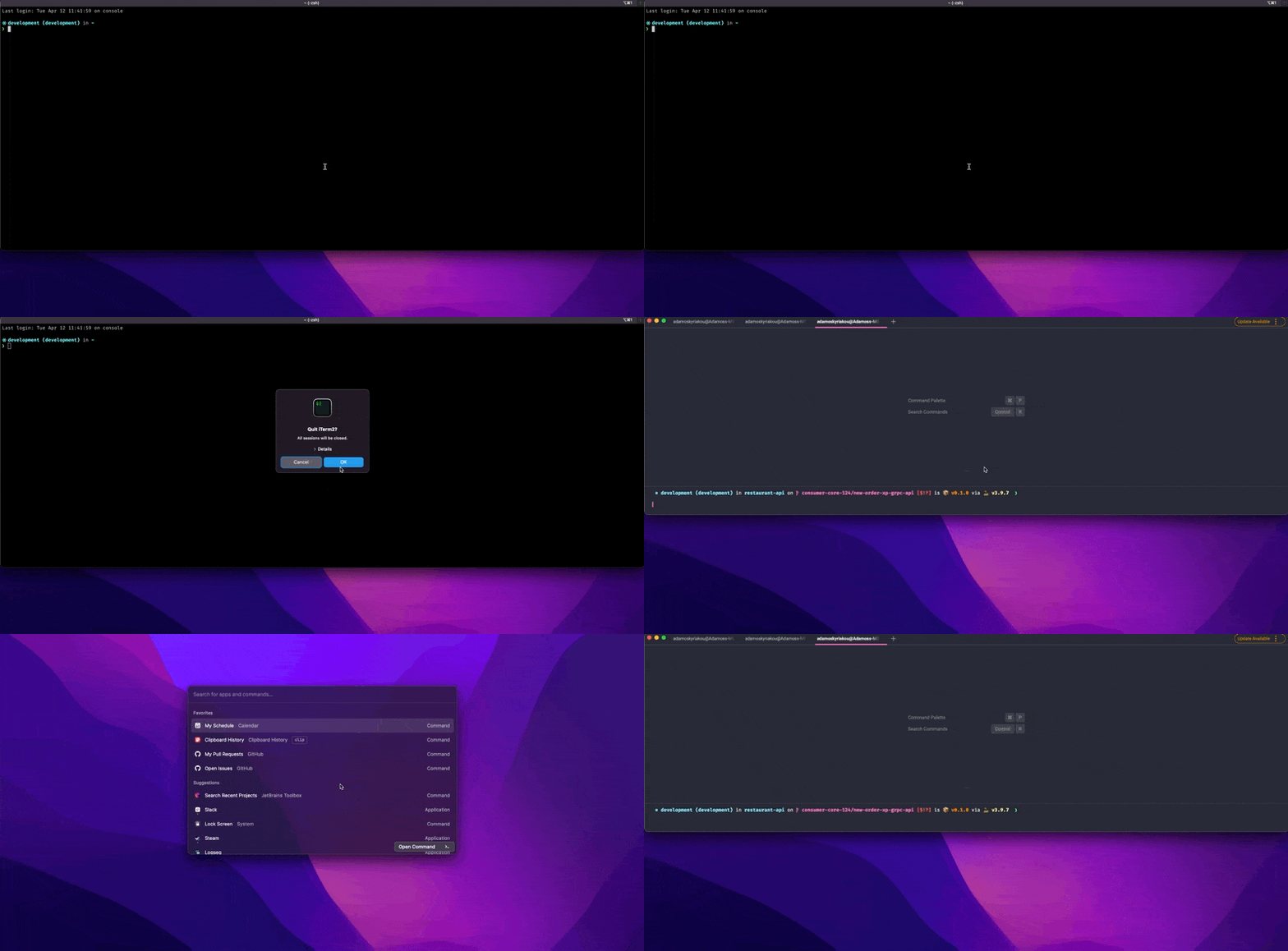

a reference of how it's implemented in electron https://github.com/electron/electron/blob/main/shell/browser/native_window_mac.mm#L1342-L1363

a reference of how it's implemented in electron https://github.com/electron/electron/blob/main/shell/browser/native_window_mac.mm#L1342-L1363
@ozsay Unfortunately this does not work with Warp:
TransformProcessType(&psn, kProcessTransformToUIElementApplication);
will transform the application process into a background app -- causing it to not show up in dock icon and app switcher
From @ideea via 859
something like that. https://monosnap.com/file/CvJdptdKjfHk0TWYYY2Zcs7V3ESXCm
in the vid the shortcut switches to a different space -- I'd strongly prefer the other option that is also possible in iterm, the one where iterm is opened above the full-screen app without switching the space
https://www.loom.com/share/a1feb9d1393f40d6ae4685f52b38abea

Any updates on this? This is currently the only thing blocking me from using warp :/

It remains a major annoyance for me as I use Warp alongside Raycast a lot so I'd love for that to somehow be sorted. Was hoping that the introduction of this toggle in the Warp settings would do the trick but alas it doesn't autohide behind Raycast
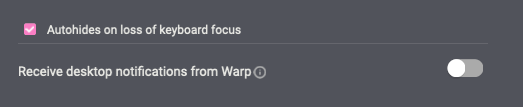
@kevinyang372 sorry for the very late response!
https://github.com/ozsay/winit/pull/1
I made a few tests for it using winit and it seems to work with dock and app switcher (without transforming the process).
not sure what is Warp's window handler, but I assume it's cocoa underneath..
Happy to report that for a few weeks now Warp has not been floating over Raycast and I'm super happy with it 😍 !
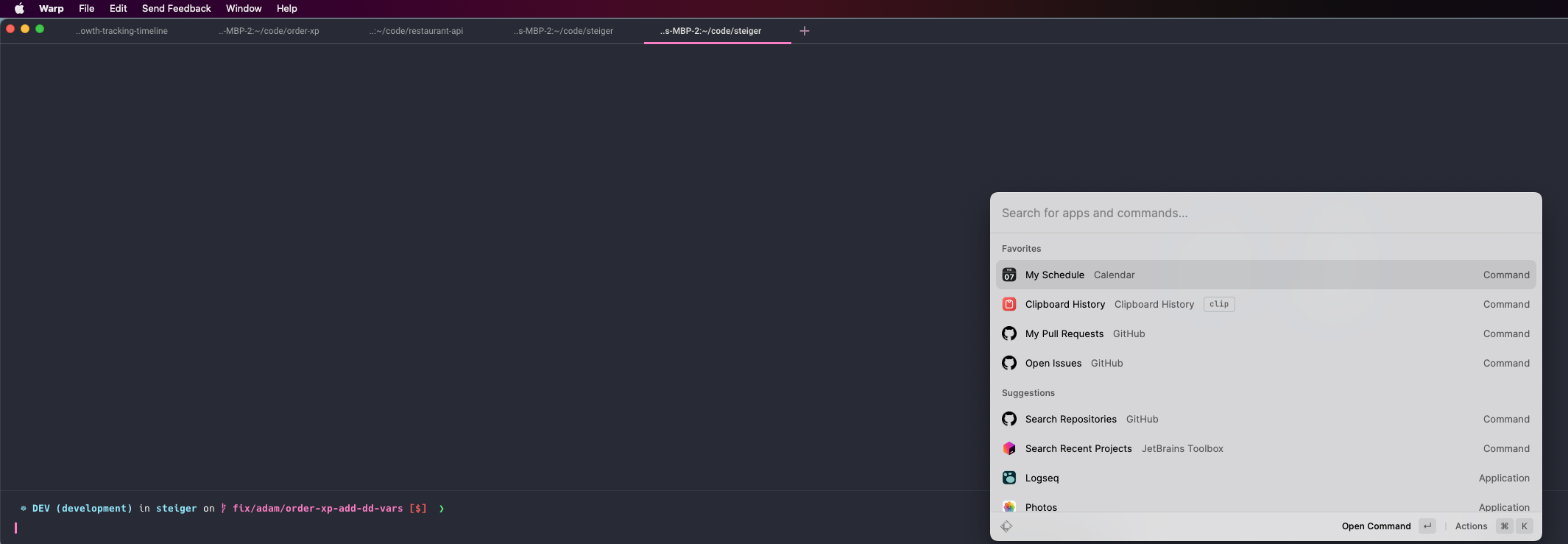
@elviskahoro but its not solved et all. Warp still doesnt open above fullscreen apps?!

I'm able to use the Quake window over full-screen apps. What version are you on and are you using the Quake window?
Version: v0.2022.09.20.08.08.stable_01 With Quake window you mean the hotkey window?
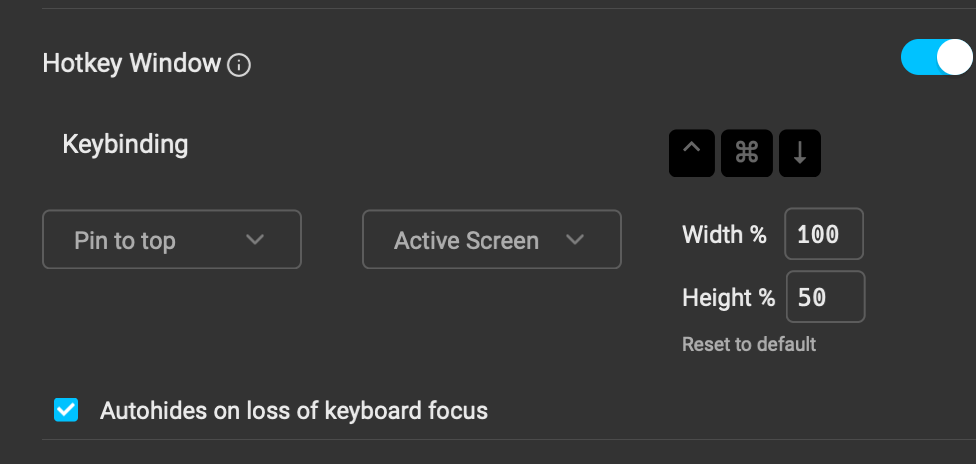
@digitalkaoz The "Active Screen" could be the culprit of this. Under some scenarios, Mac won't consider the screen you have active full-screen app on as the active screen. Could you try with pinning it to a certain screen and try again?
Gonna close this! @digitalkaoz please let us know the outcome of your investigation.
@elviskahoro @kevinyang372 its neither completed nor working. tried all combinations of toggles to make it work.
What kind of keyboard do you use?
Do you have an international keyboard or use an international keyboard format on your Mac?
We have a separate bug where some keys and keyboard combinations aren't registered.

I have the same problem: When I open the Hotkey window on active screen with a Fullscreen app, the Windows appears on my other screen (without fullscreen app).
Here my system informations:
- Mac OSX 12.6
- warp version v0.2022.11.14.14.55.stable_01
- Apple Keyboard Swiss Layout (Language: de-CH)
- Hotkey Setting:
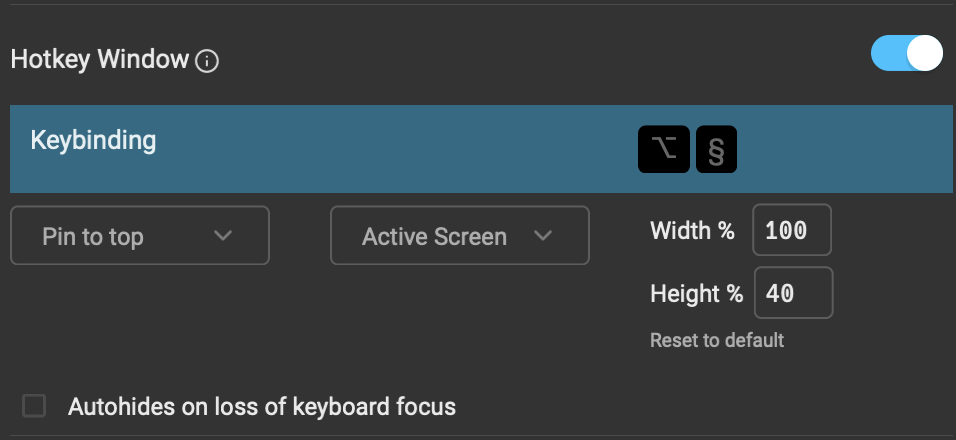

I'm having the same problem as mentioned above. When I switch to "Main Screen" instead of "Active Screen" the hotkey window appears on top of fullscreen apps on my main screen.

It'd also be extremely useful to exclude the Warp window from the tab switcher.

I'm experiencing the same proble. If it's related to how MacOS Natively detects which screen is active, can I suggest impelementing something like using the screen where the mouse is on? There will be some minor cases in which all interactios were done with keywboard and the active windows doesn't match with the mouse position, but I think at least worth adding the option.

Any updates on this issue. On external monitor, it opens the warp in a different screen and not above the fullscreen.
