

 warpdotdev
Warp auto-copied deleted words in the command line
Discord username (optional)
No response
Describe the bug
Warp auto-copied deleted words in the command line
To Reproduce
- input any words
- press
option+delete
the deleted words will be copied into the pasteboard.
Expected behaviour
Delete the words and do not copy it.
Screenshots
No response
Operating System
MacOS
OS Version
12.5.1
Shell Version
fish, version 3.5.1
Warp Version
v0.2022.08.23.08.06.stable_01
Additional context
No response
Does this block you from using Warp daily?
Yes
Warp Internal (ignore): linear-label:b8107fdf-ba31-488d-b103-d271c89cac3e
No response


https://user-images.githubusercontent.com/164407/187846088-cc751101-9b79-4a1a-9fb9-c29ed5fb94df.mp4
@azone If you go to the "Keyboard Shortcuts" section of settings, what shortcut is listed for "Cut word Left"?

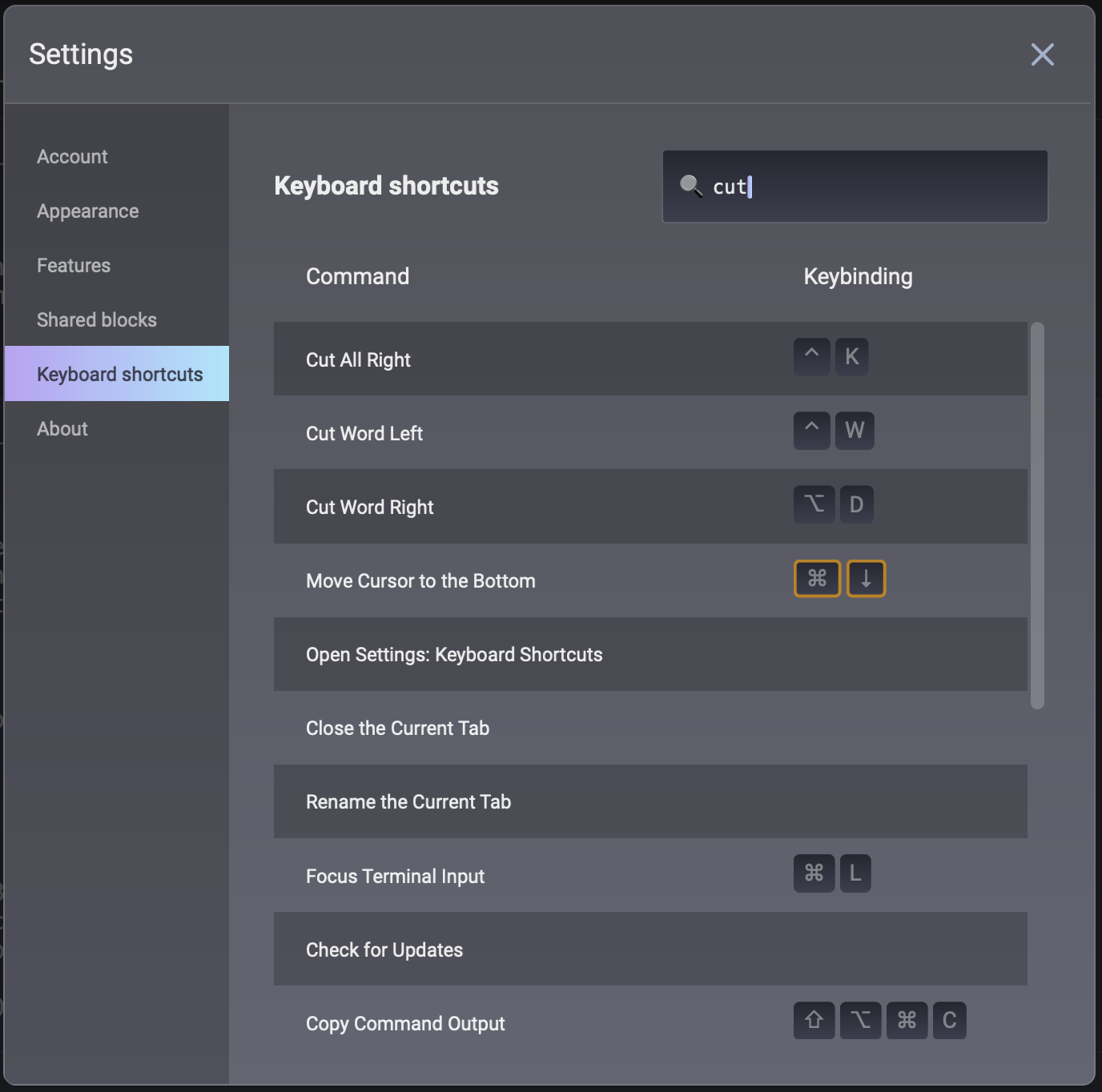
Thanks for clarifying! This does seem like a bug, we'll work on getting this fixed

Resolved by turning those off.
By disabling those, did you lose the ability to navigate between words using option+left/right?

By disabling those, did you lose the ability to navigate between words using
option+left/right?
It seems like it worked fine, and I currently use iTerm the most.
So I noticed today on version: v0.2024.03.12.08.02.stable_01 that this also happens when pressing delete while having any text highlighted, which is rather annoying.
Is this related?
https://github.com/warpdotdev/Warp/assets/101105844/77b022ba-a916-4afd-aa2d-fd65efd255dd
