

 warpdotdev
When ssh connect to ubuntu server, I can not select directory by autocompletion
Discord username (optional)
No response
Describe the bug
In local machine, I can using "TAB" key, to select directory, like below:
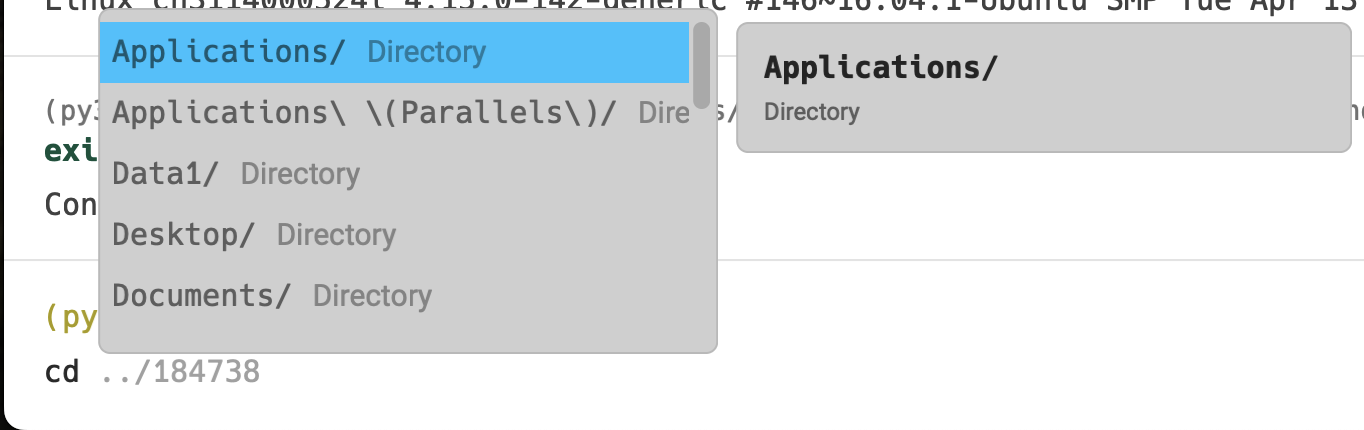
but ssh connect to ubuntu server, it first shows "starting shell"

if I am in "/" directory, i can use "TAB" key to select directory also, like this
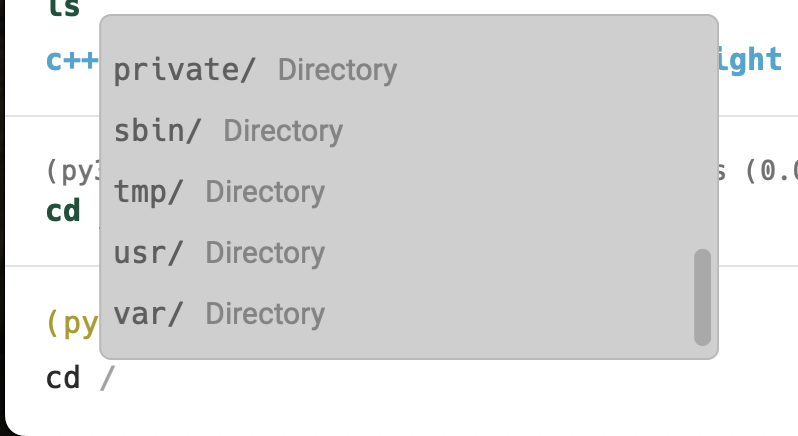
But if I am not in "/" directory, press "TAB" key, nothiong happened, like this.
up to now, I find any disk mount in "/" such as "/data1", "/data2" and home directory "~", i can not use tab

I wanna anyone met this problem like me?
To Reproduce
- connect to a ssh server machine
- if you are in "/" directory, you can use tab to select any directory in "/"
- change any path, like "~", then test tab key, you can find nothing happend
Expected behaviour
No response
Screenshots
No response
Operating System
No response
OS Version
12.3.1 (21E258)
Shell Version
zsh 5.1.1 (x86_64-ubuntu-linux-gnu)
Warp Version
v0.2022.08.01.09.12.stable_02
Additional context
No response
Does this block you from using Warp daily?
Yes
Warp Internal (ignore): linear-label:b8107fdf-ba31-488d-b103-d271c89cac3e
No response


hello, i update the version v0.2022.08.31.18.11.stable_00, auto complete got worse like beliow, when i press "TAB" button, before this version, nothing happend, button todat i update , when i press "TAB" button, terminal show a "-" character, i will show you capture.

I have the same issue. Autocompletion works if I'm in the root directory within the remote session, but doesn't show anything if I'm in a different directory. For this reason I disable SSH wrapper.
My Warp version: v0.2022.11.08.08.07.stable_02

