
wangEditor
 wangEditor copied to clipboard
 wangeditor-team
wangEditor —— 开源 Web 富文本编辑器

## 问题描述 项目环境 Vue3 + Typescript + Vite 完全参照官方文档引入,却报如下错: ``` index.esm.js:9 Uncaught TypeError: Cannot read properties of undefined (reading 'tokenizePlaceholders') at index.esm.js:9:24133 at Object.run (index.esm.js:1:15711) at Object.highlight (index.esm.js:1:15259) at Object.highlightElement...

## bug 描述 *字号大小列表以对象形式设置 `{name: 'xx', value: '2em'}` 使用时不生效* ## 你预期的样子是? *可以自定义字号在工具栏的名称* ## 系统和浏览器及版本号 - 操作系统 win11 - 浏览器和版本 chrome 127 ## wangEditor 版本 *5.0* ## 在线 demo *请尽量提供在线 demo...

## bug 描述 *点击空白地方会触发blur事件* ## 你预期的样子是? *没有获取焦点希望可以不触发blur* ## 系统和浏览器及版本号 - 操作系统 - 浏览器和版本 ## wangEditor 版本 *4.7.15* ## demo 能否复现该 bug ? 能 ## 在线 demo *请尽量提供在线 demo (推荐以下网站),帮助我们最低成本复现 bug*...

## NUXT3引入切换语言会报错 *请输入遇到的问题...* 在nuxt3框架中 想要切换语言到英文 但是一引入import { i18nChangeLanguage } from '@wangeditor/editor' 就会报出Element is not defined这个问题 nuxt接触的不多 有没有大佬能看下解决一下 ## wangEditor 版本 wangEditor5 *请输入内容……* ## 是否查阅了文档 ? 是 (文档链接 [www.wangeditor.com](https://www.wangeditor.com/) ) *是/否*...

## bug 描述 在首行插入视频时,上方存在空段落且无法删除 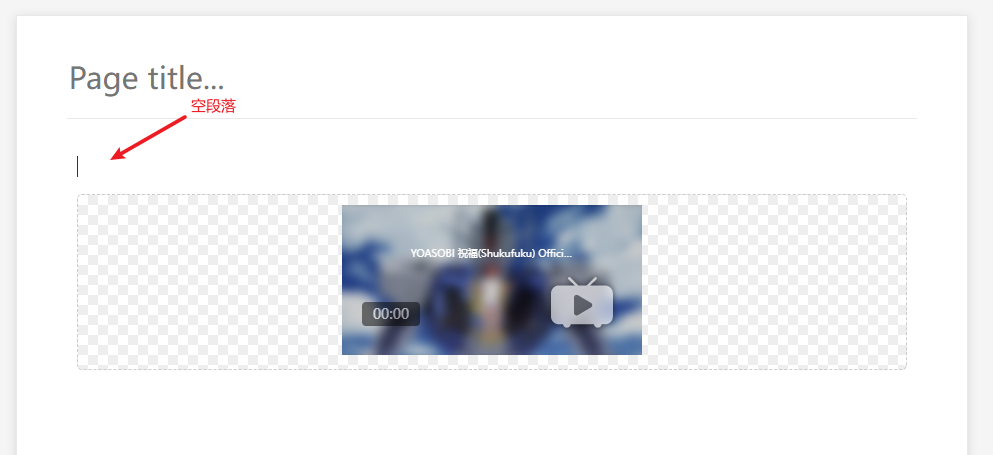 ## 你预期的样子是? 在首行插入视频时,无空段落。插入图片就不存在此问题。 ## 系统和浏览器及版本号 - 操作系统 Windows 10 Version 22H2 (Build 19045.2251) - 浏览器和版本 Google Chrome | 107.0.5304.107 (正式版本) (64 位) ## wangEditor 版本...

## 问题描述 5版本不支持 eventHooks,使用自定义拖拽了吗 ## wangEditor 版本 *请输入内容……* ## 是否查阅了文档 ? 已查阅文档 (文档链接 [www.wangeditor.com](https://www.wangeditor.com/) ) *是/否* ## 最小成本的复现步骤 (请告诉我们,如何**最快的**复现该问题?) - 步骤一 - 步骤二 - 步骤三

## 问题描述 const htmlContent = '这是带有 ID 的段落'; editor?.dangerouslyInsertHtml(htmlContent); 我是使用上方代码插入一行内容到编辑器中,为什么自定义的c-id属性没有被渲染到浏览器dom中,我该使用什么样的办法实现这个功能

## 问题描述 *我复制了Table组件的源码,稍微改动了一下,主要是增加了一个属性,然后用扩展组件的的方式重新注册,节点操作的接口似乎都会有问题,点击表格,f12提示找不到节点,导致表格的表头样式不对且无法拖拽调整大小*    ## wangEditor 版本 *@wangeditor/[email protected]* ## 是否查阅了文档 ? (文档链接 [www.wangeditor.com](https://www.wangeditor.com/) ) *是* ## 最小成本的复现步骤 (请告诉我们,如何**最快的**复现该问题?) - 步骤一 - 步骤二 - 步骤三

## bug 描述 *请输入内容……* ## 你预期的样子是? *请输入内容……* ## 系统和浏览器及版本号 - 操作系统 - 浏览器和版本 ## wangEditor 版本 *请输入内容……* ## demo 能否复现该 bug ? 能/不能 - 中文 demo https://www.wangeditor.com/demo/ - English demo...

`const handleVariableSelect = (value: string) => { if (editorRef.value) { const text = '${' + value + '}'; const node = { text: text, bold: true, color: '#ff4d4f', }; editorRef.value.insertNode(node);...
