

 vuejs
vuejs
when use custom v-model (with <script setup> style),it goes well in dev env,but may occur error:modelValue is undefined in production env
Version
3.2.31
Reproduction link
Steps to reproduce
(1)create a vue3 project with vite; (2)write a parent component and a child component in
    index.8d23215e.js:1 Uncaught ReferenceError: modelValue is not defined
    at HTMLInputElement.u.onUpdate:modelValue.l.<computed>.l.<computed> [as _assign] (index.8d23215e.js:1)
    at HTMLInputElement.<anonymous> (vendor.52e08146.js:1)
What is expected?
I expect that my vue3 project which structured by vite.js will go well when use v-model write in
What is actually happening?
Actually, it goes well in dev env but get the follow error in prod dev:
  index.8d23215e.js:1 Uncaught ReferenceError: modelValue is not defined
    at HTMLInputElement.u.onUpdate:modelValue.l.<computed>.l.<computed> [as _assign] (index.8d23215e.js:1)
    at HTMLInputElement.<anonymous> (vendor.52e08146.js:1)
NOTE:when I write it not in
- vite
- v-model (custom component)
- in
- production env

Is there a more realistic scenario in which this happens?
In your example, you use v-model="modelValue", which is not allowed - you can't mutate props.
This is likely the root cause of the error: The compiler so far doesn't take this possibility into account as your can't v-model a prop directly..

<input :value="modelValue" @input="$emit('update:modelValue', $event.target.value)"/>

that is the working alternative.
a prop should technically not be used in v-model since its read-only, but the compiled output can still be more correct. by referencing via __props in the vmodel logic.
also
<input v-model="someProp.x" /> will actually compile correctly with __props
which make sense, because only the top level is readonly.
someProp in template is referenced correctly __props.someProp
but in v-model it is referenced as a declared variable (someProp).
<script setup>
import {toRef} from "vue"

let props = defineProps(['someProp'])
// uncomment line will prevent error.
//const someProp = toRef(props,'someProp')
</script>

<template>

<input v-model="someProp" />
</template>
compiled output
return (_ctx, _cache) => {
  return _withDirectives((_openBlock(), _createElementBlock("input", {
    "onUpdate:modelValue": _cache[0] || (_cache[0] = $event => (_isRef(someProp) ? (someProp).value = $event : null))
  }, null, 512 /* NEED_PATCH */)), [
    [_vModelText, __props.someProp]
  ])
}
}
thank you all, I will modify my codes, best wishes for you two,god kiss you
I run into this issue when deploying in production yesterday here is some example : Default version Its working without error, dev & prod
Setup version
Working in dev without warning or error, break in production :
Uncaught ReferenceError: modelValue is not defined at _createElementBlock.onUpdate:modelValue._cache.<computed>._cache.<computed> (about:srcdoc:50:74) at HTMLInputElement.<anonymous> (vue.runtime.esm-browser.js:10302:21)
@LinusBorg I understand v-model="modelValue" is not something you want, but it should throw a warning in dev at least, having an inconsistent behavior between dev and production is dangerous.
For this kind of component having <BaseCheckbox v-model="" /> instead of <BaseCheckbox v-model:value="" /> is nicer to me.

I feel it's a bug.
    } else {
      // v-model used on a potentially ref binding in <script setup> inline mode.
      // the assignment needs to check whether the binding is actually a ref.
      const altAssignment =
        bindingType === BindingTypes.SETUP_LET ? `${rawExp} = $event` : `null`
      assignmentExp = createCompoundExpression([
        `${eventArg} => (${context.helperString(IS_REF)}(${rawExp}) ? (`,
        createSimpleExpression(rawExp, false, exp.loc),
        `).value = $event : ${altAssignment})`
      ])
    }


app.js?id=a6222ed598160499e804f155d81a5a68:2 Uncaught ReferenceError: modelValue is not defined at HTMLSelectElement.onUpdate:modelValue.n.<computed>.n.<computed> [as _assign] (app.js?id=a6222ed598160499e804f155d81a5a68:2:81720) at HTMLSelectElement.<anonymous> (vendor.js?id=5ee158ef74247e1f887d62c380ab41c5:2:566971)
also getting this in prod

Is this a big issue? i see it was issued 28 days ago now @yyx990803 . Thanks!
Hi @yyx990803 @LinusBorg
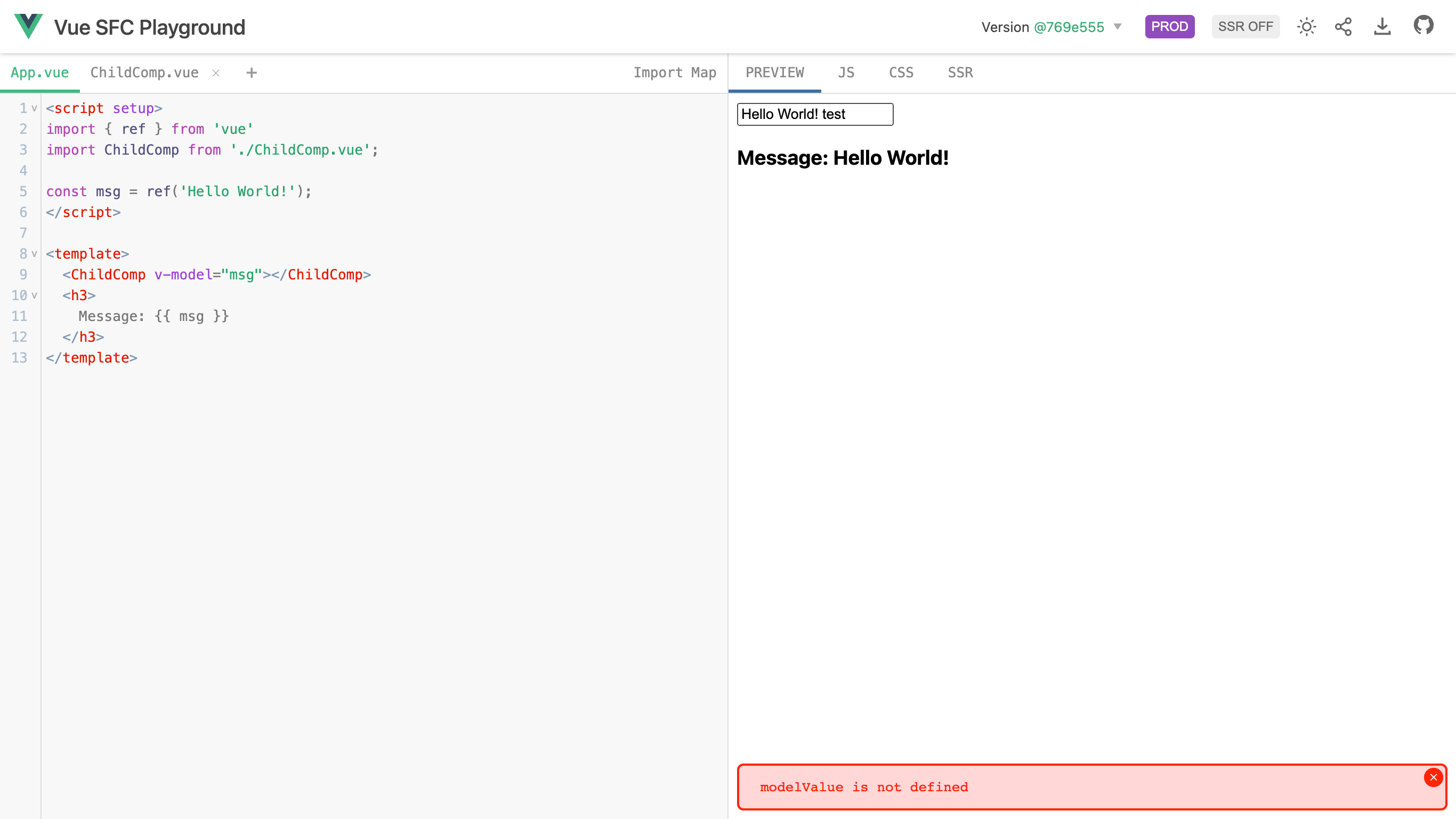
I have created a playground for this problem: Link
If click on the PROD button in menu, you will see this error message:
modelValue is not defined
Whereas in the DEV mode, everything works perfectly fine.
Expecting a fix to this problem, since its critical for making reusable components. Any suggestions for alternate approach is also appreciated 🙏
Attaching screenshots:
PROD Mode
DEV Mode


This needs to be fixed as soon as possible. I wasted more than 2 hours because of this no-sense problem. Working dev but not in production without explanation is frustrating. And there is no official solution.

This bug is very annoying but there's a workaround:
if (import.meta.env.PROD) { var modelValue = toRef(props, 'modelValue') }
it's a ugly but it works, the only thing you need to adapt is the production check (import.meta.env.PROD is a Vite variable).

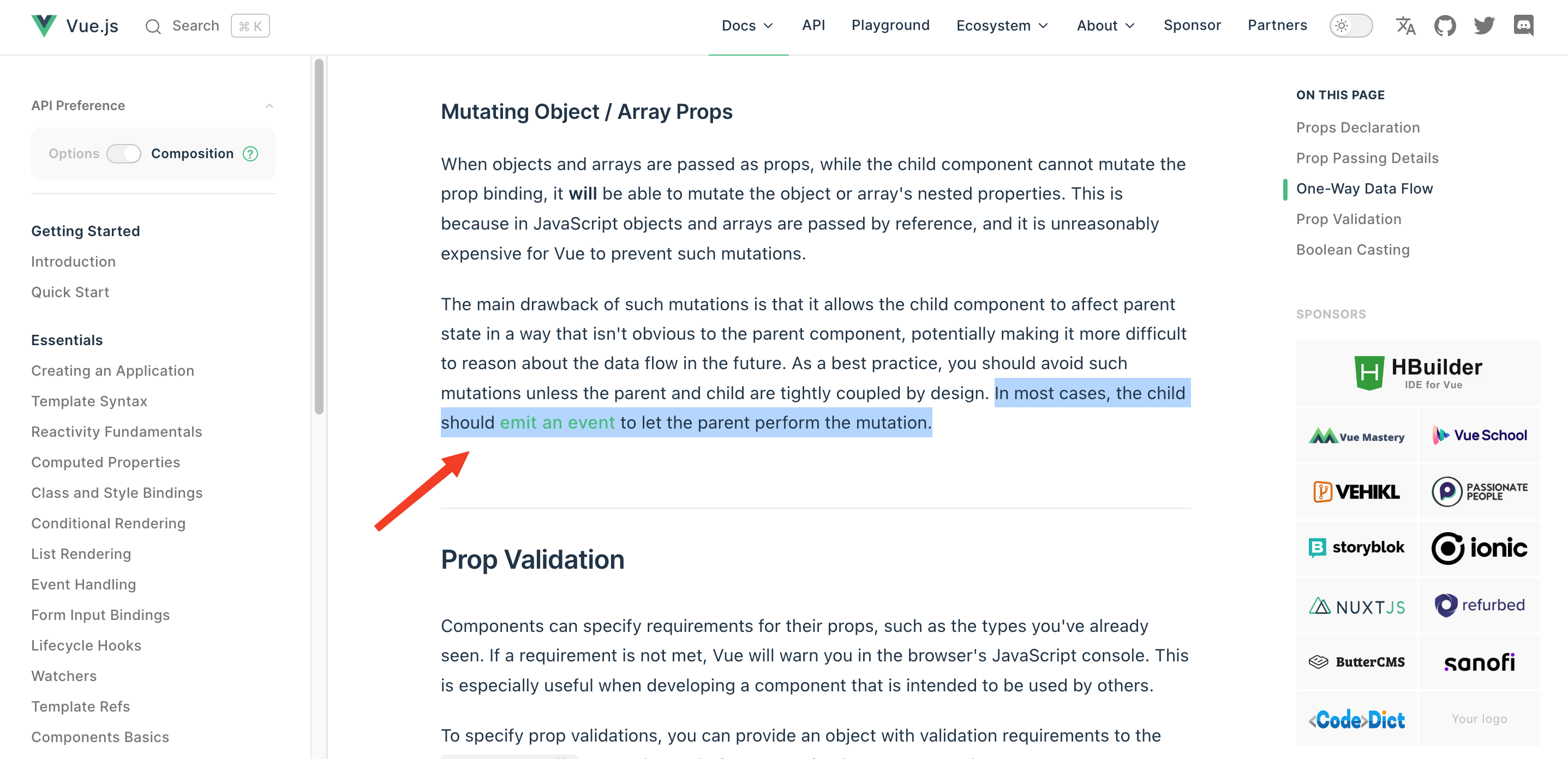
@preeteshjain Your approach is not mutating an object or array prop, and you approach is still mutating a prop, so that's not what the docs recommend.
I had a similar issue recently, the workaround I went with was creating a computed with a get and set. Passing the get to model and having the set emit the update.
const value = computed({
  get() {
    return props.modelValue;
  },
  set(value) {
    emit("update:modelValue", value);
  },
});
<input v-model="value" />

To be honest, I still do not understand this problem. I have form components which are working as expected using
This is my code, let's see if you could see what's happening here, at least to understand the issue.
Partent component
<section class="categories"> <BaseSelect label="Selecciona la categoría" :options="getCategoryNames" v-model="categorySelected" /> </section>

export default { components: { BaseSelect }, data() { return { categorySelected: 'todos',
...
Child component
<script setup>
import UniqueID from '../../features/UniqueID';
const uuid = UniqueID().getID();

const props = defineProps({
    label: String,
    placeholder: String,
    options: [Array, Object],
    modelValue: [String, Number]
})

const emit = defineEmits(['update:modelValue'])
function updateValue(value) {
    emit('update:modelValue', value)
}

function getUID() {
    console.log(UniqueID);
}
</script>

<template>
    <div class="form-control">
        <label :for="uuid" v-if="label">{{ label }}</label>
        <select :id="uuid" :value="modelValue" class="input-field" v-bind="$attrs"
            @change="updateValue($event.target.value)">
            <option v-for="option in options" :value="option" :key="option" :selected="option === modelValue">
                <span>{{ option }}</span>
            </option>
        </select>
    </div>
</template>
As I said before, I have other form components created the exactly same way and they are all working fine. If you need an example of them, please let me know.
If you will, you can have a look in the console where the error happens in production: https://www.amigoinvisible.net/regalos-amigo-invisible
Thanks.
To everyone facing this issue, the only way to fix this problem is to make sure (double check carefully) that you are not modifying your props from child component.
We are now modifying the data from the parent only and passing it down as a prop to the child component and it is working in production environment.
Here's how I have fixed the problem in the example I shared above:
- Problem Playground link
- Solution Playground link
Note that each scenario is different and the solution above is just an example. Hope the solution gives some insipiration for you guys to fix your problem. You guys will have to figure out your own approach making sure you don't change Parent's props from Child component.
That being said, I think the only problem with Vue 3 currently is that it isn't notifying about this problem in DEV environment.
Isn't it the main purpose of 2 way data binding? The availability to change the value of a property either in parent or child component?
@preeteshjain There is two issues :
- Different behavior between dev and prod (and thats a huge problem)
- Different behavior between legacy component and setup component
This issue flared up recently. Am i doing something wrong in vue? i dont think im modifying props as its bad practise and throws error.
We are still unable to release in prod because of this issue.
Hi guys, I have found a solution for my case and I really wish if someone can explain me why is working like this instead of what I've doing until now.
This is the parent Component calling BaseSelect child component. v-model now is linked with object attribute of parent. Like this is working.
<BaseSelect
            label="Selecciona la categoría"
            :options="categories.names"
            v-model="categories.categorySelected"
/>
<script>
import BaseSelect from '../components/form/BaseSelect.vue';

export default {
    components: { BaseSelect },
    data() {
        return {
            categories: {
                names: [],
                categorySelected: 'todos'
            },
...
The only thing I have changed, is that above I am using a JavaScript object, and now a normal attribute of the component. So, categorySelected lonely is not working. But if we put categorySelected as a property of an object like categories.categorySelected yes...
<BaseSelect
            label="Selecciona la categoría"
            :options="categories.names"
            v-model="categorySelected"
/>
<script>
import BaseSelect from '../components/form/BaseSelect.vue';

export default {
    components: { BaseSelect },
    data() {
        return {
            categorySelected: 'todos',
            catalog: [
Does it makes sense? At least, now it's working in production.
FWIW. I changed the child component so that the v-model in the child was not v-model="modelValue" but rather implemented a ref variable. ie.
const childValue = ref(props.modelValue)

<input v-model="childValue">
By no means am I suggesting this is the right way to do it, but it worked for me. As LinusBorg said, mutating the props seems wrong. However, this should still show up as an error in Dev environment as stated by others.

What am i doing thats wrong here? Im setting form data. not modifying a prop
const form = useForm({ contact: { title: null, first_name: null, last_name: null, email: null, cell_number: null, national_id_number: null, company: null }, lead: { drivers_license: 0, source: null, stock_id: null } })
              <div class="form-wrapper-block mb-4">
                                <Label>{{ __('Active Driving License') }}</Label>
                                <SelectInput class="form-select" v-model="form.lead.drivers_license" data-step-index="0" id="lead.drivers_license">
                                    <option :value="null">{{ __('Please select') }}</option>
                                    <option :value="1">{{ __('Yes') }}</option>
                                    <option :value="0">{{ __('No') }}</option>
                                </SelectInput>
                                <InputError :message="form.errors['lead.drivers_license']" />
                            </div>
app.js?id=95d4d35cb093fd65bfc91de1740438d4:2 Uncaught ReferenceError: modelValue is not defined at onUpdate:modelValue.n.
.n. [as _assign] (app.js?id=95d4d35cb093fd65bfc91de1740438d4:2:87902) at HTMLSelectElement. (vendor.js?id=59d311c9d4e7b11ec500e12a26885332:2:1181914) onUpdate:modelValue.n. .n. @ app.js?id=95d4d35cb093fd65bfc91de1740438d4:2 (anonymous) @ vendor.js?id=59d311c9d4e7b11ec500e12a26885332:2
@jackkitley What I was suggesting is; Is your SelectInput a custom component? If so, have a look at the v-model inside that. My example code above is within my custom component. I could not have v-model="modelValue" within the custom / child component. Apologies. I didn't mean to hijack an issue thread.
ArkoxHub I was having the same error, i don't know why this method works. But it has really helped for now

v-model="modelValue" works with DEV
v-model="props.modelValue" works with PROD
any solution yet ??
I was able to make this work with the following approach with ref
  const props = defineProps({
      modelValue: {
          type: String,
          required: true
  }

  const emit = defineEmits(['update:modelValue'])

  const content = ref(props.modelValue)

  const handleInput = () => {
      emit('update:modelValue', content.value);
  }

I have exactly this problem. I'm new to vue.js and spent nearly 20 hours to found the issue mentioned. I still cant fix the problem. SPent 2 hours reading here, over and over again, but to luck. Anyone that can explain a bit more I will greatly apprechiate. I'm a programmer and coding for many years. Just not a JAVA /TS coder.
My code
`
let props = defineProps(['accessKey','secretKey'])
const accessKey = toRef(props,'accessKey') const secretKey = toRef(props,'secretKey')
