vsch
vsch
Programmer doesn't seem to be forwarded to Arduino.cmake
When running the upload target, I get the following message:
avrdude: no programmer has been specified on the command line or the config file
         Specify a programmer using the -c option and try again
I guess PROGRAMMER_ID isn't set properly by the plugin.
Possibly related to #6.

This is the command line CMake generates:
/usr/share/arduino/hardware/tools/avrdude -C/usr/share/arduino/hardware/tools/avrdude.conf -p -carduino -b19200 -P/dev/ttyUSB0 -D -v -Uflash:w:.../cmake-build-debug/arduino_led_matrix_demo.hex:i -Ueeprom:w:.../cmake-build-debug/arduino_led_matrix_demo.eep:i
-c is clearly set...
Found it: -p is not set (i.e., empty value), so my guess is it swallows -carduino, taking it as a value. Calling with -patmega328p for instance fixes the issue of course.
@TheAssassin, I think there is still an issue of configuration for project failing to initialize selections for new boards. I will double check that it has not regressed.

I think I saw and fixed this bug but did not add it to the pending fixes.
The only thing I have in the version notes:
- Fix: templates
-
#ifdefto#ifndef - remove
User_Setup.h - add
README.mdto arduino library template - add missing
;after lib class declaration
-
I will keep the bug open until I can confirm or deny it.
Please look into Arduino.cmake, functions:
setup_arduino_bootloader_args
setup_arduino_programmer_args
setup_arduino_bootloader_upload
setup_arduino_upload
PROJECT_NAME-burn - program using specific hw programmer, this INCLUDE FLASH ERASE
in CMakeLists.txt you must specify:
set(${PROJECT_NAME}_PROGRAMMER usbtinyisp)
set(${PROJECT_NAME}_PORT COM1)
PROJECT_NAME-upload - upload your program using bootloader, this PREVENT CHIP ERASE
to specify wich bootloader you use, for example:
// I use this for upload firmware to Adafruit ProTrinket ATMega328P/5V/16MHz
set(${${PROJECT_NAME}_BOARD}.upload.protocol usbtiny)
set(${PROJECT_NAME}_PORT usb)
or
set(${${PROJECT_NAME}_BOARD}.upload.protocol usbtinyisp)
set(${PROJECT_NAME}_PORT COM1)
if you not ${${PROJECT_NAME}_BOARD}.upload.protocol then cmake use arduino for upload

@JedrzejczykRobert so it seems this issue has been resolved? I'll have to test it later, but choosing "sane defaults" is always better than any sort of implicit error.
Creating a vanilla project from within CLion still causes #6. I'll have to check how I can fix that while not affecting my ability to properly test whether this issue is still relevant.
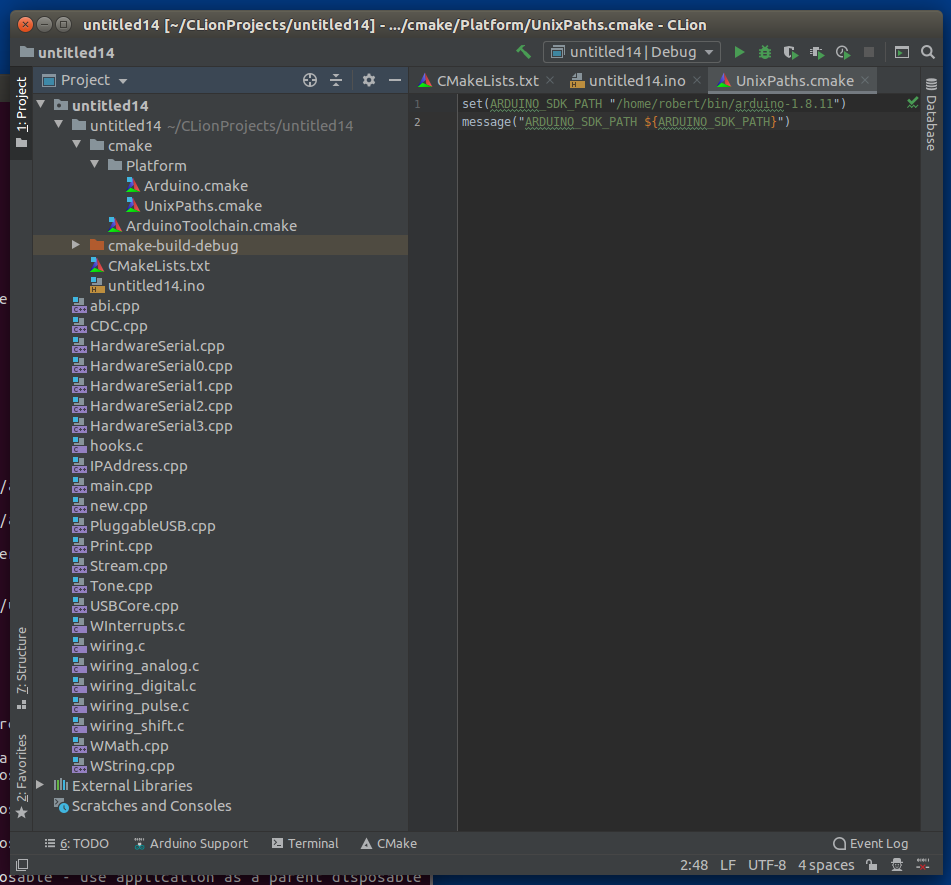
fix for get ARDUINO_SDK_PATH from ENV on Windows:
ArduinoToolchainFiles.java, after line 52 insert code:
                if (System.getProperty("os.name").toLowerCase().contains("nux"))
                {
                    String arduinoSdkPathEnv = System.getenv("ARDUINO_SDK_PATH");
                    String unixPathsString =
                            "set(ARDUINO_SDK_PATH \"" + arduinoSdkPathEnv + "\")" + "\n" +
                                    "message(\"ARDUINO_SDK_PATH ${ARDUINO_SDK_PATH}\")";

                    VirtualFile unixPaths = platformDirectory.createChildData(this, "UnixPaths.cmake");
                    OutputStream unixPathsOutputStream = unixPaths.getOutputStream(this);
                    InputStream unixPathsInputStream = IOUtils.toInputStream(unixPathsString);

                    try {
                        IOUtils.copy(unixPathsInputStream, unixPathsOutputStream);
                    } finally {
                        closeStreams(unixPathsOutputStream, unixPathsInputStream);
                    }
                }
after this user can define ARDUINO_SDK_PATH in ~/.bashrc, for example:
echo "export ARDUINO_SDK_PATH=/home/robert/bin/arduino-1.8.11" >> ~/.bashrc
but CLIon must be started using terminal for proper loading env in jvm, for example:
~/bin/clion-2019.3.3/bin/clion.sh
Screenshot from Ubuntu 16: