

 vrtmrz
Not all files synced to IBM Cloud
Hi
Im trying to setup a DB, but im not sure if im hit with a API limit to IBM.
When I setup the configuration, I can see it sends 435 documents(?) to IBM
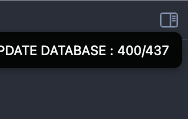
But when I look in the DB directly, it seems something is missing:
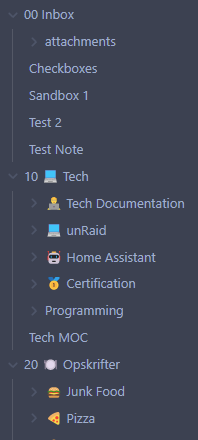
My Structure:
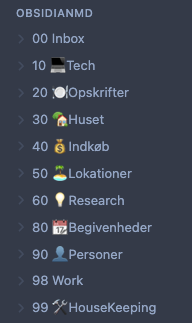
at IBM (which I guess it sorted):
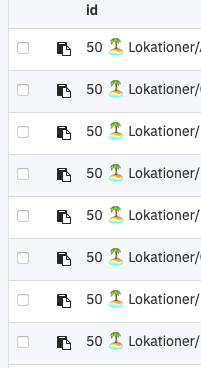
Sometimes when I try, I get to the 40 folder. But never the entire thing.
If I look in the log, the 10 folder is between:
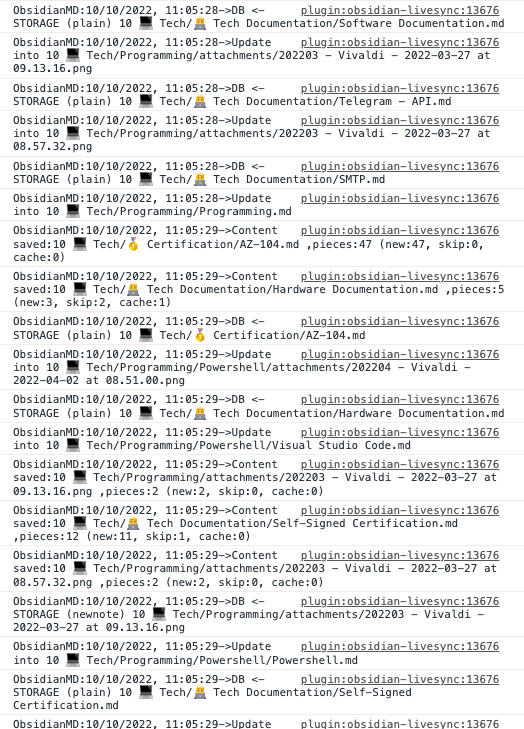

Anyway I can force an total update from the source, ensure everything is present at IBM, and the purge and replicate that to all other devices?
Thank you for opening up this issue! LiveSync only synchronises files, not folders. If the folder is empty, will be ignored. Do all folders contains files?
Force total update
If we want to make sure every file exists, we can use Verify all files on the Hatch pane on the setting dialog.
Discard everything on the remote database and make it again can be done by Rebuild everything on the Remote database configuration pane.
If the remote database has been rebuilt, all other devices should detect the rebuilding. Then, we have to Fetch rebuilt DB in the Local database configuration pane.

Yes, those folder contain files. I was thinking something in the naming cause those folders and files not to be copied, as I cannot find them if I look directly in the IBM CouchDB.
I did the "Verify all files" on the source and everything checks out OK. However still missing files.
Sorry for my assumption. And thank you for trying to verify.
Indeed, emojis can be suspicious. I will investigate it. If it's not too much trouble, could you give me an example of which files are being ignored?
If it's not too much trouble, could you give me an example of which files are being ignored?
Filenames or entire content of the files?

Filenames or entire content of the files?
Path of the file as the text, please. We can copy it from the command palette.
Filenames or entire content of the files?
Path of the file as the text, please. We can copy it from the command palette.
https://pastebin.com/wG6hS1yq
Looking more into this. When I click "Check database configuration", I get this in Dev Tools - Console:

Verify and repair all files: https://share.cleanshot.com/PlZ5uW
Sorry for missing the issue for a long time. It must be fixed on previous updates. Please feel free to re-open the Issue. Thank you so much.