
fiftyone
 fiftyone copied to clipboard
 voxel51
[BUG] fiftyone didn't show in databricks notebook cell in chrome
System information
- OS Platform and Distribution (e.g., Linux Ubuntu 16.04): Mac OS 12.6.3
- Python version (
python --version): 3.9.5 - FiftyOne version (
fiftyone --version): 0.19.1 - FiftyOne installed from (pip or source): pip
- Chrome version: Version 109.0.5414.119 (Official Build) (x86_64)
- Network: in corporate network behind proxy
Commands to reproduce
As thoroughly as possible, please provide the Python and/or shell commands used to encounter the issue. Application steps can be described in the next section.
import fiftyone as fo
import fiftyone.zoo as foz

dataset = foz.load_zoo_dataset("quickstart")
session = fo.launch_app(dataset)
Describe the problem
It's only the rendering issue. The voxel51 UI didn't show in the cell. It was grey area.
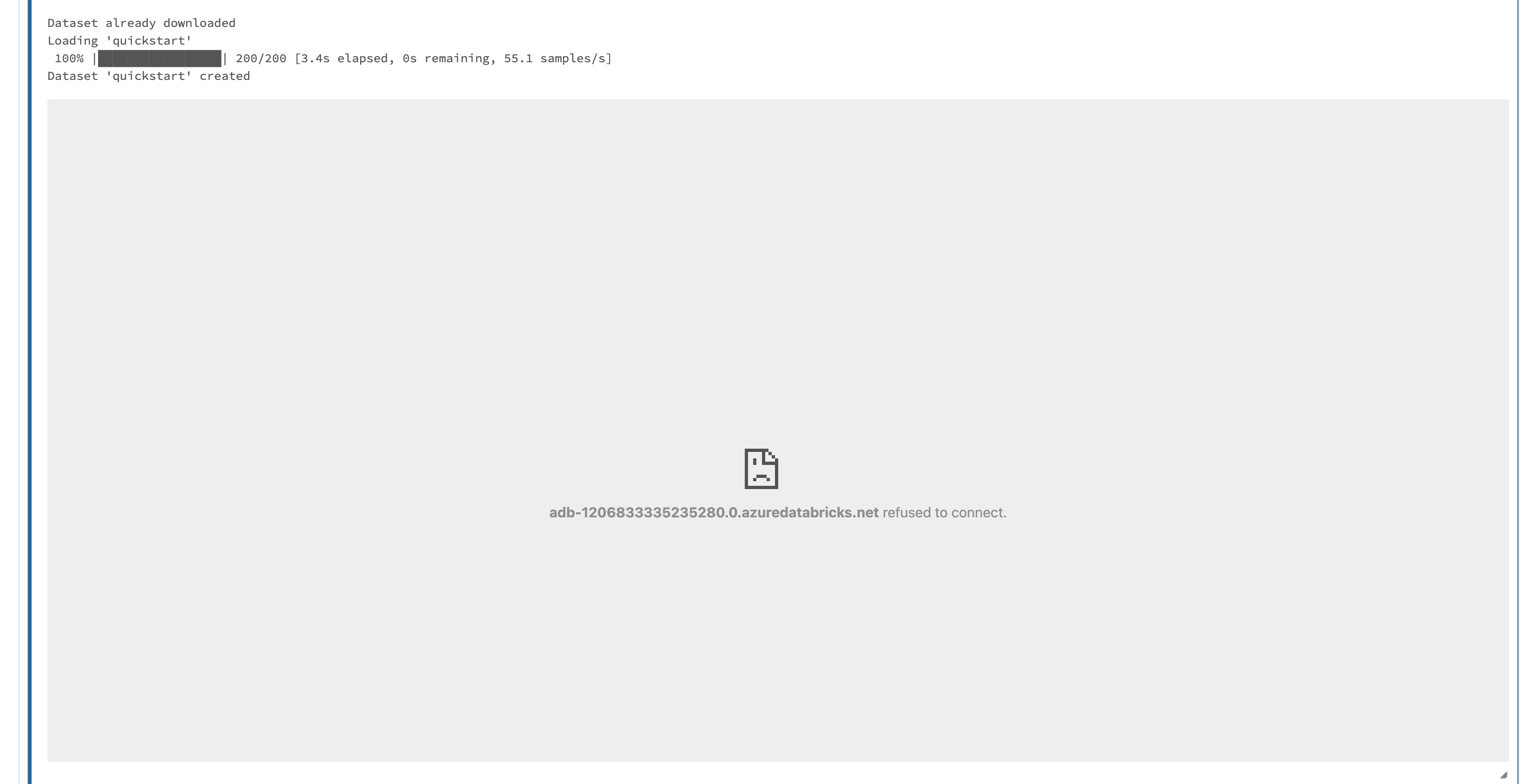
Code to reproduce issue
Provide a reproducible test case that is the bare minimum necessary to generate the problem.
Other info/logs
Include any logs or source code that would be helpful to diagnose the problem. If including tracebacks, please include the full traceback. Large logs and files should be attached. Please do not use screenshots for sharing text. Code snippets should be used instead when providing tracebacks, logs, etc.
What areas of FiftyOne does this bug affect?
- [x]
App: FiftyOne application issue - [ ]
Core: Core Python library issue - [ ]
Server: FiftyOne server issue
Willingness to contribute
The FiftyOne Community encourages bug fix contributions. Would you or another member of your organization be willing to contribute a fix for this bug to the FiftyOne codebase?
- [ ] Yes. I can contribute a fix for this bug independently
- [ ] Yes. I would be willing to contribute a fix for this bug with guidance from the FiftyOne community
- [x] No. I cannot contribute a bug fix at this time

0.19.1 is working for me. It may be a networking issue because of your corporate network. Sharing browser logs could help debug
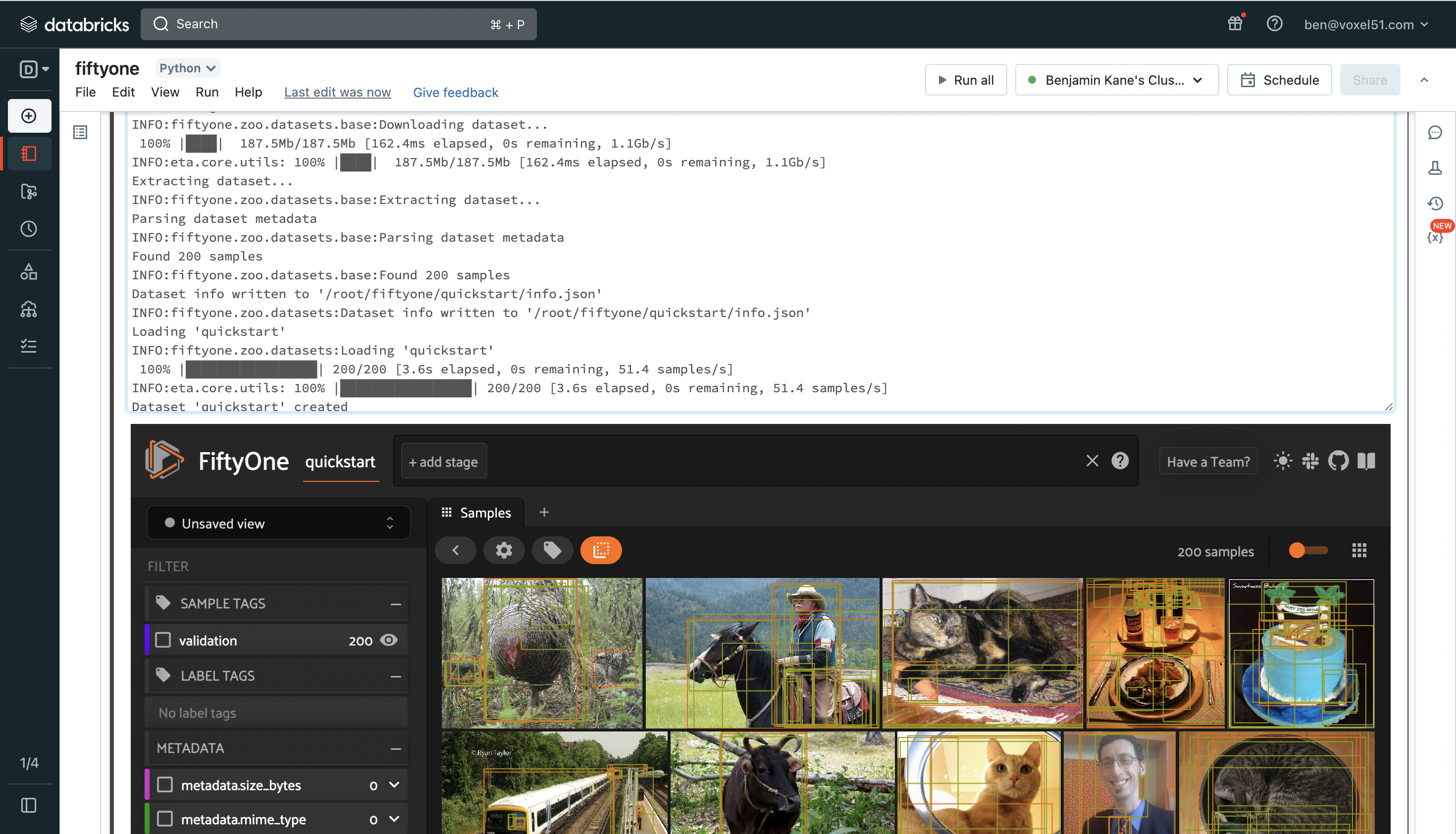

@benjaminpkane it looks very nice in your screenshot. Here is the logs in the browser:

8Refused to display '<URL>' in a frame because it set 'X-Frame-Options' to 'sameorigin'.
chromewebdata/:6757 crbug/1173575, non-JS module files deprecated.
(anonymous) @ (index):6757
chromewebdata/:6757 crbug/1173575, non-JS module files deprecated.
(anonymous) @ (index):6757
chromewebdata/:6757 crbug/1173575, non-JS module files deprecated.
(anonymous) @ (index):6757
2888.f785faad.chunk.js:1          GET https://d2a9ac59zeay50.cloudfront.net/css/6098.66f4e205.chunk.css net::ERR_ABORTED 403
(anonymous) @ 2888.f785faad.chunk.js:1
(anonymous) @ 2888.f785faad.chunk.js:1
d2a9ac59zeay50.cloudfront.net/css/6098.66f4e205.chunk.css:1          Failed to load resource: the server responded with a status of 403 ()
2888.f785faad.chunk.js:1          GET https://ui-serving-cdn-testing.s3.us-west-2.amazonaws.com/css/6098.66f4e205.chunk.css net::ERR_ABORTED 403
(anonymous) @ 2888.f785faad.chunk.js:1
(anonymous) @ 2888.f785faad.chunk.js:1
ui-serving-cdn-testing.s3.us-west-2.amazonaws.com/css/6098.66f4e205.chunk.css:1          Failed to load resource: the server responded with a status of 403 ()
(index):6757 crbug/1173575, non-JS module files deprecated.
What browser are you on? Brave? I recommend chrome
Tested with chrome and firefox.
Chrome: Version 110.0.5481.177 (Official Build) (x86_64) Firefox: 102.8.0esr (64-bit)
@yuanhao-li does this recent update https://github.com/voxel51/fiftyone/pull/3609 in fiftyone==0.22.1 resolve your issue?
