

 vmware
photon-installer not auto-started on ARM64
Describe the bug
While I was trying to install Photon 4.0 Rev2 on an ARM64 server using the official ISO image, the installation TUI didn't show up automatically as x86_64 image does (on a x86_64 server). Below is a screenshot:
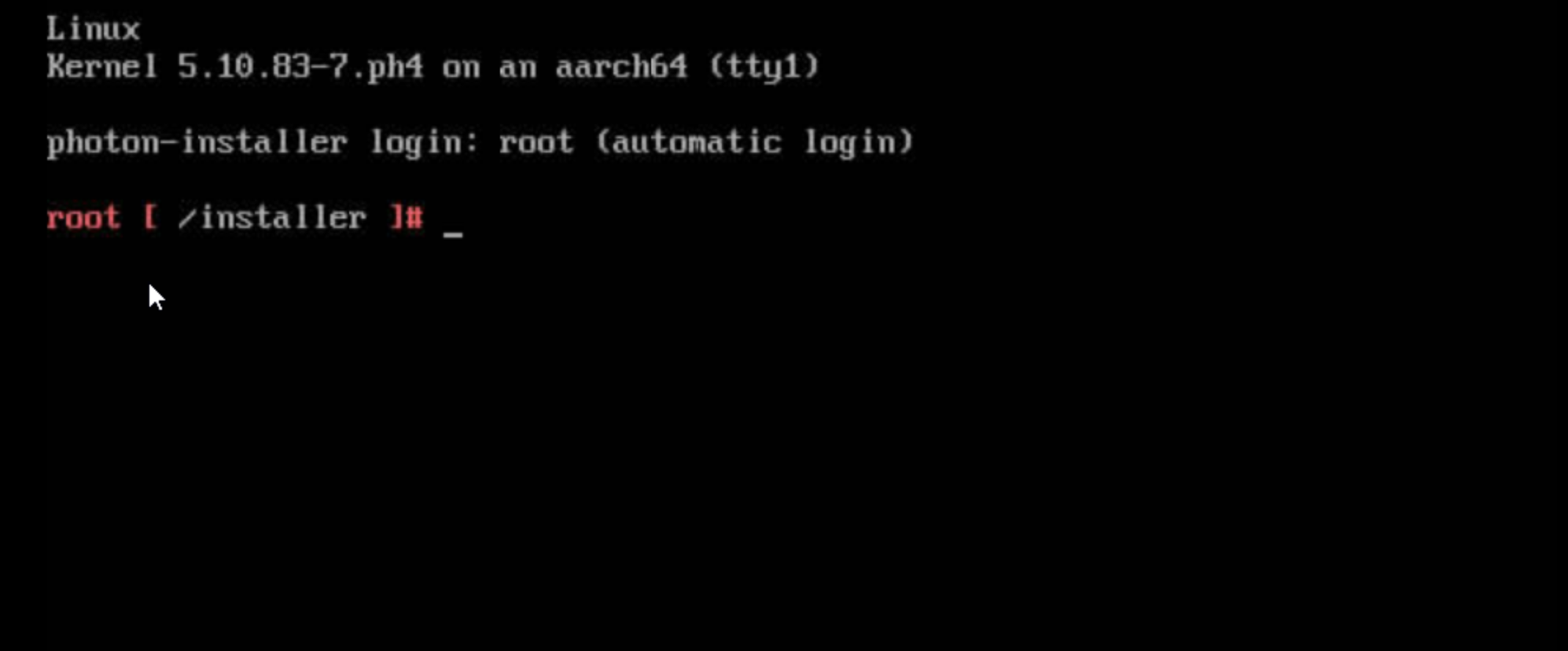
Tried both the full and the minimal ISO image, same result.
Reproduction steps
1. Download the [minimal ISO image](https://packages.vmware.com/photon/4.0/Rev2/iso/photon-minimal-4.0-c001795b8-aarch64.iso)
2. Insert the ISO image into an ARM64 machine
3. Boot the machine with the ISO image
Expected behavior
The installation TUI should show up, just like the x86_64 one does.
Additional context
No response

hi @fengye87 , can you provide setup and hardware details? Using the uuid method, the installation method works flawlessly on a tiny homelab: ph4 rev2 minimal on ESXi on Arm 1.8 on a RPi4 attached usb drive, and ph4 rev2 directly on a RPi4 attached usb drive.

Hi @dcasota , thanks for the reply. It's a proprietary setup, I'm not entitled to disclose more details, but generally it's a commercial ARM64 bare metal server and I can install CentOS onto it without any trouble.
Is there anything can help me dig into it? The installer.log is almost empty.
BTW, what is the uuid method? Maybe there's something I've been missing.
One more discovery: with the same ARM64 minimal image, I can fire up a QEMU-KVM VM and access the installation TUI via serial console, but the VNC is not working properly, which keeps saying "Guest disabled display." constantly.
OK, I think I've narrowed the problem a little bit. Since this is a bare-metal server, I was using iBMC to access the server and the Photon ISO was handed to the server by iBMC virtual media. When the installer prompt show up (like the screenshot above), I discovered 3 things:
/dev/sr0was not mounted to/mnt/mediaimmediately, but was after about 5 seconds- the photon-installer process was running
- I tried run the photon-installer with the same args manually after umount
/mnt/media, the TUI came back
So my guest is the virtual media may be too slow and triggered some timeout inside installer?
Did you see an error message "Failed to mount the device, retry in a second"?
Does a setup with kernel commandline photon.media=UUID= (insert the uuid eg. from blkid) work? see ref
Could be related to isoInstaller.py line 161 /cc @gpiyush-dev
it's hard to determine what went wrong while installation until we get more logs. @fengye87 is it possible that you can share the journal logs? and also the /proc/cmdline output.
If the mount would have failed atleast the traceback should be there.
Meanwhile i tried creating a vm on esxi-7.0, with the minimal iso image, installation is fine. @fengye87 do you see this issue with full iso image as well?

@fengey
OK, I think I've narrowed the problem a little bit. Since this is a bare-metal server, I was using iBMC to access the server and the Photon ISO was handed to the server by iBMC virtual media. When the installer prompt show up (like the screenshot above), I discovered 3 things:
1. `/dev/sr0` was not mounted to `/mnt/media` immediately, but was after about 5 seconds

2. the photon-installer process was running

3. I tried run the photon-installer with the same args manually after umount `/mnt/media`, the TUI came back
So my guest is the virtual media may be too slow and triggered some timeout inside installer?
Investigation is correct. We've observed similar behavior with iBMC in past. We might need to introduce a code to check media availability after mounting. Yep, it sounds odd.
As a workaround you can manually start installer by using the wrapperbootphotoninstaller

@dcasota I didn't see that error message. I think the mount was a success, see my screenshot below.
@gpiyush-dev I don't really have a way to copy out the journal log. But I've taken a quick look at it and found nothing special there. You can see the /proc/cmdline content in the screenshot below. And yep, this issue applied to both the minimal and the full ISO image.
@YustasSwamp Your workaround works, thanks a lot!
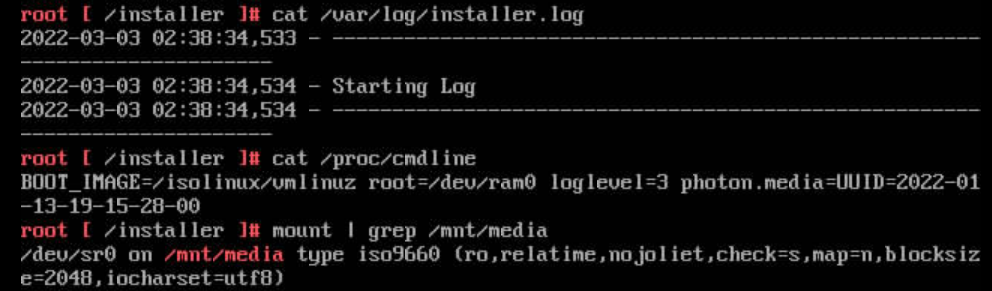
@YustasSwamp is there a roadmap with news about when newer iso might be published?
Not on an arm64 Server, but on a
- rpi4 With isy adapter iad-1025 usb-c 6-in-1 hub
- booted from the micro sdcard (on isy adapter)
- photon-minimal-4.0-c001795b8-aarch64.iso
the issue is reproducible.
Of course, it hasn't the latest /bin/bootphotoninstaller bits but the detection of the micro sdcard might be an unsolved issue.
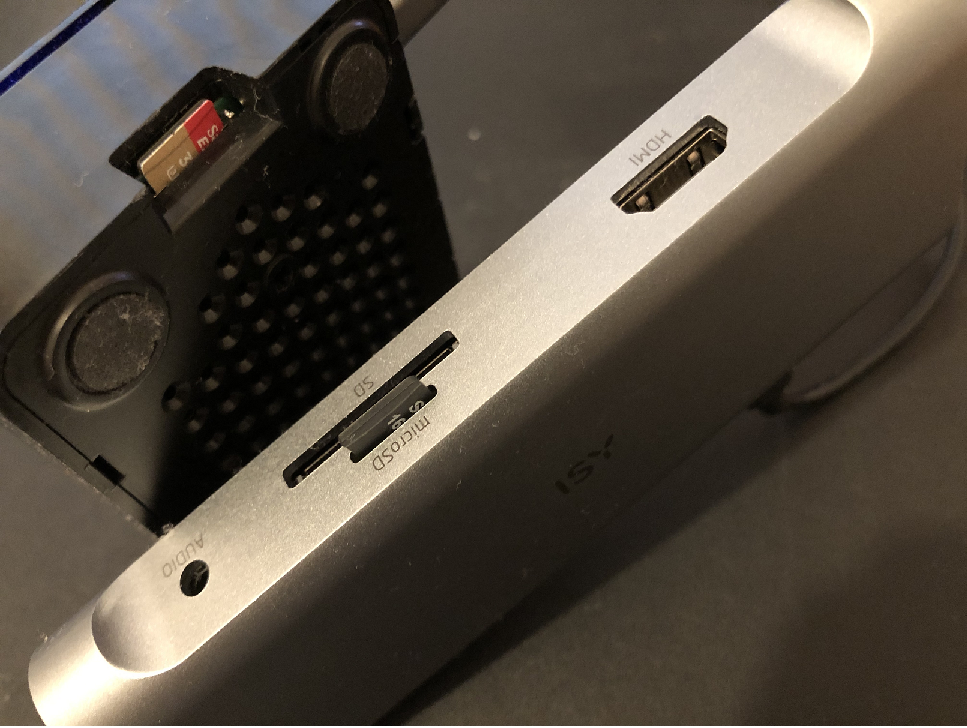
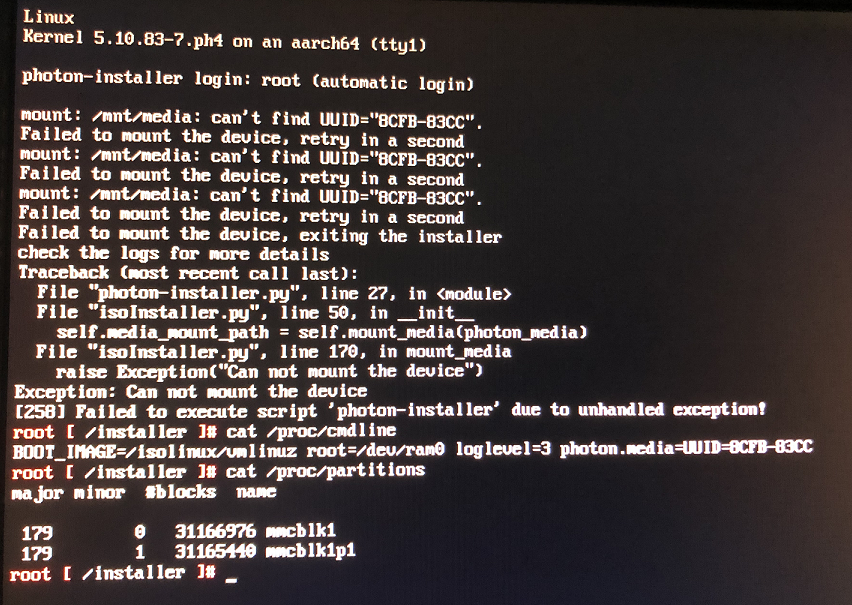
fyi With Ph5 beta, photon-os-installer starts as expected, if the .iso is
- prepared as virtual media on an usb media attached to one RPi4b built-in usb3 port. tested with: photon-5.0-9e778f409-aarch64.iso image on Ventoy prepared usb media
- copied on an usb media attached to one RPi4b built-in usb3 port. tested with: photon-5.0-9e778f409-aarch64.iso image copied with Rufus on usb media
To boot from an usb3 port in a usb-c-hubadapter works, but no Photon OS version and cpu architecture supports this actually.
Thanks for everyone's work here. Just wanted to add that I ran into this exact issue installing Photon 5.0 x86_64 on a VMWare Fusion VM.
Thanks to everyone's input, I determined that the easiest fix was to change the CD/DVD mode from IDE (which is the default it seems on VMWare Fusion) to SATA. Normal install boot after change.
