

 vmware
"vmware-user" 'app' pops up when I click on edge of screen, doesn't happen when open-vm-tools is uninstalled or disabled
Hello! Sorry if this isn't the correct place to post this or if the formatting is incorrect.
VMware Fusion Player Version 12.1.2 (17964953) Host: macos 11.5.2 Guest: Ubuntu 21.04
This happens even on a fresh install of Ubuntu.
Whenever I click on (or drag something, such as the desktop selection lasso/rectangle, to) the edge of the screen, a white box pops up near where I clicked. It disappears quickly after it appears. The app with the gear icon on the dock seems to be the white box.

With good timing, I can reveal the name of the "app." I don't think I have vmware-user installed, only open-vm-tools (default). I also do not have the drag/copy/paste feature enabled.
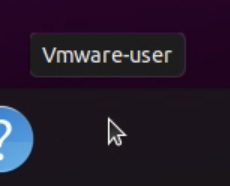
The white box does not appear when open-vm-tools is uninstalled or when I do not use the open-vm-tools-desktop graphics driver.
 However, when the graphics driver is not used, the system is unresponsive when I click or drag something to the edge of the screen, so using a different driver is not a remedy.
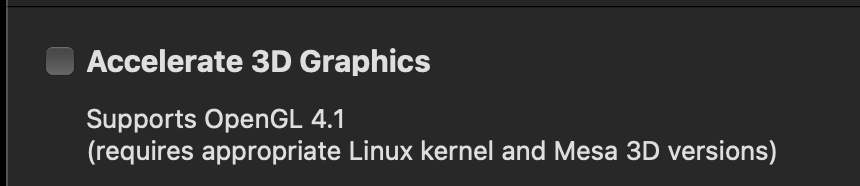
I've also tried all 3 of these options, with no luck.

Turning off acceleration also does not remedy the problem.
Any ideas on what could be causing this issue? Thanks!

Are you using Wayland or Xorg for the desktop? If you are using Wayland, can you please switch to Xorg and see if the issue still exists?

Switching to Xorg does get rid of the white box that pops up, however, there are still problems interacting with the edge of the screen, such as when I scroll and move my mouse to the edge of the screen.
@caoliheng I have logged an internal bug for tracking this issue. Will update this issue if I get any information. Thanks.
to fix the issue 1- turn off the VM 2- edit the settings of your VM, go to Options -> Guest Isolation -> uncheck Enable Drag and Drop. 3- in VMware preferences go to input and uncheck Automatically Grab and ungrab mouse
you lose some not so important features but at least it is no longer a constant annoyance
p.s. it is pathetic how this issue still exists 4 years after they "logged an internal bug" VMware was not free until a few months ago so at least for 3 years paying customers were enjoying this bug
