
vis-timeline
 vis-timeline copied to clipboard
 visjs
visjs
Item snapping
Hi!
I'm using visjs and it's an amazing tool, thank you!
I have one potential enhancement: having an option that snaps items when moving/resizing

@ignacioavellino Can you please describe in more detail what you are proposing. I'm not sure I understand. Thanks!

Hi! Sorry about the short description. What I mean is being able to set an option to the timeline that enables item-to-item snapping.
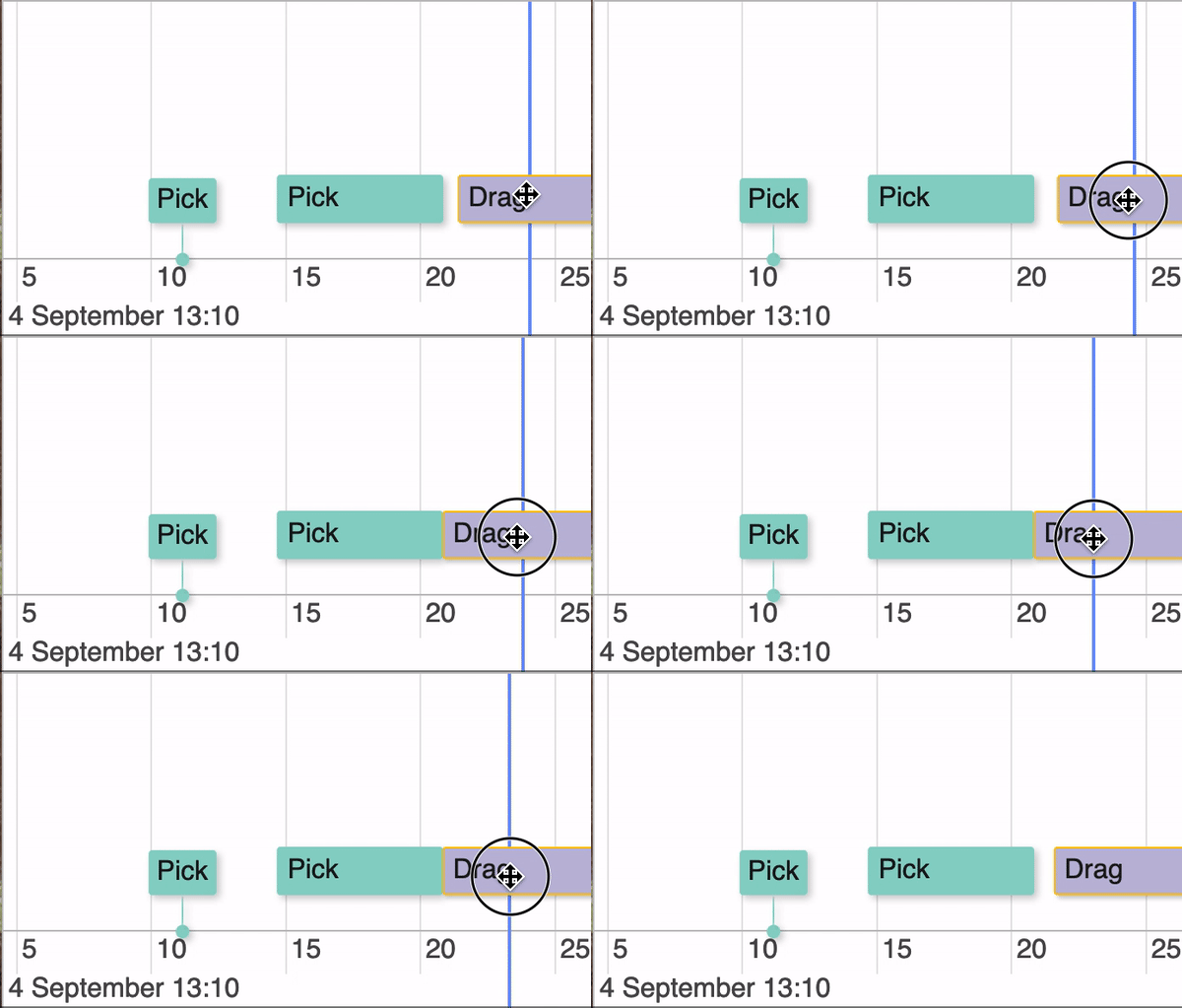
I usually disable snapping to be able to move items freely. Still, oftentimes I want items to be snapped to each other as I move them. Let's say there's an item that finishes at t=12:00, and I'm moving my next item so that it starts right after, at t=12:00. This is really hard to accomplish by hand as moving an item by one pixel might already overlap it with the previous one, depending on the zoom factor. I guess it's nearly impossible to move an item so that it starts precisely where the previously ends.
The item-to-item snapping could be programmed such that the end of one item and the start of the next one are less than, say, 500ms, they snap. There should also be an override when pushing alt, as in many software, which momentarily disables snapping in case one actually wants the difference between the two times to be less than 500ms, but not to match each other.
Thanks for the amazing work!
I don't quite understand the feature.
You want to enable snapping with alt button?
There is scales for the snapping of items. Have you tried this?

I made a little video to explain myself better. Here's what I mean by two items snapping. Just to clarify, this is independent from the currently implemented item snapping which is time based. What I'm proposing is based on the items around the one being moved,
Video:

any update on this? the snapping is a bit wonky here.
Quick look at this example here https://github.com/visjs/vis-timeline/blob/master/examples/timeline/other/groupsPerformance.html https://visjs.github.io/vis-timeline/examples/timeline/other/groupsPerformance.html
However we can set the margin
  margin: {
    item: 0, // minimal margin between items
    axis: 0   // minimal margin between items and the axis
  },
which seems to visually solve the problem :)
