virtualsatellite
Bug in Super User Theme incorrectly rendering the editor
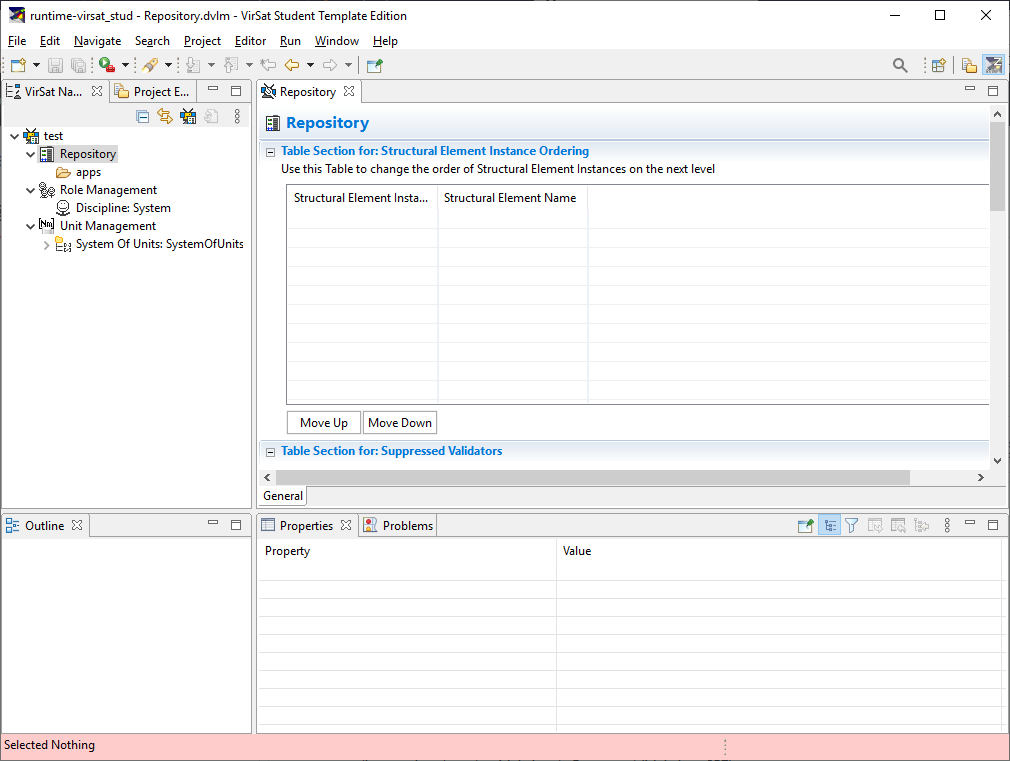
Describe the bug SWT plots errors to the console and failes to correctly render the GenericEditor when running in superUser mode. The problem does not appear when running as normal user.
To Reproduce
Execute a Virtual Satellite in SuperUser. Make sure not Editor is open.
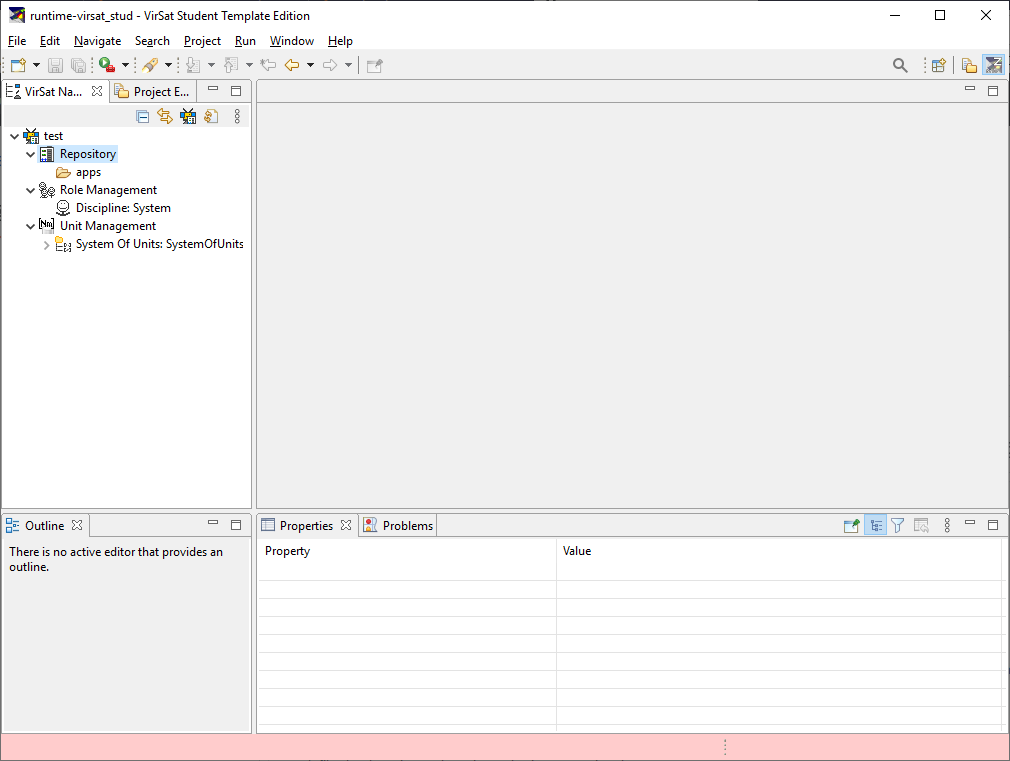
Open e.g. the Repsoitory editor.
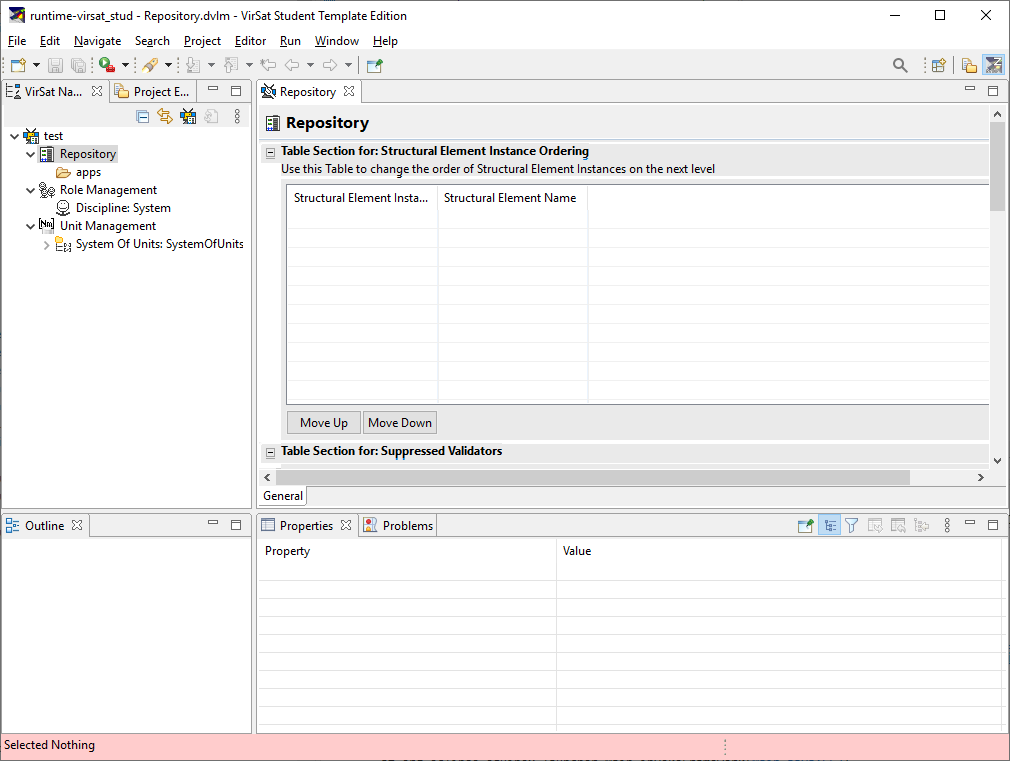
As you can see, the editor is not perfectly rendered. Labels and Tables have a grey background.
The console contains the following stack trace pointing to an error in SWT.
!ENTRY org.eclipse.ui 4 0 2020-08-05 12:44:57.369 !MESSAGE Unhandled event loop exception !STACK 0 java.lang.IllegalArgumentException: Argument not valid at org.eclipse.swt.SWT.error(SWT.java:4704) at org.eclipse.swt.SWT.error(SWT.java:4638) at org.eclipse.swt.SWT.error(SWT.java:4609) at org.eclipse.swt.graphics.GC.setForeground(GC.java:4370) at org.eclipse.ui.forms.widgets.Section.onPaint(Section.java:398) at org.eclipse.ui.forms.widgets.ExpandableComposite.lambda$0(ExpandableComposite.java:574) at org.eclipse.swt.widgets.TypedListener.handleEvent(TypedListener.java:234) at org.eclipse.swt.widgets.EventTable.sendEvent(EventTable.java:89) at org.eclipse.swt.widgets.Display.sendEvent(Display.java:4213) at org.eclipse.swt.widgets.Widget.sendEvent(Widget.java:1037) at org.eclipse.swt.widgets.Widget.sendEvent(Widget.java:1061) at org.eclipse.swt.widgets.Widget.sendEvent(Widget.java:1046) at org.eclipse.swt.widgets.Composite.WM_PAINT(Composite.java:1616) at org.eclipse.swt.widgets.Control.windowProc(Control.java:4797) at org.eclipse.swt.widgets.Canvas.windowProc(Canvas.java:340) at org.eclipse.swt.widgets.Display.windowProc(Display.java:4931) at org.eclipse.swt.internal.win32.OS.DispatchMessage(Native Method) at org.eclipse.swt.widgets.Display.readAndDispatch(Display.java:3628) at org.eclipse.e4.ui.internal.workbench.swt.PartRenderingEngine$5.run(PartRenderingEngine.java:1158) at org.eclipse.core.databinding.observable.Realm.runWithDefault(Realm.java:338) at org.eclipse.e4.ui.internal.workbench.swt.PartRenderingEngine.run(PartRenderingEngine.java:1047) at org.eclipse.e4.ui.internal.workbench.E4Workbench.createAndRunUI(E4Workbench.java:155) at org.eclipse.ui.internal.Workbench.lambda$3(Workbench.java:658) at org.eclipse.core.databinding.observable.Realm.runWithDefault(Realm.java:338) at org.eclipse.ui.internal.Workbench.createAndRunWorkbench(Workbench.java:557) at org.eclipse.ui.PlatformUI.createAndRunWorkbench(PlatformUI.java:154) at org.eclipse.ui.internal.ide.application.IDEApplication.start(IDEApplication.java:150) at org.eclipse.equinox.internal.app.EclipseAppHandle.run(EclipseAppHandle.java:203) at org.eclipse.core.runtime.internal.adaptor.EclipseAppLauncher.runApplication(EclipseAppLauncher.java:137) at org.eclipse.core.runtime.internal.adaptor.EclipseAppLauncher.start(EclipseAppLauncher.java:107) at org.eclipse.core.runtime.adaptor.EclipseStarter.run(EclipseStarter.java:401) at org.eclipse.core.runtime.adaptor.EclipseStarter.run(EclipseStarter.java:255) at sun.reflect.NativeMethodAccessorImpl.invoke0(Native Method) at sun.reflect.NativeMethodAccessorImpl.invoke(NativeMethodAccessorImpl.java:62) at sun.reflect.DelegatingMethodAccessorImpl.invoke(DelegatingMethodAccessorImpl.java:43) at java.lang.reflect.Method.invoke(Method.java:498) at org.eclipse.equinox.launcher.Main.invokeFramework(Main.java:657) at org.eclipse.equinox.launcher.Main.basicRun(Main.java:594) at org.eclipse.equinox.launcher.Main.run(Main.java:1447) at org.eclipse.equinox.launcher.Main.main(Main.java:1420)
Closing the Repository editor and reopening it fixes the rendering issues. There are no further problems printed to the console.