
virocore
 virocore copied to clipboard
 viromedia
Textures shift hue when imported
Environment
Please provide the following information about your environment:
- OS: Windows
- Version: Latest ViroCore version
- Device(s): Android
Description
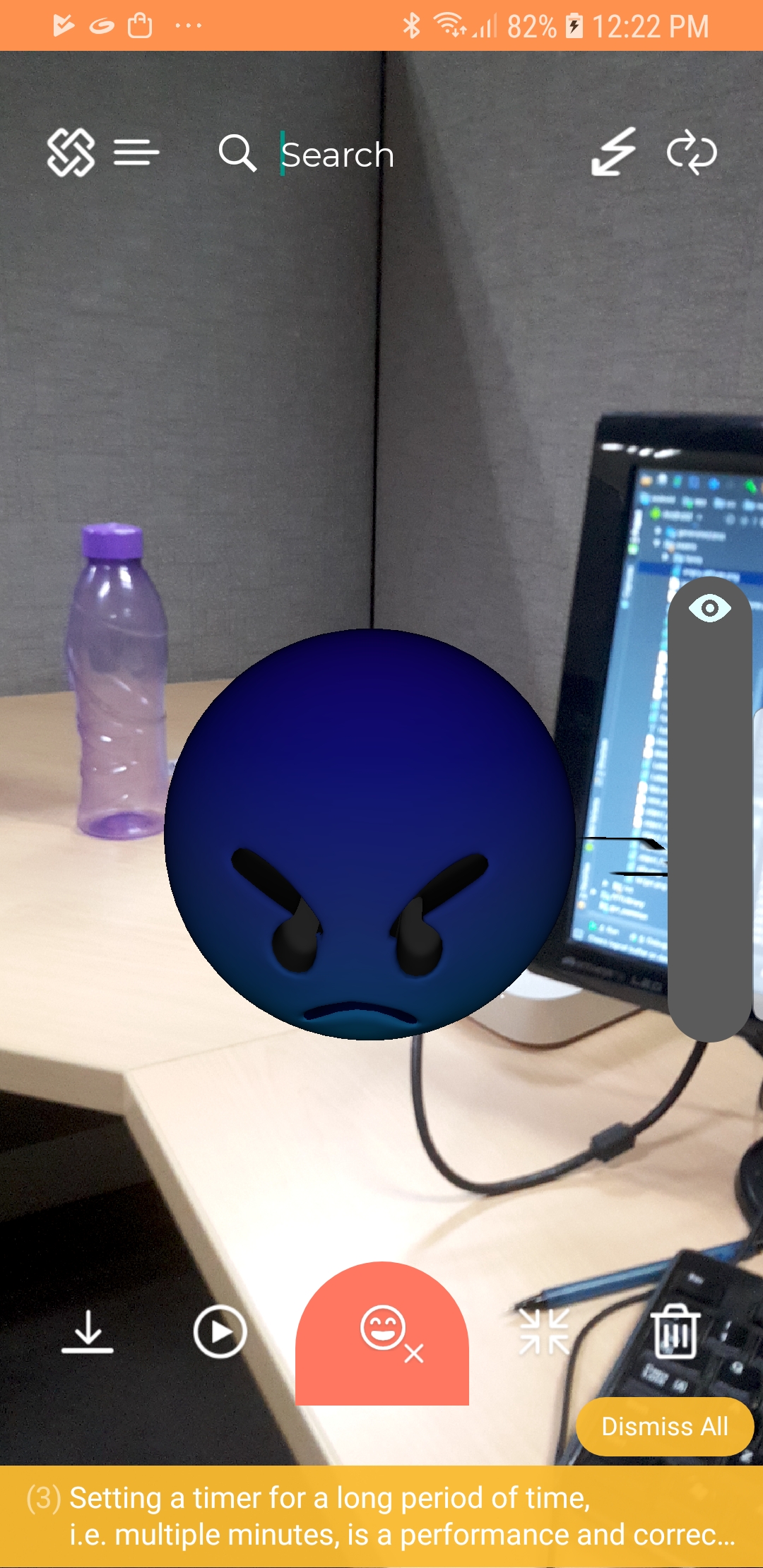
Hello, I am working with a team of developers in ViroCore to create an AR chat app. I am in charge of fixing some 3D models, so I don't know too much about ViroCore itself. We are having issues with the models, as the textures shift their hue when imported.
For example, if a model's texture is yellow, it will shift to blue, if it's blue, it will shift to red. However, green seems to stay the same. They can be correctly visualized in any software except when importing, this happens.
Anyone having similar issues? Perhaps it could be any importing settings in virocore?
Reproducible Demo

Hey @aelorduy thanks for reaching out! Is it possible to provide us the 3D model you are using that you see the problem with so that we can verify the issue? Thanks!

Hi @dthian thanks for your attention :) I have three models, where the only difference is the color of the texture. I have changed the hue on each one to see if they got any different results when importing to viroCore. They do shift hue, but the green one stays the same. From my side all the 3D exporting should be fine because everyone can see them correctly on other platforms, but there might be an issue here?
I am on mobile version here, and I cannot send them, here's a link to download them through drive:
https://drive.google.com/folderview?id=1A55yswL7ITZ0blsk6_xqGEUUEbTgQoMO