vipulasri
Space between TimelineView
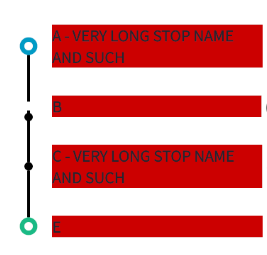
Describe the bug A white space appear between the TimelineViews on the list.
To Reproduce I've costumize the item view content and added a TextView that can have multiple lines. If I limit the number of lines to 1, everything works ok, if I have more than one line, the white space appears.
Expected behavior The line should reach the next TimelineView.
Screenshots
Limited to 1 line:

Without the line limitation:
Smartphone (please complete the following information):
- Device: android studio emulator - Nexus 5X
- OS: Android 9.0
- Version 29
HINT I saw your solution with FrameLayout, but it's not working. The exact same situation appears. I've notice that if ALL the rows have the same number of text lines, all works great. The problem appears when there are rows with different heights. Is that a problem?

@rmpt can you tell me the following:
- No. of items in the list
- Can you send me the sample project/code so that I can look into the matter properly?


@emrizkiem can you tell me the following:
- No. of items in the list
- Can you send me the sample project/code so that I can look into the matter properly?
Hey, it would be really helpful if you can provide me with a sample project which has this issue. It will be easier to debug and resolve.
it's very easy to replicate. I'll let you my XML:
<?xml version="1.0" encoding="utf-8"?>
<LinearLayout xmlns:android="http://schemas.android.com/apk/res/android"
     android:layout_width="match_parent"
     android:layout_height="wrap_content"
      android:orientation="horizontal">

    <com.github.vipulasri.timelineview.TimelineView
            android:id="@+id/timeline"
            android:layout_width="@dimen/timeline_bullet_view_width"
            android:layout_height="match_parent" />

    <RelativeLayout
            android:layout_width="match_parent"
            android:layout_height="wrap_content"
            android:layout_marginTop="15dp"
            android:layout_marginBottom="15dp"
            android:layout_marginRight="5dp"
            android:orientation="horizontal">

        <TextView
            android:id="@+id/arrival_time"
            android:layout_width="wrap_content"
            android:layout_height="wrap_content"
            android:layout_alignParentRight="true"
            android:layout_centerVertical="true" />

        <LinearLayout
                android:id="@+id/passengers_data"
                android:layout_width="wrap_content"
                android:layout_height="match_parent"
                android:layout_toLeftOf="@id/arrival_time"
                android:orientation="horizontal"
                android:layout_centerVertical="true"
                android:gravity="center_vertical|right">

            <TextView
                    android:id="@+id/out_passengers"
                    android:layout_width="wrap_content"
                    android:layout_height="wrap_content"
                    android:layout_marginLeft="@dimen/padding_small"
                    android:layout_marginRight="@dimen/padding_small"
                    android:paddingLeft="@dimen/padding_small"
                    android:paddingRight="@dimen/padding_small"
                    style="@style/Text.RoundCorners.Orange"/>

            <TextView
                    android:id="@+id/in_passengers"
                    android:layout_width="wrap_content"
                    android:layout_height="wrap_content"
                    android:layout_marginRight="@dimen/padding_small"
                    android:layout_marginLeft="@dimen/padding_small"
                    android:paddingLeft="@dimen/padding_small"
                    android:paddingRight="@dimen/padding_small"
                    style="@style/Text.RoundCorners.Green"/>
        </LinearLayout>

        <TextView
            android:id="@+id/stop_code"
            android:layout_width="wrap_content"
            android:layout_height="wrap_content"
            android:layout_toLeftOf="@id/passengers_data"
            android:layout_centerVertical="true"
            android:layout_marginRight="@dimen/padding_small"
            style="@style/Text"/>

        <TextView
            android:id="@+id/stop_name"
            android:layout_width="wrap_content"
            android:layout_height="wrap_content"
            android:layout_alignParentLeft="true"
            android:layout_toLeftOf="@id/stop_code"
            android:layout_centerVertical="true"
            android:minLines="2"
            android:maxLines="2"
            android:gravity="center|left"
            style="@style/Text.Bold"/>

    </RelativeLayout>
</LinearLayout>
The onBindViewHolder doesn't have anything special, the trick is in the TextView stop_name. Remove the min and max lines, set a very long text and you'll see it happening.

there is a line at the top at the initial marker, how do you get rid of it?
There are missing lines and lots of space, how do I fix it?


@abimanyu07 have followed all the steps there in readme? If you are seeing top line for the first marker you are probably missing the configuration mentioned in readme.
@abimanyu07 have followed all the steps there in readme? If you are seeing top line for the first marker you are probably missing the configuration mentioned in readme.
I have followed the steps in the Readme but it's still like that, is there anything missing?
@abimanyu07 have you looked at the adapter in sample app to check if you are missing something ? Still not able to get it? Can you please share the code of your implementation as a link?
@abimanyu07 have you looked at the adapter in sample app to check if you are missing something ? Still not able to get it? Can you please share the code of your implementation as a link?
https://pastebin.com/r5wc0gUd
this my adpter
@abimanyu07 have you looked at the adapter in sample app to check if you are missing something ? Still not able to get it? Can you please share the code of your implementation as a link?
thanks for the help @vipulasri , I've found the error
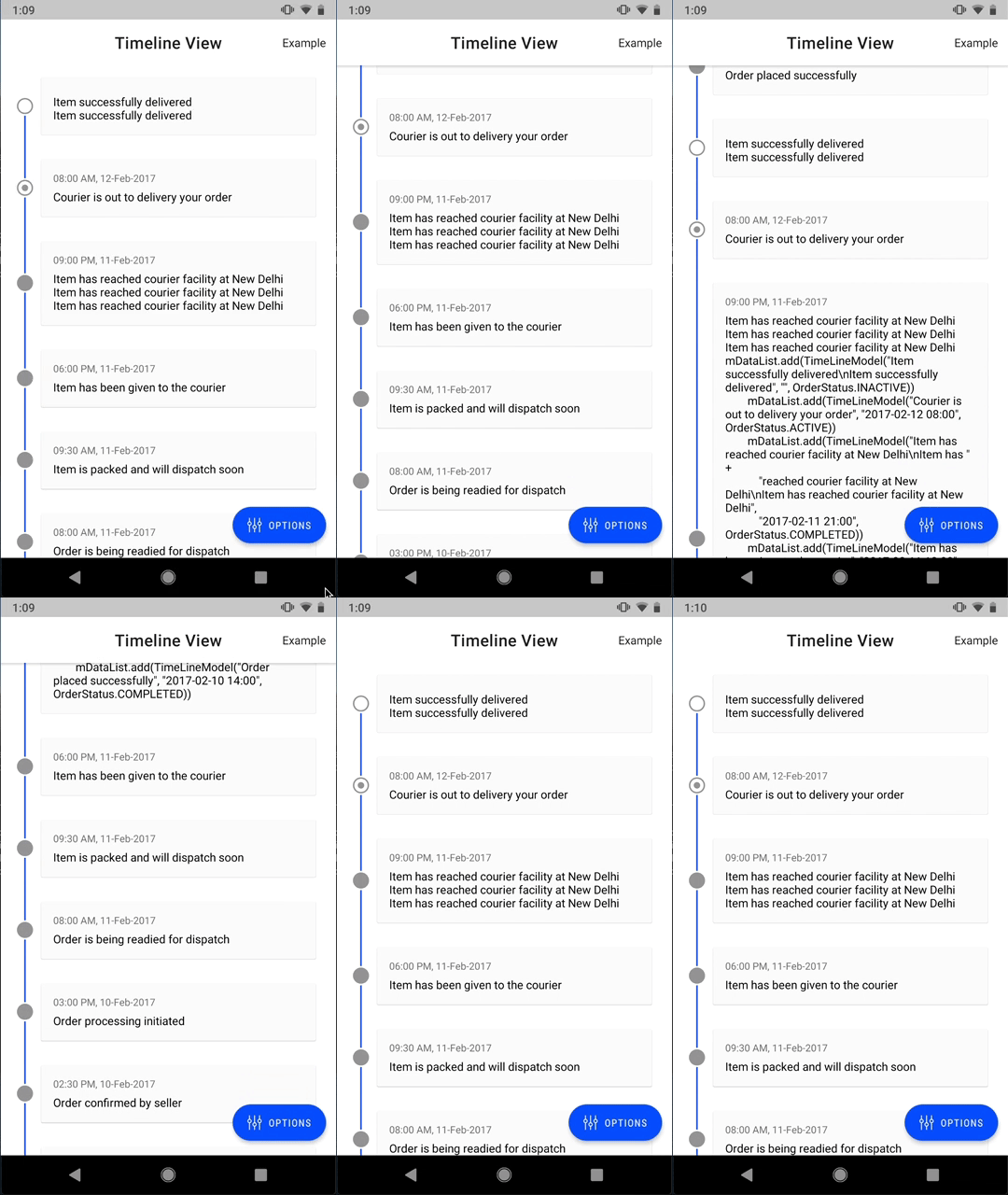
@rmpt @emrizkiem I am using the sample app and made some changes to it to support multiple lines. It's working fine for me. What I can probably understand is the use of layout in XML is needed to be taken care-of properly.