

 viktorgullmark
Missing label translations on MacOS/Linux (and Windows 11?)
Describe the bug
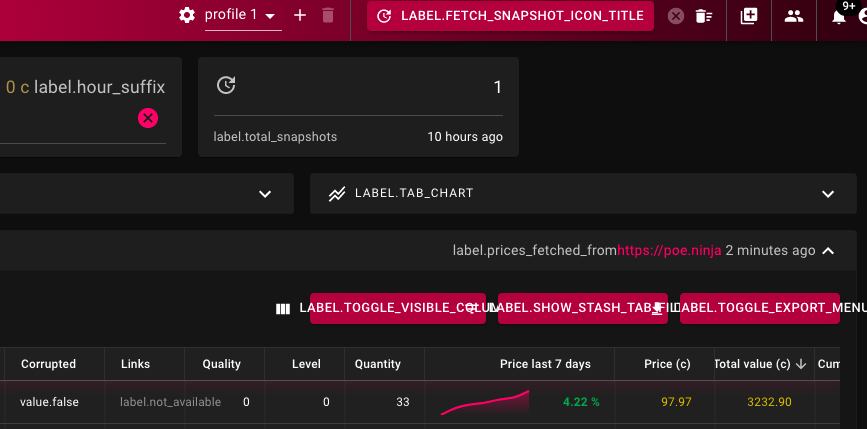
The interface is filled with placeholder values for text labels. The problem seems to be that react-i18next is not finding the proper translation files:
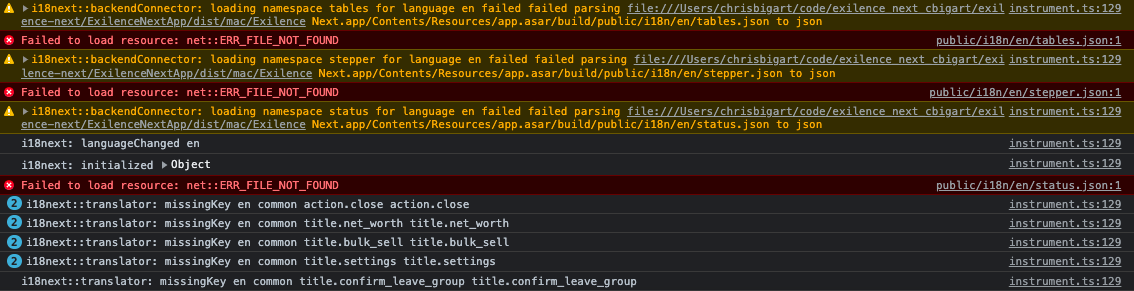
 Errors in the output log:
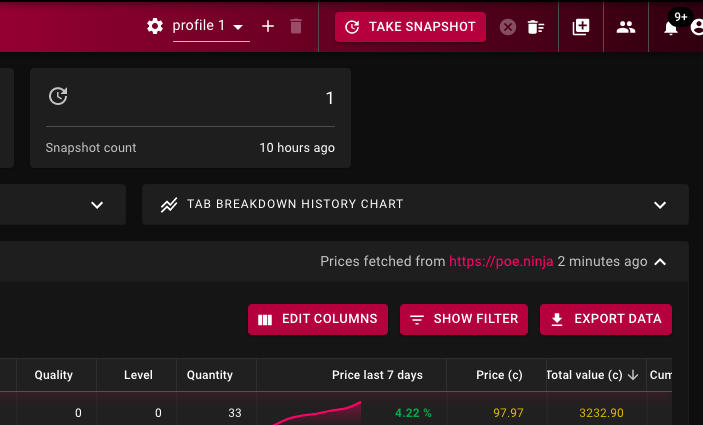
If I remove the "public" portion of the path when looking for translations, everything works as expected:
In
function getTranslationPath(lng: string, ns: string) {
replacing
pathname: path.join(electronService.appPath, ../public/${langPath}),
with
pathname: path.join(electronService.appPath, ../${langPath}),
fixes the problem on my machine.
I don't know enough about Electron and how it packages things up to feel confident in a submitting a patch for this, but hopefully it should be enough for you to figure out how to fix the issue.
Someone on the Reddit thread also noted having the problem on Windows 11, so I don't know if this is a MacOS-only issue or not.
To Reproduce Build from source on MacOS.
Version Latest 1.1.1 build from 'dev' branch

The same problem happens when building from source on Linux ('master' branch, v1.1.0 tag). I applied the same fix to solve the issue.


I got same issue on linux (arch),
node v14.18.1
npm 8.1.0
fixed problem by opener suggestion (from master branch)

I am getting this issue on release version 1.1.4 (not compiled from source, downloaded from Github) on Windows 10.

Using the automatic upgrade mechanism from 1.1.4 to 1.1.5 fixed this for me (again, Github release version, Windows 10), but it doesn't seem like there were any commits that directly relate to this bug between those versions (I could be mistaken)
it may be the case that the upgrade mechanism placed the translation files into the correct directory such that they were loaded properly
I'm still seeing this issue on 1.1.5 (using ArchLinux). Changing the localization path as in the opener post fixes the problem.

Experiencing the issue on Win 10, sometimes restarting fixes it but most of the time it doesn't. I'm not knowledgeable about compiling to fix the issue with the opener's fix.

Issue was fixed for a time after deleting appdata files, but has returned, really hope it gets fixed.
I get this issue on Windows 10 as well. Have had the issue for as long as I remember using this tool.
To reproduce, I just have to open the executable from command prompt, batch/powershell script, or autohotkey. Opening the program from the GUI (e.g. start menu, shortcut, or executable itself) opens the application without any text rendering issues.

building and running the AppImage on Linux shows the same issue. A past PR had fixed this: https://github.com/viktorgullmark/exilence-next/pull/675 But code in that path has been reworked since: https://github.com/viktorgullmark/exilence-next/commit/950dd4f479bc6e189b98afc94c3932fc63db1af7
I don't know if this is a regression, and I can't seem to fix it this time.
