vgmoose
Add Full Disk Access Prompt
Hello! It looks like grate app, thank you! I use OS X 10.14 and iTunes 12.9.0.164. I made a back for my iPad Air, but there is no any backups in app.
I will try to fix it, but I have no experience in this kind of apps.

Hello! Do you have any folders at the following path?
~/Library/Application Support/MobileSync/Backup/
Can input the path in Finder using cmd+shift+G. The backup should also not be encrypted.
I also have iTunes 12.9.0.164 so I might be able to help debug further as well. Also, what model iPad Air?



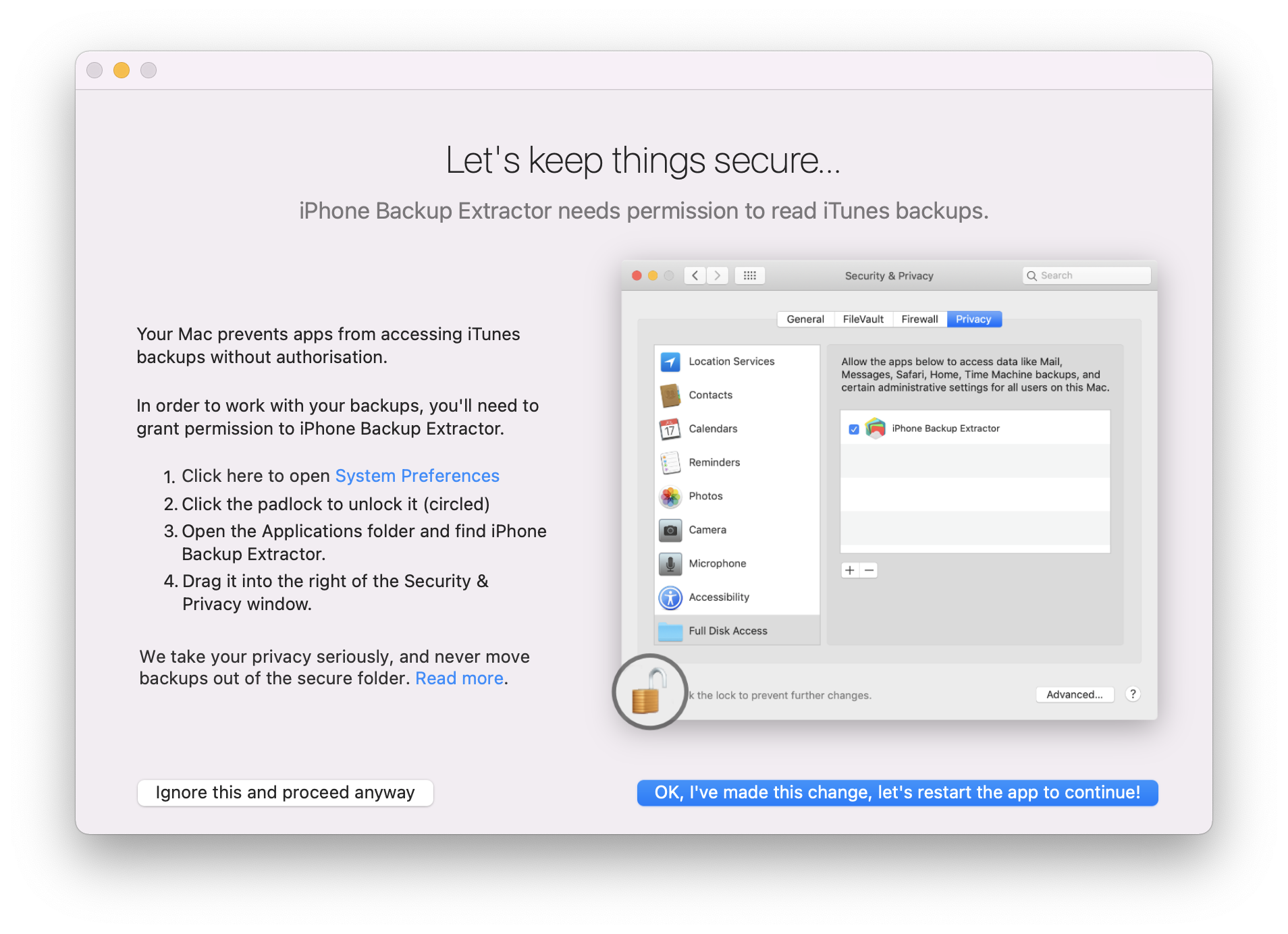
Thanks @da3x, this helped me. I created a PR to mention this in the readme. @vgmoose would it be possible to display a banner in the app in case the backup list is empty so that it says to check the app permissions for Full Disk Access?
For instance, this is how iPhone Backup Extractor does it: