
md2notion_api_version
 md2notion_api_version copied to clipboard
 veya2ztn
Use Notion API to upload .md file to notion.so for typora writing style.
md2notion_api_version
Use Notion API to upload .md file to notion.so for typora writing style.
Installation
Clone the repository and install dependencies:
pip install md2notion
git clone https://github.com/veya2ztn/md2notion_api_version.git
cd notion-markdown-uploader
Configuration
Setup Notion Connection
Create a new integration in your Notion account and obtain the integration token.
The preset configuration work for all markdown files are collected in one database.
For example, all markdown files appear as follow:
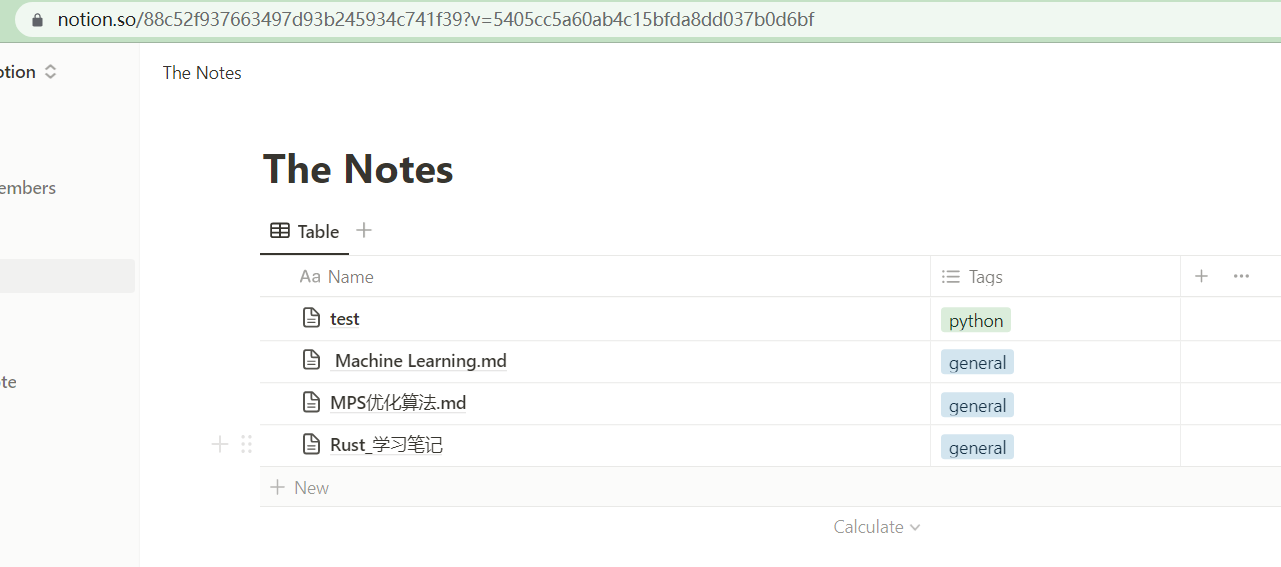
We use notion api to update, thus you need
Step1: Create a "connection" first and obtain its Secrets in the connection configuration page.
Step2: link connection to the synced database page:
- Open the database page ,
- Press setting button at right-upper
- Find
Add Connectionand link the page
It is possible to handle the whole notion project via Api and I recommend to read notion-sdk-py and API reference.
After setup, you need record
- The Database ID. (For example,
88c52f937663497d93b245934c741f39. )- You need manually add
-and obtain the true id88c52f93-7663-497d-93b2-45934c741f39
- You need manually add
- The Connection Secrets.
Setup SM.MS
We use SMMS to store local image, thus you need provide the SMMS token here.
You can use
usenameandpassworddirectly. See classSMMS_Hosting.
Only local image will be shared to SM.MS, any url start with
httpget ignored.
It is easy to implement other image hosting. For example, I also implement the
Onedrive_Hosting. But it is impossible to create a permanent image link from OneDrive side. The only alternative way is use theembedlink byitem.share_with_link(share_type='embed')and upload via{'embed': {'caption': [],'url': url}}. SeeOnedrive_HostingandMd2NotionUploader._get_onedrive_clientfor detail.
Currently, the notion API doesn't support upload files.
After setup, you need record
- The SMMS token.
Usage
python main.py -f <your_file_path> --connection_key <Connection Secrets> --database_id <Database ID> --smms_token <SMMS token>
The program will create a database item as same name as the file name.
The upload processing is line by line, if your processing failed at some line, add start_line=? to skip uploaded item after debug.
TODO
- ~~Support basic markdown grammar.~~
- ~~Support typora-style math object:
$..$for inline math and$$\n ... \n$$for block math~~ - Support all markdown grammar
- Support all notion object like
to_do,toggle, etc. - Support update manner for exist item.
- Support auto sync between local markdown file and online notion database.
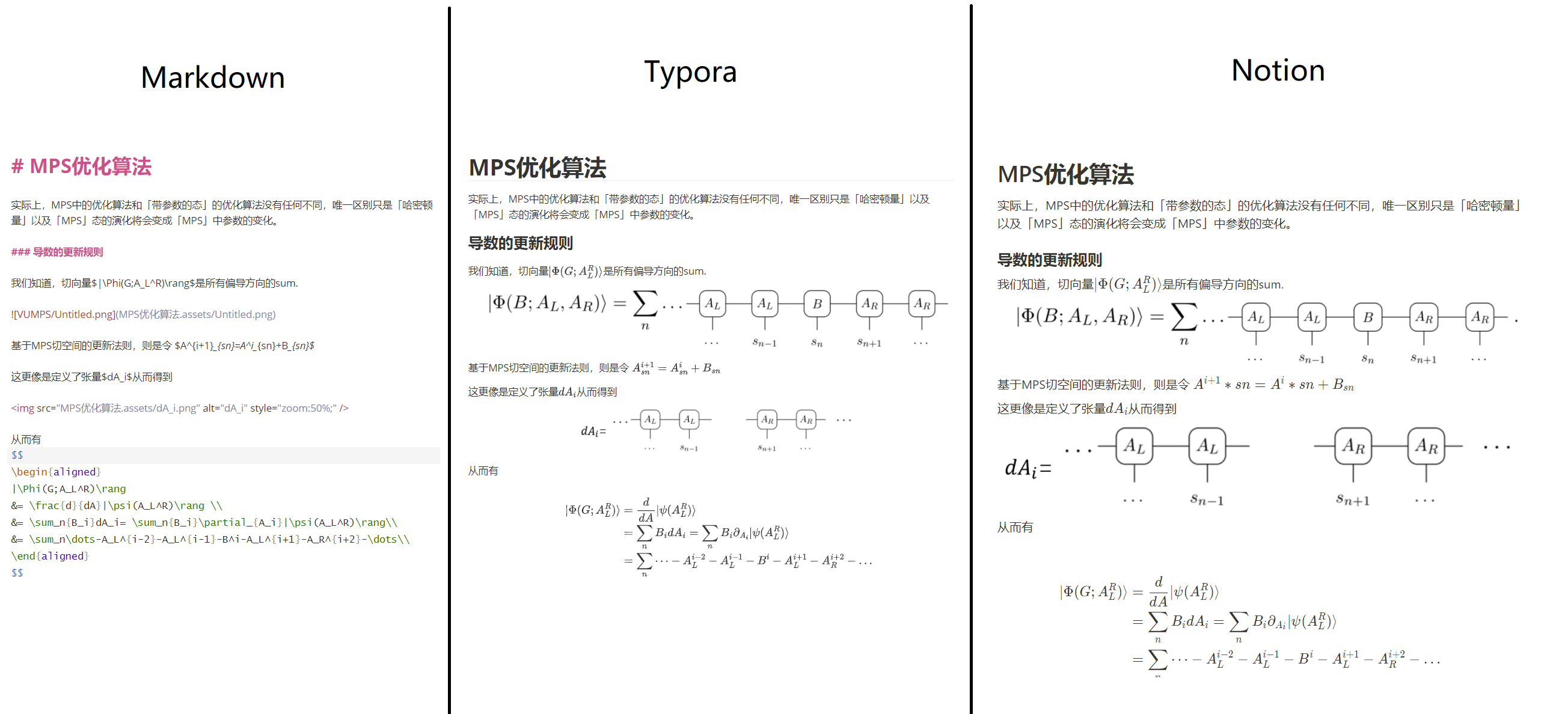
Demo
Contribution
Majority of this work is accomplished by chatGPT. It seems that anyone now can debug and implement new feature now without much familiar with "string operation". You can refer my conversation as here . For this project, GPT4 is much much much much more powerful than GPT3.5.
So far, I only pass test examples for my own notebooks consist of equation, table and content. If you find a bug, have a feature request, or just want to give feedback, please open an issue. If you would like to contribute code, you can fork the repository and make your changes on a separate branch. Once you are ready, create a pull request. We appreciate all contributions, big or small, and look forward to working with you!
Reference
This repo cannot build without follow projects:
License
This project is licensed under the MIT License.
 veya2ztn