

 vercel
Connectivity Issue with the `npx create-next-app --example` command.
Hello, I am having the same issue, however, on mine, the --example points to https://github.com/vercel/next-learn/tree/master/basics/learn-starter as per the tutorial (https://nextjs.org/learn/basics/create-nextjs-app/setup).

But what I noticed is that all the files from the GitHub repo seem to be downloaded. However, dependencies are not installed.
So with the assumption of all the files are fully downloaded, I just manually run npm install to install dependencies. And proceeded to run npm run dev` to start the dev server. And it worked!
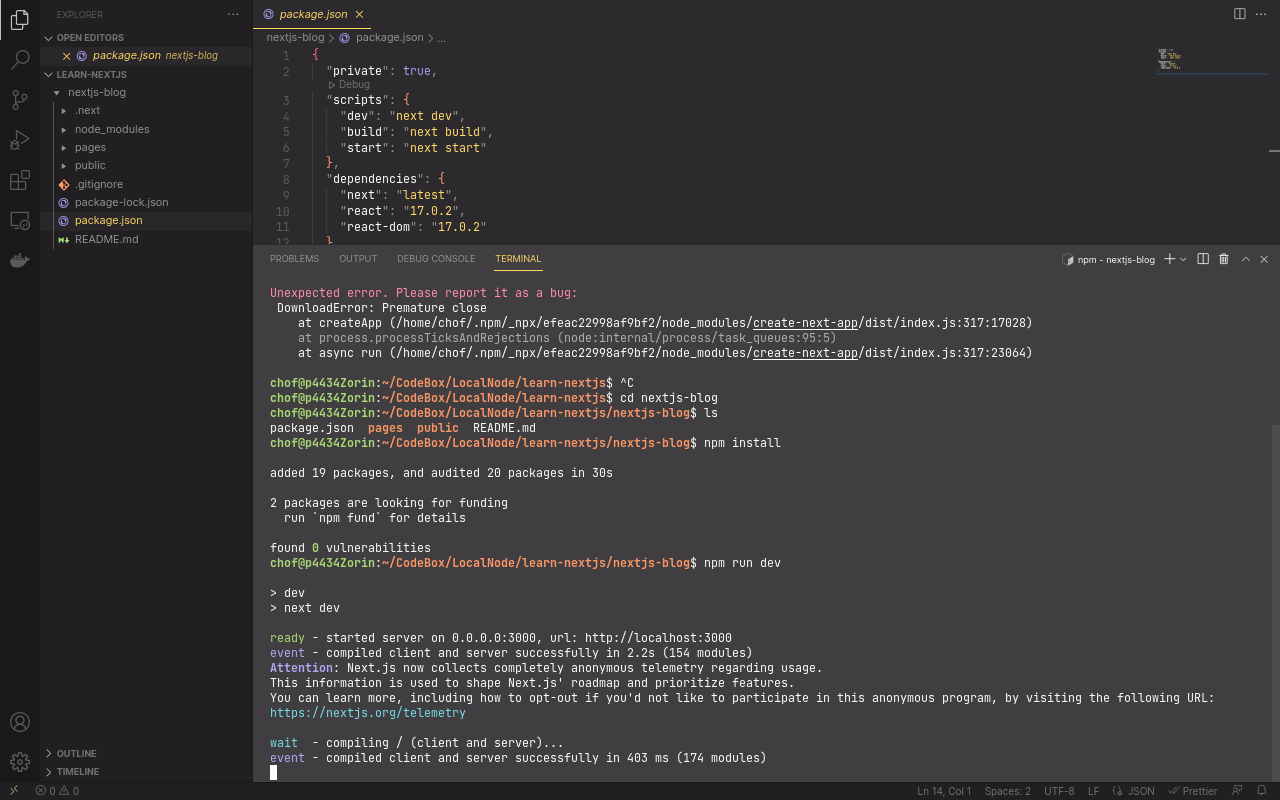
It seems that there's some bug in the script that even though it already downloaded the repo, returns an error even though the download is complete. And with this error, the rest of the script (dependency installation) is not run.
Originally posted by @chof64 in https://github.com/vercel/next.js/discussions/24802#discussioncomment-3285830


The bottom link is to a readme page with the recommendation to use
npm init next-app nextjs-blog
instead


@chof64 could you verify which Node.js version you are on? As pointed out above, we are tracking an upstream issue in #39321 that might be the same issue that you have.

I am having the same or similar issue
npx create-next-app@latest --example with-jest first-test
returns
? Could not download "with-jest" because of a connectivity issue between your machine and GitHub.
✔ Could not download "with-jest" because of a connectivity issue between your machine and GitHub.
Do you want to use the default template instead? … yes
The directory with-jest-app contains files that could conflict:
node version : v18.7.0

Closing in favor of #39321 as this is very likely the same issue. I opened a PR #40182 to fix this. If you have any comments, please add it to #39321
This closed issue has been automatically locked because it had no new activity for a month. If you are running into a similar issue, please create a new issue with the steps to reproduce. Thank you.
![github-actions[bot] avatar](https://avatars.githubusercontent.com/in/15368?v=4 "Published by a pub.dev verified publisher")