

 ventoy
[issue]: Partition configuration - wrong amount of disk space is preserved
Official FAQ
- [X] I have checked the official FAQ.
Ventoy Version
1.0.91
What about latest release
Yes. I have tried the latest release, but the bug still exist.
Try alternative boot mode
No. I didn't try these alternative boot modes.
BIOS Mode
Legacy BIOS Mode
Partition Style
MBR
Disk Capacity
128 GB
Disk Manufacturer
Samsung Flash Drive FIT
Image file checksum (if applicable)
None
Image file download link (if applicable)
No response
What happened?
This concerns only the installation part of Ventoy. Using the Partition Configuration menu, Ventoy seems to be allocating the wrong amount of space.
Device info: Ubuntu 20.04, arch x86_64 Package: ventoy-1.0.91-linux.tar.gz Installation file: VentoyGUI.x86_64
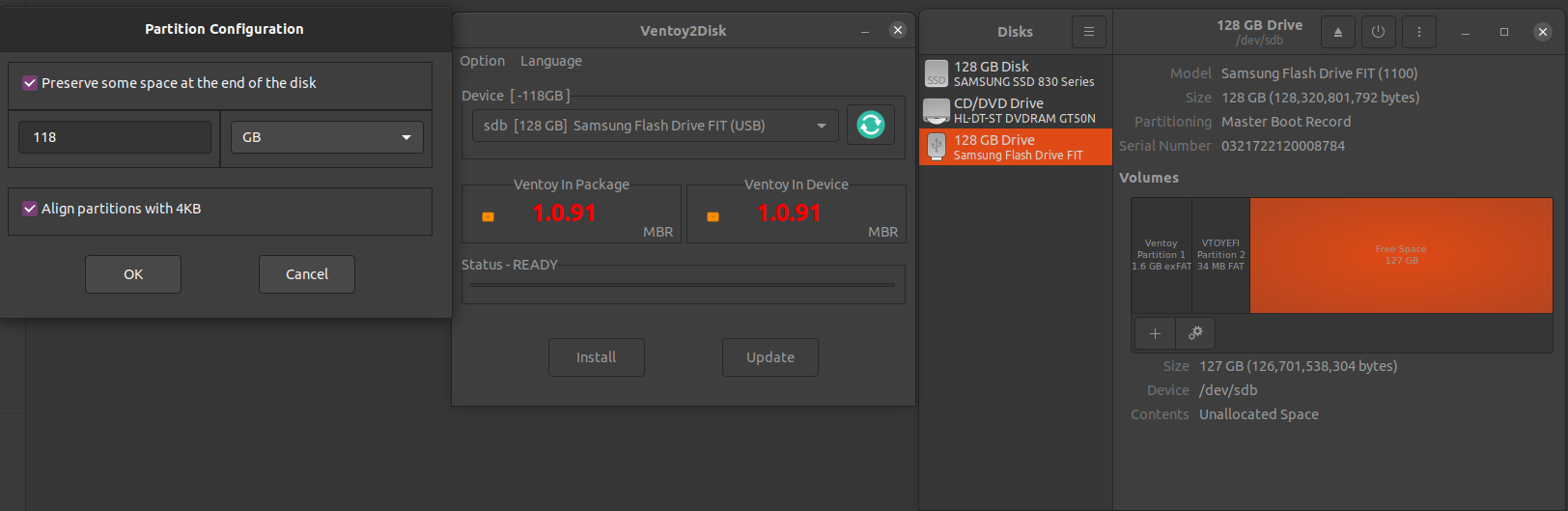
With my 128 GB Samsung USB drive, I requested 118 GB of reserved space at the end of the USB stick with the Ventoy2Disk GUI. I click Install. This should leave roughly 10 GB for the .iso partition. Instead, Ventoy only uses 1.6 GB for the Ventoy partition and leaves 127 GB as free space.
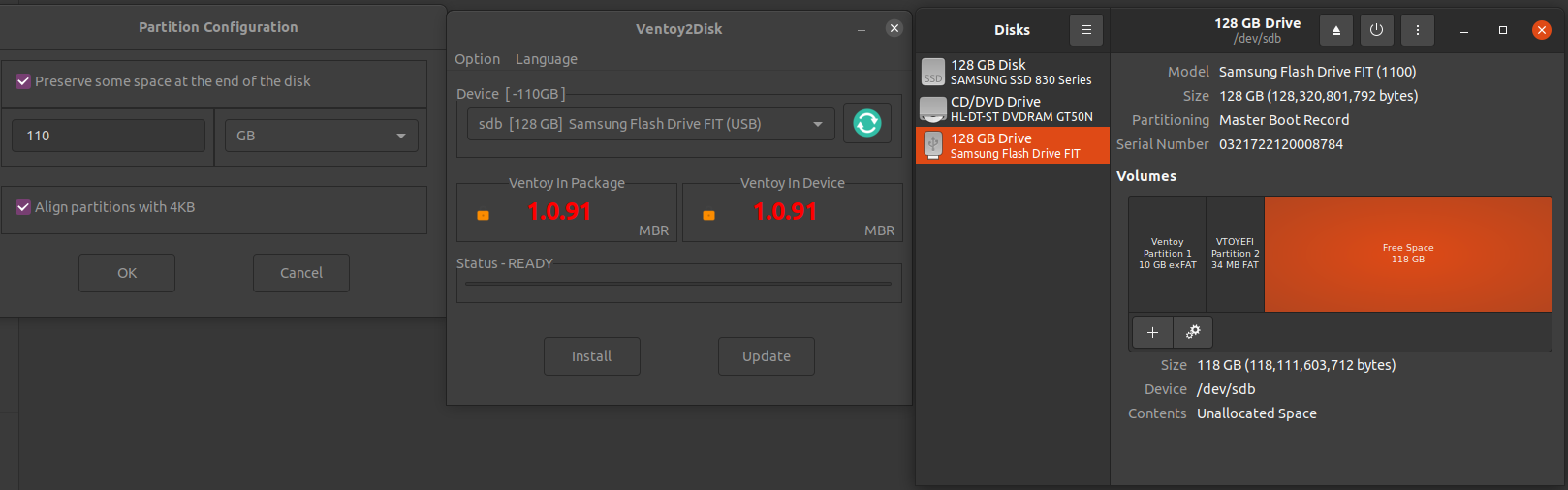
I tried preserving 110 GB and clicking Install but the amount of Free Space is 118 GB instead of 110 GB.
Finally, I tried with 32 GB, and I got 34 GB.
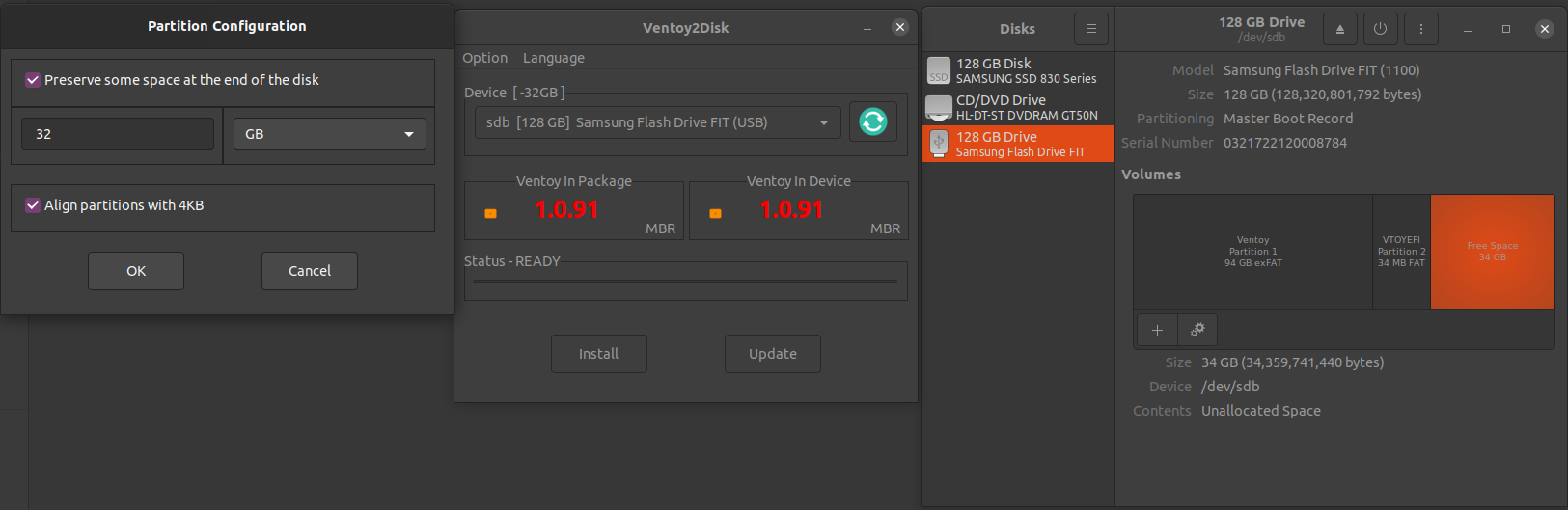

The preserved space use GiB unit, that is to say 1GB reserved space is 1024 x 1024 x 1024 = 1073741824 bytes
(It's better to change the unit from GB to GiB in the partition configuration diagbox)
Your USB stick's capacity is 128320801792 bytes.
128320801792 / 1024 / 1024 / 1024 = 119.5 GiB
128320801792 / 1000 / 1000 / 1000 = 128 GB
