

 ventoy
[issue]: Unable to boot /EFI/BOOT/BOOTX64.EFI in iso, prompting that there is no efi file
Official FAQ
- [X] I have checked the official FAQ.
Ventoy Version
1.0.89
What about latest release
Yes. I have tried the latest release, but the bug still exist.
Try alternative boot mode
Yes. I have tried them, but the bug still exist.
BIOS Mode
UEFI Mode
Partition Style
MBR
Disk Capacity
16GB
Disk Manufacturer
No response
Image file checksum (if applicable)
Yes.
Image file download link (if applicable)
No response
What happened?
A bug happened! Can it be fixed? EFI shell is case insensitive


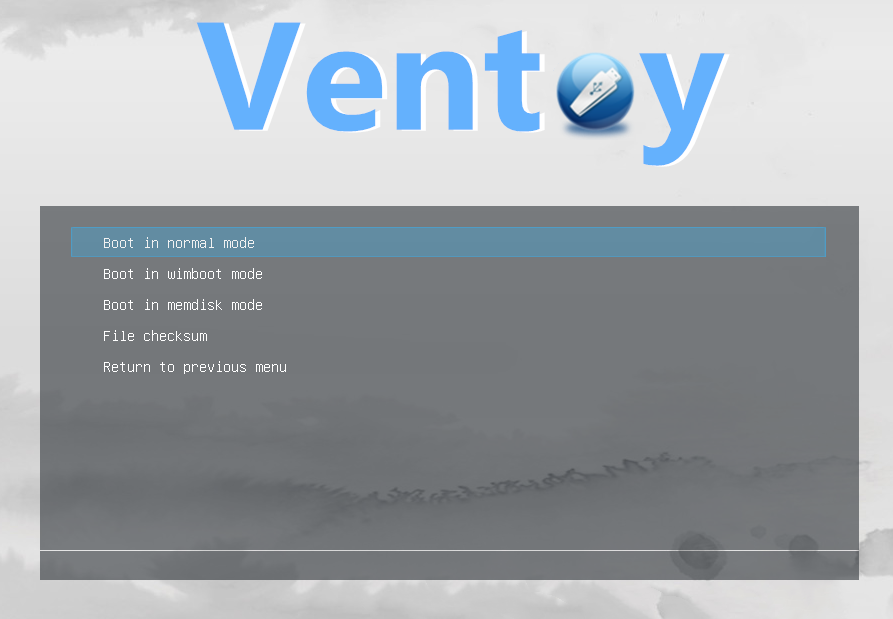
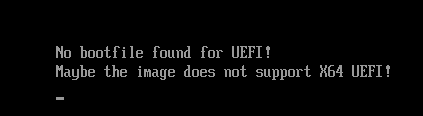
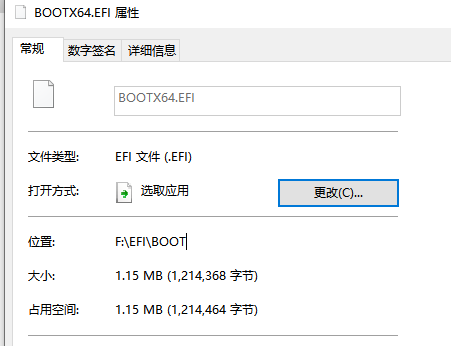
Can you send me the link of the iso file to test?
Vào CN, 19 thg 3, 2023 vào lúc 20:07 FengChen @.***> đã viết:
You send illustrations
— Reply to this email directly, view it on GitHub https://github.com/ventoy/Ventoy/issues/2302#issuecomment-1475232140, or unsubscribe https://github.com/notifications/unsubscribe-auth/A3JK2KJHFW2YHD2SC7FHWB3W43ZGPANCNFSM6AAAAAAV73VRRU . You are receiving this because you commented.Message ID: @.***>
Can you send me the link of the iso file to test? Vào CN, 19 thg 3, 2023 vào lúc 20:07 FengChen @.> đã viết: … You send illustrations [image: 1] https://user-images.githubusercontent.com/16919103/226173974-980c79ff-c56e-42a6-a35d-78f164c2688d.PNG [image: 2] https://user-images.githubusercontent.com/16919103/226173983-c60a41b4-baa9-4044-85cd-845adc38eb7c.PNG [image: 3] https://user-images.githubusercontent.com/16919103/226173992-5d4b1ff2-d0e3-4822-932f-872335732444.PNG — Reply to this email directly, view it on GitHub <#2302 (comment)>, or unsubscribe https://github.com/notifications/unsubscribe-auth/A3JK2KJHFW2YHD2SC7FHWB3W43ZGPANCNFSM6AAAAAAV73VRRU . You are receiving this because you commented.Message ID: @.>
https://www.dropbox.com/s/hcx7c7ud7ea6x4d/WIN10PE_17134.137_64%E7%BD%91%E7%BB%9C%E7%89%88.iso?dl=0 There may be something wrong with this iso file, its file system cannot be recognized in the efi shell. But copying its content to the USB disk can be booted by UEFI
your iso file doesn't support booting in uefi, I directly boot your iso file (using virtual CD/DVD) with QEMU/Virtual box and it doesn't boot
Another way to know if your iso file supports EFI boot or not is to use ultraiso to open the iso file, if there is """Bootable EFI" it will boot in UEFI.I send you an empty iso file that supports EFI, you use ultraiso open the iso file I sent and add the content of your iso file (after mounting the file) and save the file, you have a bootable iso file both in uefi and legacy https://drive.google.com/file/d/172TQM2d5VPp9k96ltxmyUn5FkGdPZUPk/view?usp=sharing