

 ventoy
EFI partition appeared in file explorer with the letter F
Official FAQ
- [X] I have checked the official FAQ.
Ventoy Version
1.0.79
What about latest release
Yes. I have tried the latest release, but the bug still exist.
BIOS Mode
Both
Partition Style
GPT
Disk Capacity
64GB
Disk Manufacturer
EAGET
Image file checksum (if applicable)
Yes.
Image file download link (if applicable)
No response
What happened?
I was using the option to conserve space on the USB and when I installed ventoy on that usb, the EFI partition with the letter F called System appeared in the file explorer. I hid the drive with diskpart but I would like to know if I create any file there and how to delete it.
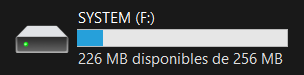

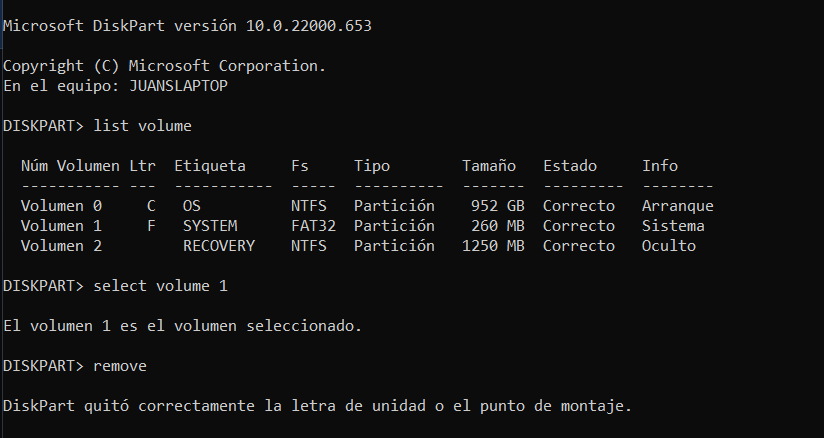
Edit: When I restart the computer the disk appears again

Is this disk your USB stick or your local disk? Have you ever installed Ventoy on this disk?(There is no Ventoy or VTOYEFI partition in the picture.)

That is my local drive and I have never downloaded VENTOY to it. I installed it to a usb and that partition of the local disk appeared in the file explorer.