

 vasturiano
Link directional arrow placement incorrect with custom node sizes
With Force3DGraph, when I set custom values to nodeRelSize and nodeVal, the arrows on the links move along the length of the edge rather than staying attached to the target node even though II'm setting linkDirectionalArrowRelPos=1.
My configs are set as follows:
const NODE_REL_SIZE = 1;
const NODE_DEFAULT_SIZE = 100;
const NODE_VAL = "size";
const LINK_DIRECTIONAL_ARROW_LENGTH = 3.5;
const LINK_DIRECTIONAL_ARROW_REL_POS = 1;
const LINK_DIRECTIONAL_ARROW_RESOLUTION = 6;
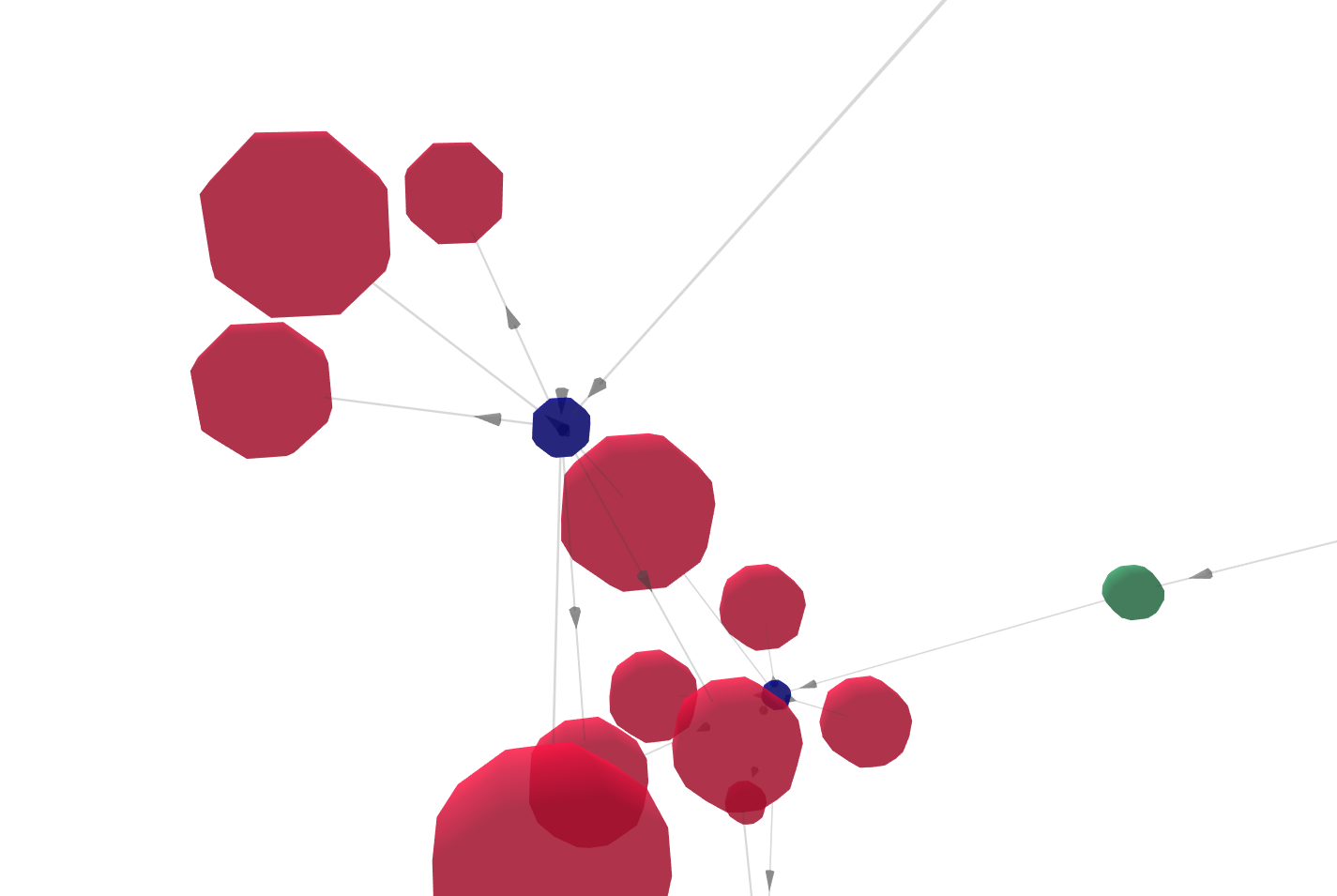
The node size is calculated from a node property. Some of the nodes don't have the size property, so I set a default size in that case. When there is a difference in size between the source and target node, the link arrow is misplaced on the link. I've attached a screenshot to illustrate a few examples. As you can see, the blue node is smaller than the red ones around it, and the arrows on outgoing edges and pushed back toward the source, in some cases even going inside the source.

I also meet the same problem.
const nodeVal = node => {
    return node.r;
}

<ForceGraph3D
	nodeVal={nodeVal}
	linkDirectionalArrowLength={3.5}
	linkDirectionalArrowRelPos={1}
/>

@pury are you overriding the default node representation using nodeThreeObject?
It's also easier if you can provide an example on codesandbox.

@vasturiano Yes, here is a simple example.
https://codesandbox.io/s/forcegraph3d-demo2-d8msdt
However, it may not be relevant to nodeThreeObject, but affected by the node's attribute nodeVal. It seems that the arrow will be placed correctly only when val==1.
A pure example of using the default node representation.
https://codesandbox.io/s/forcegraph3d-demo-rfdr1d

@pury thanks for creating those examples. There was an issue with the arrow positioning calculation, which was misbehaving when nodeVal was set in 3D mode.
I just pushed a fix to three-forcegraph. Essentially it was interpreting the value of the node as the area instead of the volume of the node (square-root vs cubic-root). That was responsible for the offset that you described.
This is now fixed and published so all you have to do is bump your inner dependency of three-forcegraph to the latest (1.39.8).
Let me know if this fixes it for you.