

 vasturiano
Node zooming animation looses sense of verticality
The current animation when zooming into a node looses its sense of verticality and centre of attention as it moves towards its target. Ideally, the camera should maintain its upright viewport throughout the animation sequence, therefore maintaining the same vertical orientation and focus towards the centre of rotation after zooming into a node. Attached is an image which further explains the idea behind this. Would it be possible to change the current zooming algorithm or to add another zooming algorithm as an option?
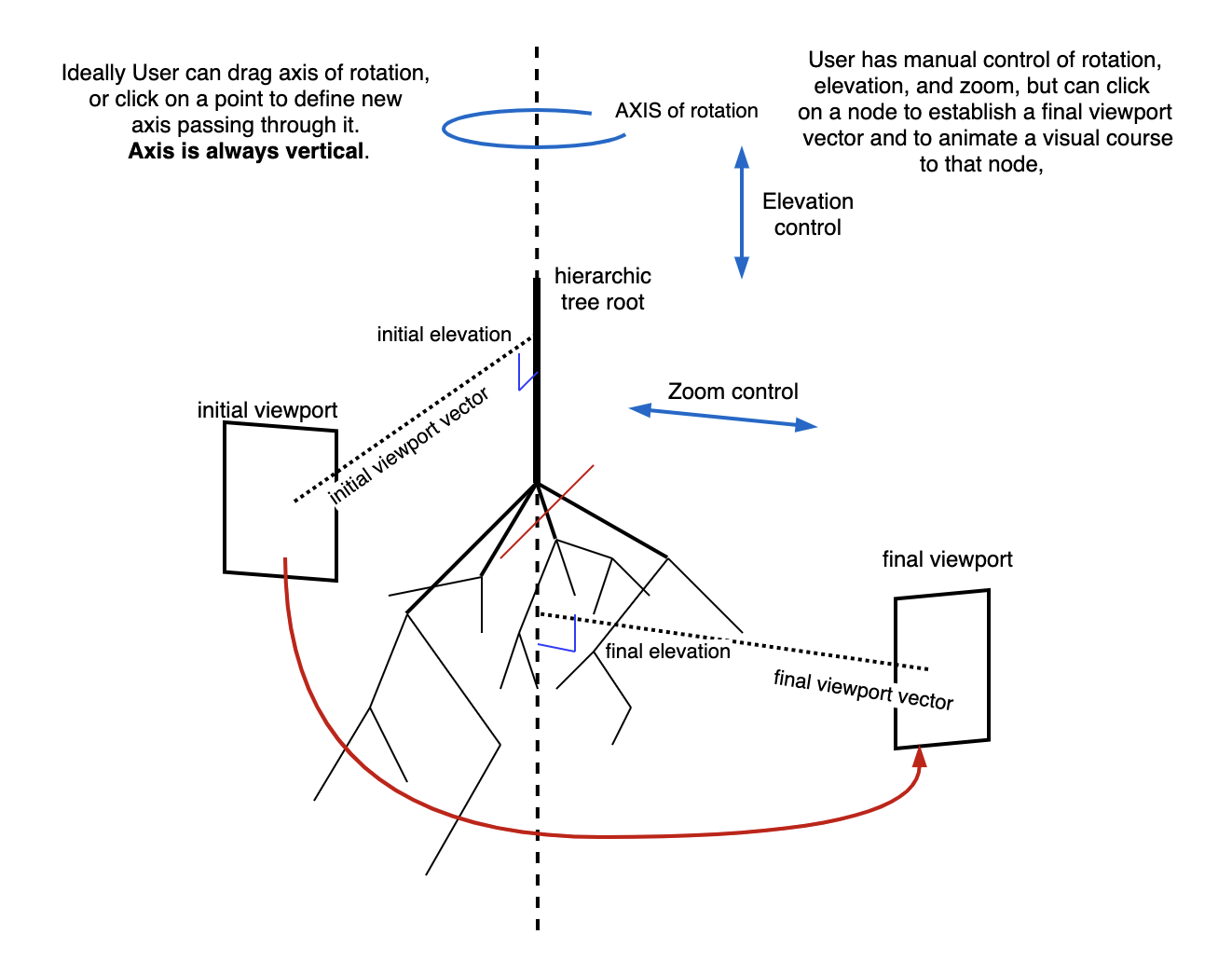

@matnguyen thanks for reaching out.
You can simply switch to Orbit controls by initializing the component with ForceGraph3d({ controlType: 'orbit' }).

Hi @vasturiano
Orbit mode changes the manual movement of the graph, but not when it zooms into a node when clicking a node
@matnguyen ok understood.
So, this is specific to the cameraPosition component method. This method does not guarantee any particular viewport rotation because in most graph cases there isn't really the sense of the vertical orientation being any more relevant than any of the other directions.
This is also why Trackball controls is the default, because typically up/down is meaningless in these graphs. Therefore the camera motion is optimized to minimize the viewport rotation, potentially detaching from any of the original axis (including the vertical Y axis to which no preferential treatment is given). So, the parameters that can be given to this method are the new camera coordinates and which point it should be facing. The viewport rotation is calculated automatically to minimize motion.
However, I'd like to point out that this is merely a convenience method aimed at the most common use cases. If you'd like to have a different behavior you can always implement your own logic by manipulating the location and orientation of camera object directly. Doing so will allow you the maximum amount of freedom to set camera positions.
You can access the camera object via myGraph.camera().
Hope this helps.