

 variar
Enhancement: Migrate to Qt6
Hello everyone,
i just found this tool as a replacement for glogg and want to thank you for your work and effort.
Since i use Qt myself at work i have experience of migrating from Qt5 to Qt6 and wanted to ask if there is any interest of me porting this project to Qt6. I know there isn't a "big" benefit from migrating, but i feel that now that Qt6 has matured it would maybe make sense to use the latest version.
Just let me know if a PR addressing this would have a chance of getting approved :smile:

Hi, the suggestion is great, I've been thinking about it for a while now. On Windows and Mac there should be no big issues with using Qt6 because Qt libraries are bundled with klogg installers. However, Linux packages are created for Ubuntu 18.04 to be usable in as many distros as possible without huge packaging efforts, and they depend on Qt verstion provided by distributions. That is also a requirement to build an appimage package.
Is it possible to do migration in such a way that code compiles with both Qt5 and Qt6 without big #ifdef mess?

Hey, i finished most of my work and found out a few things that we should discuss before finalizing everything.
Things that only require work
- Use
qsizetypeinstead ofintwhere required (to avoid narrowing & getting an error).qsizetypeis available from Qt 5.10 upwards - Replace
QDesktopfunctionality withQScreen
Classes/Functionality only available with Qt5Compat:
QTextCodec
Things that where we have potential conflicts
Signature changed
- QtConcurrent::run signature was switched up: https://doc.qt.io/qt-6/concurrent-changes-qt6.html#qtconcurrent-run . Probably requires an #ifdef or we switch to using lambdas instead of binding the methods.
Classes/Functionality not available at all:
QStringRef:str.leftRef()must be replaced byQStringView(str).left. However QStringView is only available from Qt 5.10. Is Qt 5.10 acceptable as minimum required version?
So without too much effort only Qt 5.10 (and newer Qt5 versions) can be made compatible with Qt6. But according to https://wiki.qt.io/Qt-Version-Compatibility#Binary_Compatibility_Guidelines all 5.X releases are binary compatible
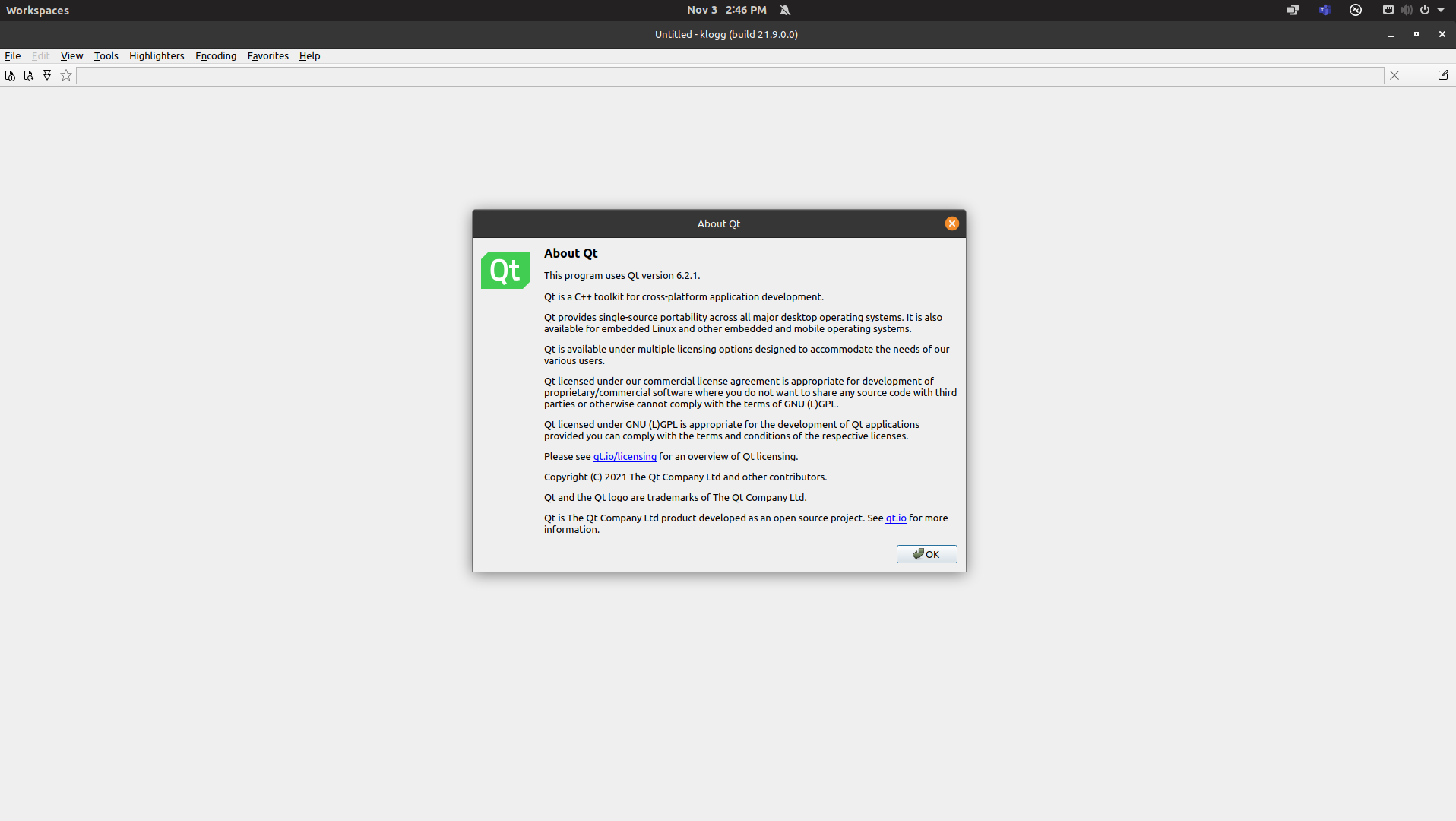 And it's done. This is how klogg looks with Qt 6.2.1
I've integrated PR by @feliwir with some modifications. Klogg can be built with Qt6 now. I'm thinking of switching Windows and Mac packages to Qt6 builds after next stable release. For prebuilt Linux packages we are stuck with older Qt versions that are provided with Ubuntu LTS releases.
I tried this release build: klogg-22.06.0.1289-Win-x64-Qt6-setup.exe – and quickly switched back to the Qt5 build. With Qt6, long lines were terminating prematurely (aproximately at screenwidth). Also, as far as I recall, the menus were not displayed correctly (i. e. some entries were not visible/rendered outside of the visible area). I did not do any in-depth testing as the first impression was “not usable” on my Win 10 machine.

@ilpssun do you have some screenshots of that behaviour? Klogg with qt6 works fine on my Windows 10 box, so I need more details to be able to fix that.
The long lines issue sounds like #489, is horizontal scrollbar working in your case?
You're right: the long line issue I'm experiencing is #489.
The missing menu items seem to be related to style WindowsVista. I did not see that effect when I tried the other styles. Sometimes, the menu displays correctly even with the WindowsVista style, but mostly the menus are not quite okay.
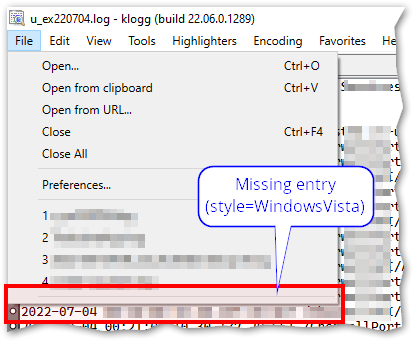
In the above example, there should be an “Exit” item.
As a workaround, I'll switch to a different style and test the Qt6 build a bit more in-depth for now.