
klogg

klogg copied to clipboard
 variar
[Highlighters][Color Picker]: can't approve color selection by double click
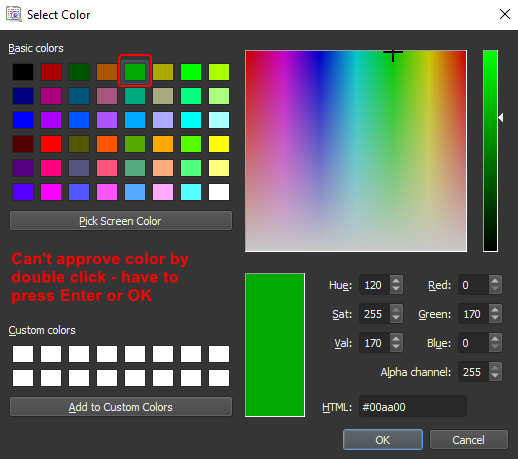

That dialog comes from Qt. Unfortunately, there is no way to handle double click in klogg.

There might be a custom color picker widget that works with double clicks. I've checked https://mattbas.gitlab.io/Qt-Color-Widgets/, but on the screenshots there is no panel with basic/custom colors out of the box. It can be added
but on the screenshots there is no panel with basic/custom colors out of the box
It's ColorPaletteWidget and Swatch widget, isn't it?
At least I guess that you can predefine default color palette which can be changed to user's one