
Anton Filimonov



Anton Filimonov
Thanks. Unfortunately, the colors for dark theme are hardcoded. I can make klogg read them from configuration file, that will allow some experiments with colors
Starting from 21.12.0.1175 the dark palette colors are read from configuration file `klogg.conf`. Default colors are: ``` [dark] ActiveButton=#303030 AlternateBase=#353535 Base=#282828 Button=#353535 ButtonText=#FFFFFF DisabledButtonText=#757575 DisabledLight=#353535 DisabledText=#808080 DisabledWindowText=#808080 Highlight=#2a82da HighlightedText=#212121 Link=#2a82da...
Try adding section with colors from previous comments to `klogg.ini` manually.
Great! Many thanks for the file, as it is always hard to reproduce such issues locally. I’ll check it this week when I get home from vacation.
I've checked the file. The structure of it is quite unusual. It has 4Gb zeroes at the beginning and then some meaningfull characters. Klogg is not smart enough to skip...
Works fine for the attached log in 22.04.0.1216+
Magic handling for long lines of null breaks search in some more common casese. Klogg needs to have support for lines with more than 2^30 characters.
The setup seems complicated so getting file changes notifications could be unreliable. You could try to enable polling for changes in options.
There is an option to auto-refresh search results. It looks like this in latest builds: 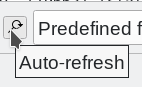 I think In 20.12 it was to right of regex search input field.
Yes, that's inconvinient. However, that should work when file is closed and reopened. Some "follow" options also work that way. It would be better to find a way of applying...