

 vantezzen
Add keyboard shortcuts
Is your feature request related to a problem? Please describe. Some times you need to go back to 1x or quickly disable the extension and then re-enable.
Describe the solution you'd like A keyboard shortcut to enable/disable the extension. (preferably the key could be customised) Additionally, a shortcut to increase or decrease the playback/silence speeds can also be considered.

Added the following keyboard shortcuts:
CTRL + Shift + S => Enable/disable Skip Silence (this switches back to normale speed when disabling)
CTRL + Shift + Up/Down => Increase or decrease the playback speed
Unforunately, I can't seem to add any more keyboard shortcuts, e.g. to increase/decrease silence speed due to a limitation in Chrome:
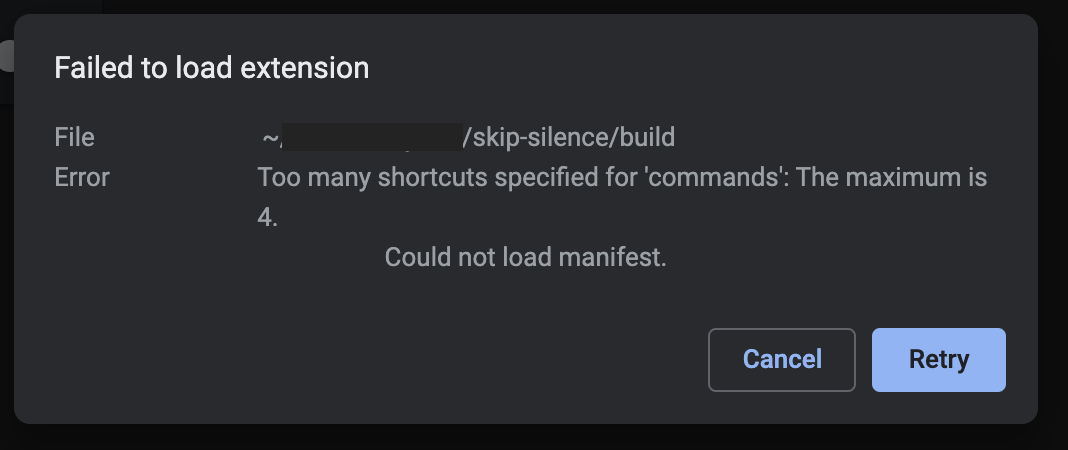

IIRC you can specify an unlimited number of commands, but only specify suggested keys for 4 of them. So users can later customize what commands they want to use.
