

 vAmigaWeb
UI Suggestions
Got an iPhone some time ago, and got around to checking out vAmigaWeb on it (as a PWA). Overall seems to work nicely, so great job there. A few suggestions/notes:
- It currently defaults to ECS_2MB + 2MB chip + 2MB fast. Probably better to have it start with a more classic configuration (OCS + 512K Chip + 512K slow == WinUAE "most common"). I think this will match what most users that don't twiddle with the settings expect.
- Might be an idea to have some kind of one-click way to select a few useful defaults (A500 expanded, A500 plain, A600, Monster (28MHz + 8MB fast)) - Don't go overboard, just a few well chosen options. Ideally this should also choose the correct KS ROM if installed (maybe warn if it isn't).
- Add (more clear) sections to the settings dialog and move the non-advanced ones to the top (e.g. I think compatability settings should be basically hidden)
- In firefox (on my windows PC) I get a lot of popups saying "error while open db: InvalidStateError: A mutation operation was attempted on a database that did not allow mutations." if I run vAmigaWeb in private mode (to test it without my usual settings).
- Light/dark mode is OK, but neither seems to match my preference. In light mode the blanked area is completely white, while the area outside the app seems to be more cream colored. In dark mode the blanked area is gray while I'd prefer it to be completely black. This is just my preference, so maybe it'd be an idea to allow choosing the color if it can't be read from the system. (See screenshot below).

Finally, I managed to insert a disk and watch part one of desert dream, but now I can't seem to figure out how to insert another disk. Maybe I'm just bad at iPhone, but when I click on the file slot it gives the popup menu with no way to insert another disk, and if I press on the popup it brings me to the camera or photos app seemingly at random?
Again, great job, and just some feedback. Feel free to create new sub-issues and close this one so you don't have a single, major issue open :)

great suggestions ... lets consider them one by one with some more time ...
just a quick reply to disk selection ...
I can't seem to figure out how to insert another disk. but just a quick reply on disk insertion ...
-
the thing with the file slot is that it you have to find your files ... you managed well to insert disk1 of desert dream this leads me to the think that it has maybe to do with the file extension... i.e. disk1 is .adf which is selectable by the iOS file dialog and maybe disk2 is .dms ?? and this is maybe somehow not selectable ? can this be the case ? I also don't know the criteria when a file type is selectable by the iOS file dialog and when not ... needs some investigation
-
if you pack both disks into a
zipand load that zip into vAmigaWeb, it reads the complete zip archive at once into javascript memory and the file slot becomes a file selection of all mountable files from the zip archive ... i.e. it loads the zip file at once and when you tap on the file slot (which is transformed into a zip archive) again then you can select any disk from the zip file without seeing the iOS file dialog again -
drag and drop: open vAmigaWeb and switch to the iOS files app (i.e. leaving vAmigaWeb app). In the iOS files app tap and hold the disk you want (drag) then leave the files app and switch into vAmigaWeb again and drop the disk into screen space ... this will load the disk because vAmigaWeb is a drop target
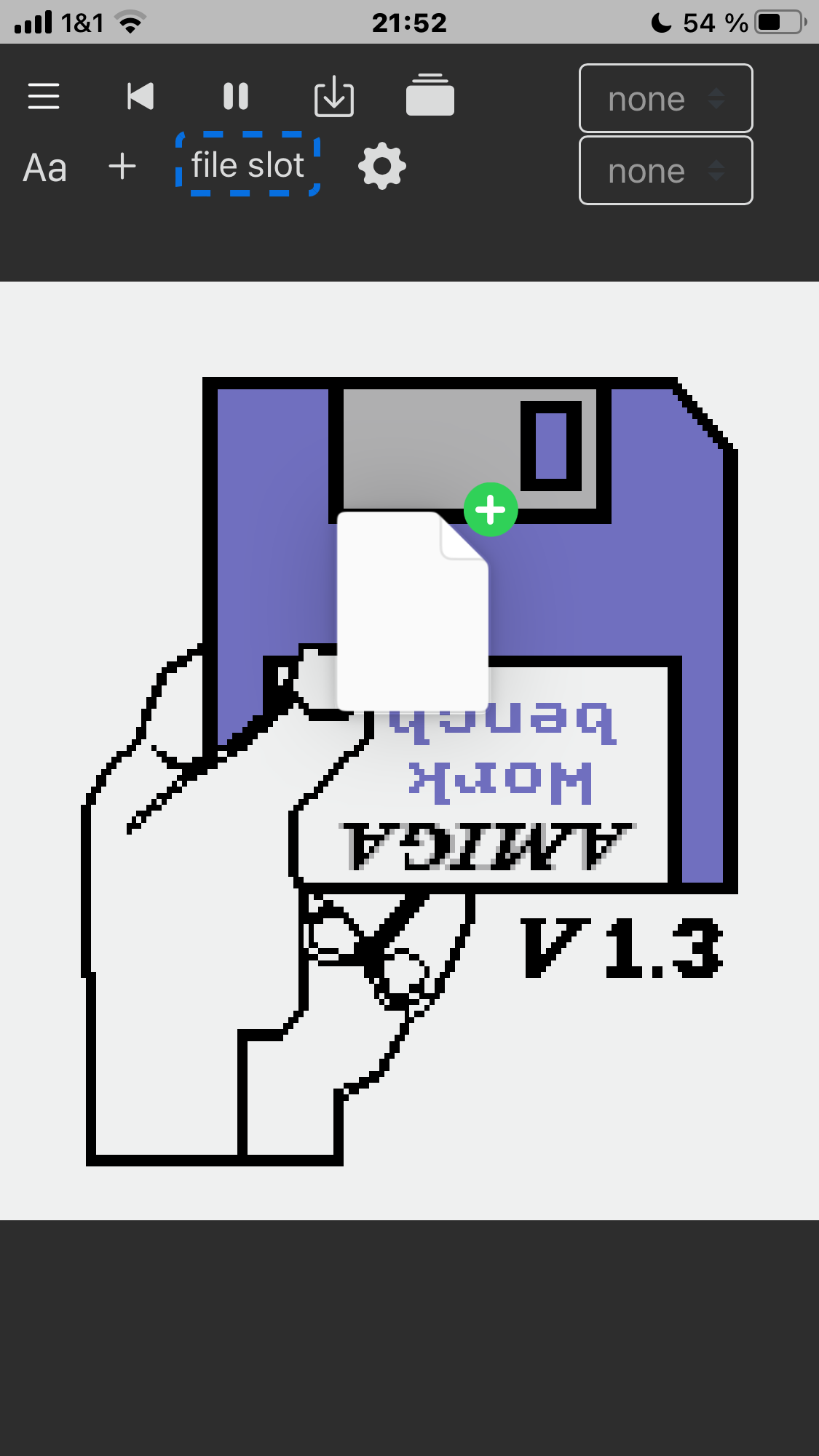
here you see how I dragged a file from files app and switched into vAmigaWeb but I did not release my finger from the disk icon yet
for fun I did choose NTSC pixel ratio to match the iOS Disk icon shape with that of Kickstart HandDisk picture

Did a web search on how to do drag and drop on an iPhone (yes I'm old/new), and it didn't work at first and I ended up pressing the reset button by accident. Now everything works as expected, so I think the issue I saw with it randomly choosing between camera/photos app is the app getting into a bad state (those are the first two options with the third being choose a file, maybe I could have gotten there somehow, it was not visible however).
I'll try to see if I can reproduce it, in the meantime hardwired from a zip file seems to work great 👍 (though it's not super intuitive for me how i'd press the right mouse button).
It also seems like when I do something (not determined yet) with the GUI there are sound issues (like some "gui" sounds is starting multiple times but getting cut off), I'll check further later on.
Hi, Good suggestions.
One thing about the .zip files containing multiple disks would be an option to automatically use up to 4 drives, DF0: to DF3:, and insert the disks in them, in order not to act as a DJ... :)
Cheers

One thing about the .zip files containing multiple disks would be an option to automatically use up to 4 drives, DF0: to DF3:, and insert the disks in them, in order not to act as a DJ... :)
Also I want to click on the file slot (maybe we should rename it to drives ?) and then I want it to open a vAmigaWeb dialog (not a host system dialog as it does currently)... with 4 empty slots where I can individually drag/or select files for each drive...
same for harddrives ... so maybe a dialog with eight empty drop fields ? also eject and turnon/shut down can be made in that dialog for every drive individual...
In firefox (on my windows PC) I get a lot of popups saying "error while open db: InvalidStateError: A mutation operation was attempted on a database that did not allow mutations." if I run vAmigaWeb in private mode (to test it without my usual settings).
@mras0 I fixed this, it should run now also in a private / incognito browser window. Of course it does not allow to persist anything in this mode...
In firefox (on my windows PC) I get a lot of popups saying "error while open db: InvalidStateError: A mutation operation was attempted on a database that did not allow mutations." if I run vAmigaWeb in private mode (to test it without my usual settings).
@mras0 I fixed this, it should run now also in a private / incognito browser window. Of course it does not allow to persist anything in this mode...
Yes fixed, thanks. Noticed another small thing: Unmapped keys (e.g. F11) are interpreted as raw keycode 0 ("accent grave") (maybe some missing checks for whether key_code is undefined in vAmiga_keyboard.js ?).
Unmapped keys (e.g. F11) are interpreted as raw keycode 0
great catch 👍 ... fixed with #126 and pushed to gh-pages
@mras0
Light/dark mode is OK, but neither seems to match my preference. In light mode the blanked area is completely white, while the area outside the app seems to be more cream colored. In dark mode the blanked area is gray while I'd prefer it to be completely black.
🤔 Hmmm maybe I should make this adjustable by the user ? I am not sure yet... what do you think ?
but the area outside the app is definitely completely wrong, in your screen shot above and also here ...
see before 🙈:
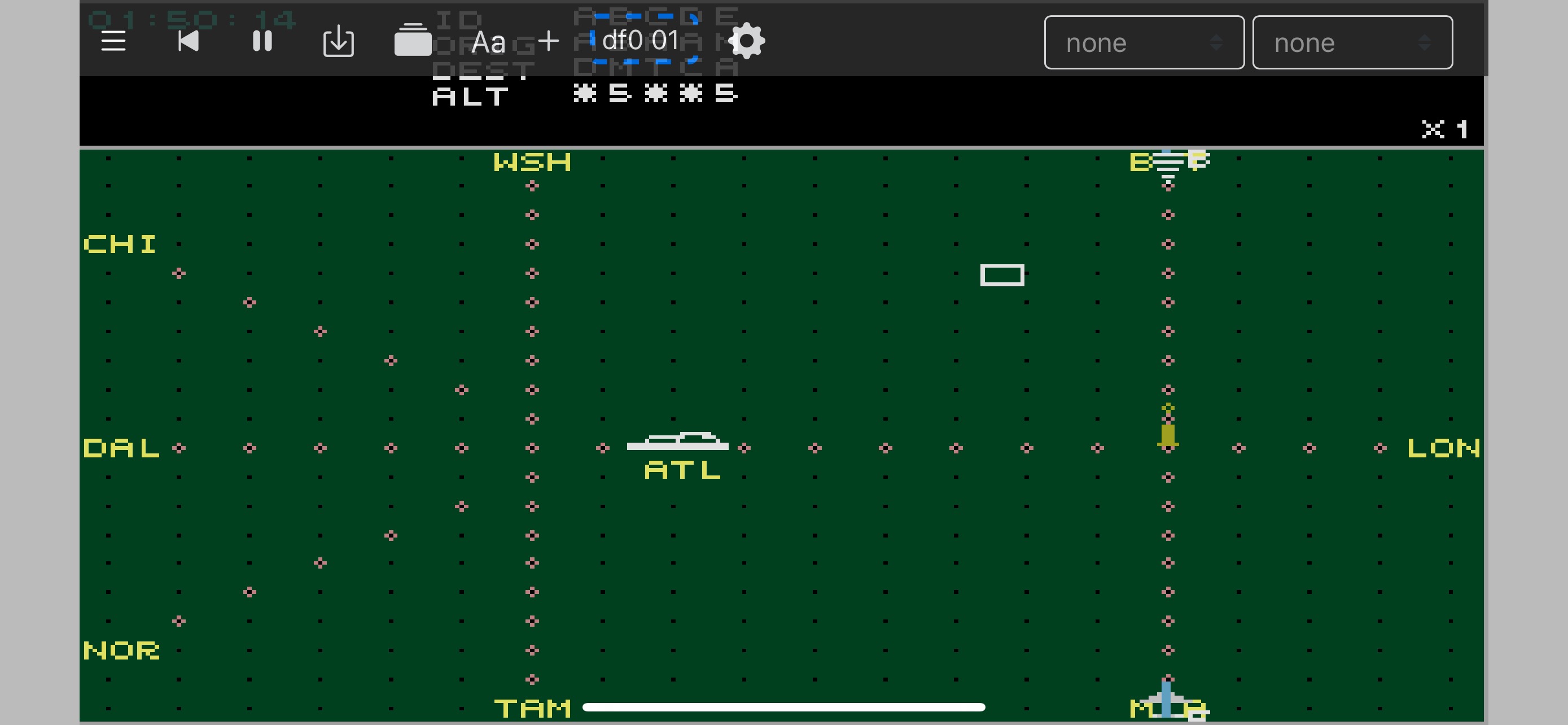
in order to repair this for dark and light mode now the outside area is set to be completely black by https://vAmigaWeb.github.io ... hiding the notch ... I bet notch lovers will hate me now 😬 ...
see after 😎:
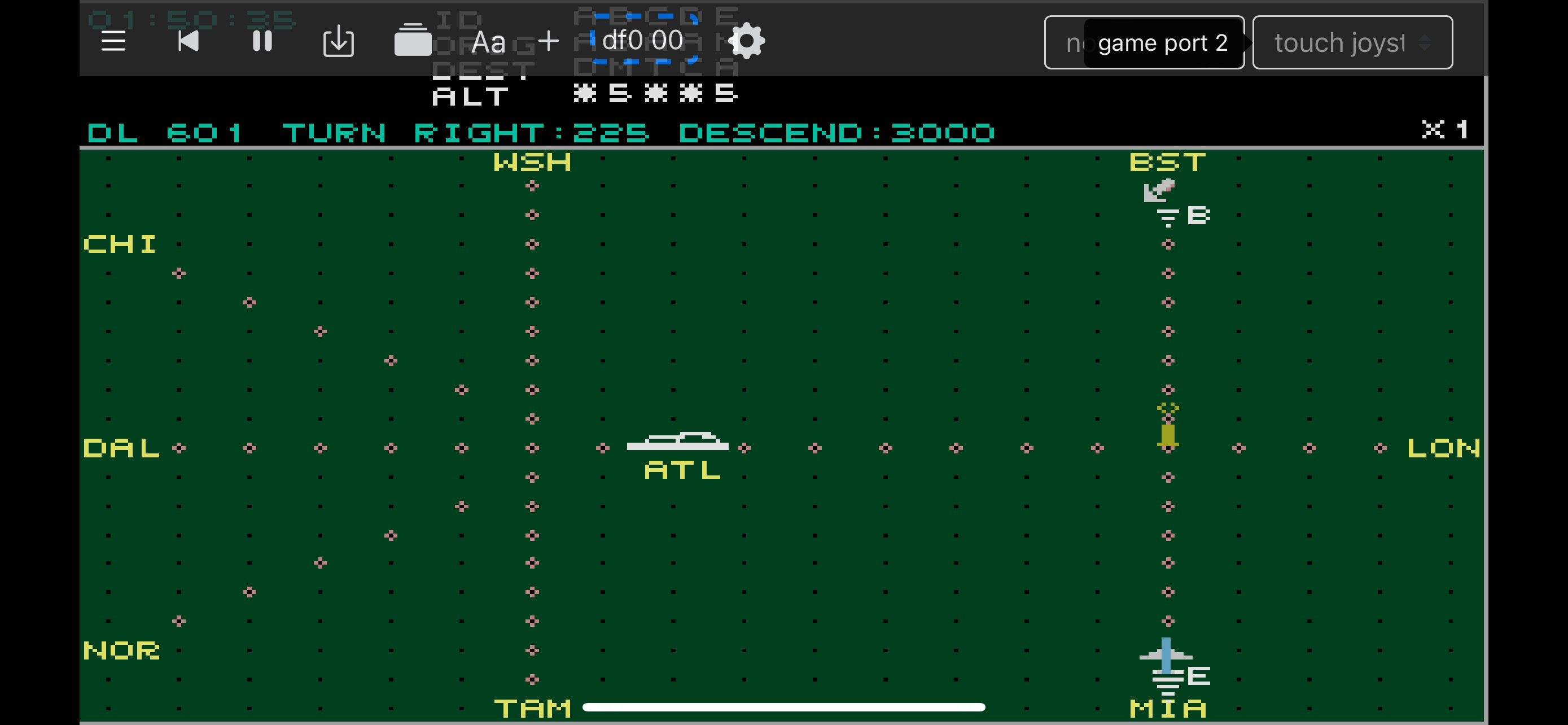
also did this to https://vc64web.github.io
The area outside the screen isn't fully black for me in dark mode (same for vc64), but the background color extends fully to the edge now. I think that's fine, there's no need to complicate it more than dark/light mode. Again, I'd prefer it black but maybe there's some system setting overriding it?
The area outside the screen...
@mras0 vAmigaWeb covers now that area... with the new version all space around notch or dynamic island is fully usable for example for the menu and the virtual touch joystick or even for the amiga screen buffer.
see version history https://vamigaweb.github.io/doc/
Just tried it, and it seem to work very well! Watched Desert Dream to completion, and it behaved well. Quick question: How do I press "right mouse button" on my phone (to continue after disk1 in hardwired for example)?
How do I press "right mouse button" on my phone
in the top right you find the two port selection boxes... the left is for port 1 and the right for port2
we need the one for port1
for pressing left mouse button choose either
-
mouse touch pad (move|btn/btn)schema, which means left half of screen is mouse movements and right half is for the two buttons. Right mouse button = touch right top quadrant, left mouse button = touch right bottom quadrant
or
-
touch joystick (move|fire)schema, which means left half for directions and right half of the screen for fire. Joystick fire closes the same electrical circuit as the left mouse button.
Ahh, thanks, works now! Thought I'd tried everything, but guess only displayed area counts for button presses? That was tripping me up a bit.
Maybe time to close this issue then? :)
but guess only displayed area counts for button presses?
no definitely all of the screen area should be sensitiv to the press... or you are still on the old version ?
you could launch the Amitestkit (https://github.com/keirf/Amiga-Stuff/releases) and go to the controller section to watch the signals
in apples iPhone simulator I touched right of the so called dynamic island and it recognizes the mouse click in Amitestkit...
Maybe time to close this issue then? :)
no I like still to review your suggestions on the top ... not finished yet 🤓
Oh no ... you were right ... touch joystick covers all the screen area but mouse touch pad is only restricted to the canvas ...
that is a bug in the mouse touch pad ... will repair it
Was just about to reply, but yes using latest version (from 2023/09/12) and outside screen area clicks don't register. Good job otherwise!
fixed and pushed ... was only on canvas, now registers on complete screen #183
fixed and pushed ... was only on canvas, now registers on complete screen #183
Yep, seems to work now :)
In dark mode the blanked area is gray while I'd prefer it to be completely black.
BEFORE:
AFTER:
@mras0 this was what you meant right ? published to https://vamigaweb.github.io
@mras0 this was what you meant right ? published to https://vamigaweb.github.io
Yes, exactly! Seems to work fine.