

 uvdesk
Add autofill for ticket created from operator
Description
When operator are logged in the Dashboard and need create a ticket for an existing customer (because a call or a contact outside of UVdesk) clicking on the operator profile on top and than create ticket never help to find existing customer.
What expect is a drop down to select a customer and see their email or start to digit the email and see it auto-filled.
Currently there is no help on ticket creation for customer in this mask. Operator should be able to start to digit some customer data and see that auto filled with data in the customer list.
Example: Need create a customer ticket for user 1 that has email address [email protected] The operator login into UVdesk dashboard, click on his profile than on create ticket. The operator start to digit name or email and when do an autofill should show existing customer asking to select and complete the email address without the need to digit the full email address without the possibility to check if this customer exist or not.
Maybe will be useful add also a button near each customer (create ticket), once clicked email, name etc are auto-filled.
A screen for describe better:
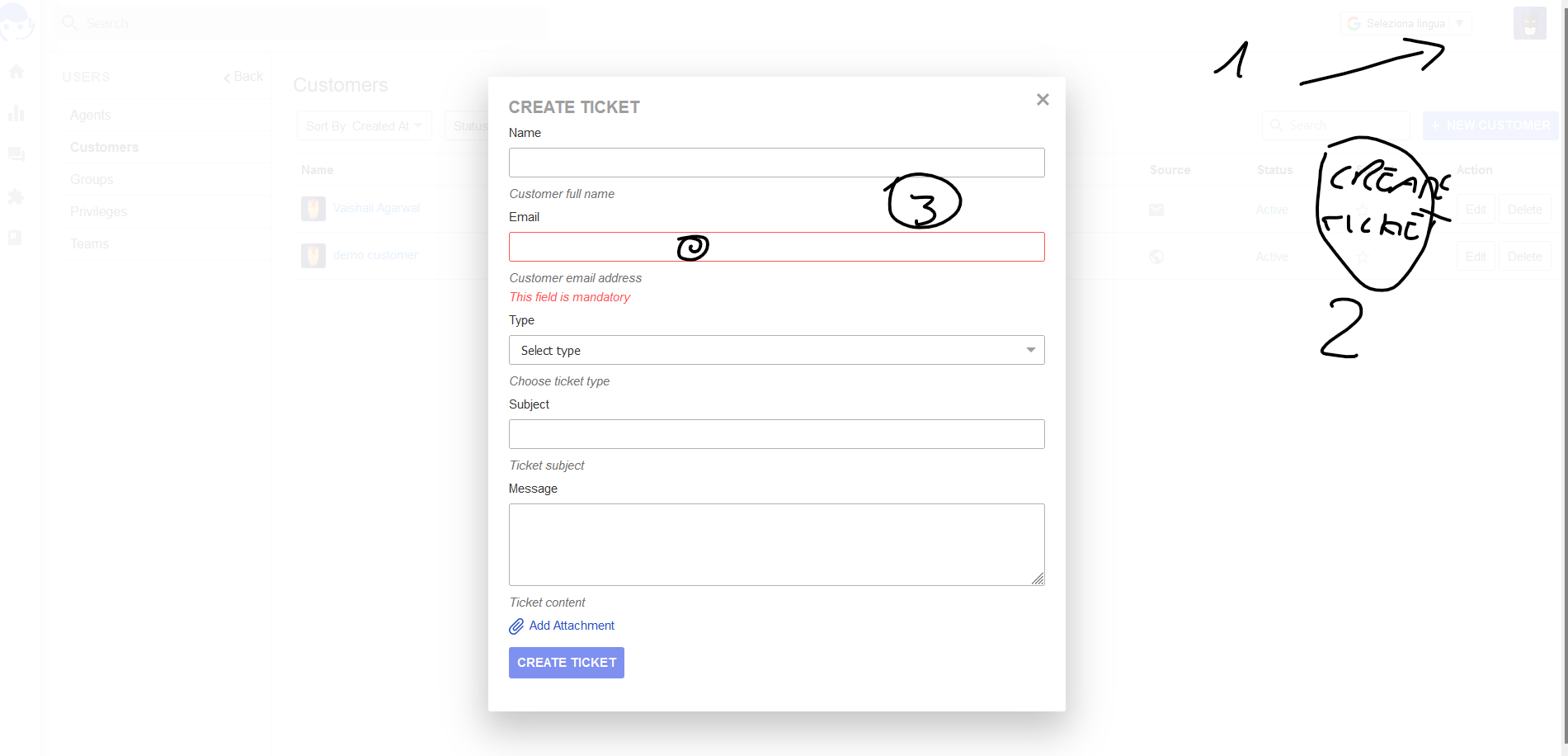
I'm in the customer page. I expect here to find a button near each customer that allow me to create a ticket with name, email already filled with the customer details.
Currently from the customer list you cannot create a ticket for customer. Another solution maybe more graphically nice is add a create customer ticket near the create customer button.
When the screen for create a ticket open operator should be able to select an existing customer and so have name, email field already filled.
Also start to digit a customer email address should suggest the customer email address than click on suggestion and auto fill customer data
