

 utterance
One comment will generate two issues,it this a bug?
I like this tool very much, I use it in my personal blog.Thanks the authors.
But recently I had a problem. When someone commented on an article, there were two issues. So that comments can't be loaded into the blog.
-
Issues(https://github.com/yansheng836/yansheng836.github.io/issues) like this:

-
Blog: https://www.yansheng.xyz/article/faa5d14.html, can't loaded the comment, and the console show:

my config
<script src="https://utteranc.es/client.js"
        repo="yansheng836/yansheng836.github.io"
        issue-term="title"
        theme="github-light"
        crossorigin="anonymous"
        async>
</script>

Maybe this happened because of a bug in utterances. This could also happen in the rare case that two people try to create the first post at the same time.
Does utterances have any feature to workaround this race condition? Such a feature might help @yansheng836 avoid what happened to them.
An idea that comes to mind is some way for the repo owner to tell utterances to create an issue if it doesn't already exist.

What if someone creates the issue directly without using Uttranace? In this case, there could be multiple matching issue threads. When this happens, the comments should be merged when displaying and new comments through Uttranace should be posted in only one of the issues (perhaps oldest issue).

What if someone creates the issue directly without using Uttranace? In this case, there could be multiple matching issue threads.
Oh, great point. I created a issue #348 to focus on that aspect so that this issue can focus on why two identical issues were created for you (or simply how to avoid automatically creating two identical issues at all).
Actually, these two issues was generated by utterances-bot at the same time . The first one has no comment and the second one has a comment.
first:
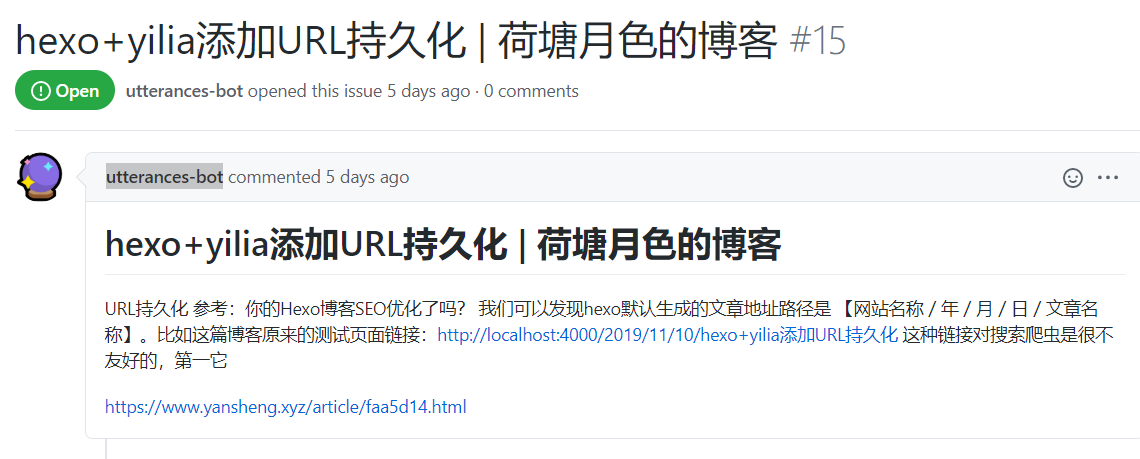
second:
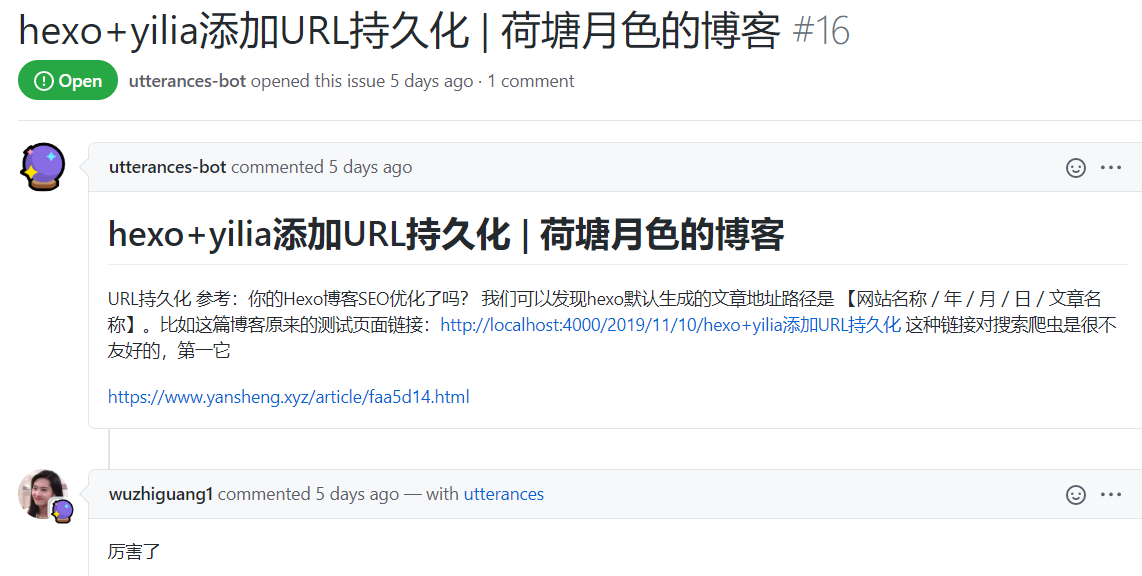
@yansheng836 Can you give a link to the post and issues also it this might help in figuring out what is happening.
In fact, I already have a link to that in my issue, please see https://github.com/utterance/utterances/issues/347#issue-648151769.
detailed
article link: https://www.yansheng.xyz/article/faa5d14.html first issue(no comment): https://github.com/yansheng836/yansheng836.github.io/issues/15 second issue: https://github.com/yansheng836/yansheng836.github.io/issues/16
The best option would be, you be the first commenter or create the issue manually.

Alternatively, issue creation should be a part of build process for your static website. Each time you create a new article, build should create an issue for you
