
vm-downloads
 vm-downloads copied to clipboard
Published
20 hours ago •
 utmapp
utmapp
Solaris doesn't seem to work
An error shows up right after downloading it. Don't really know what's wrong.
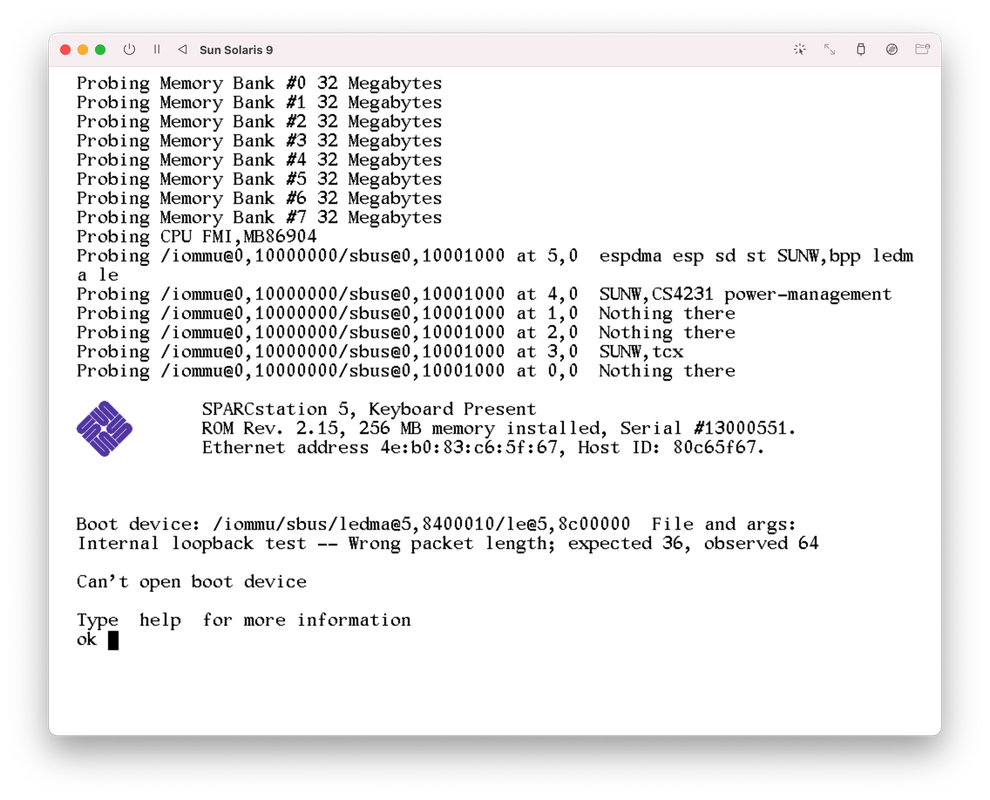
I'm using UTM 3.1.0 (47) on macOS Monterey 12.2.1


Ah to boot it you need to enter boot disk0 in the console prompt, despite the aforementioned error message.
It actually says this on the VM info screen... 🤦


@mbert
For Sun OS you have to click the "Capture mouse cursor" button.

So a basic in/out to Solaris using this image:
- Start the VM
- type: boot disk0
- login with user: root
- Ctrl + Option (or click on the capture mouse cursor)
- Right click on the desktop -> Suspend System -> Shutdown. Wait for all the messages and the VM shuts off.
