

 usememos
Unexpected inputting new line when we use listing(-) in Japanese input
Describe the bug
memos have a bug related to Inputting Japanese, especially, when edit listing.
Steps to reproduce
For example, we edit like below text.
## test
-
And input Japanese
## test
- にほんご
And convert(In Japanese, we have some types of letter such as Hiragana/Katakana/Kanji, so we have to convert input string to desired type), then we expect below
## test
- 日本語
But actually, we get below
## test
- にほんご
- にほんご
Screenshots or additional context
No response

My sincere thanks go out to all the contributors! Among the note-taking software I've used recently, Memos is absolutely my favorite. Here are some additional details I discovered after experiencing the same issue.
Description
When using an input method based on Latin keyboards, selecting candidate words and pressing the enter key causes unexpected line breaks.
Steps to Reproduce
- Choose an IME that allows users of Latin keyboards to generate characters not natively available on their input devices, like Chinese, Japanese, Korean, and Indic characters.
- Type the required vocabulary, and a selection box of candidate words appears.
- Select candidate words from the input method by pressing the enter key.
Expected Behavior
The candidate word should be inserted into the text without any unexpected line breaks.
Actual Behavior
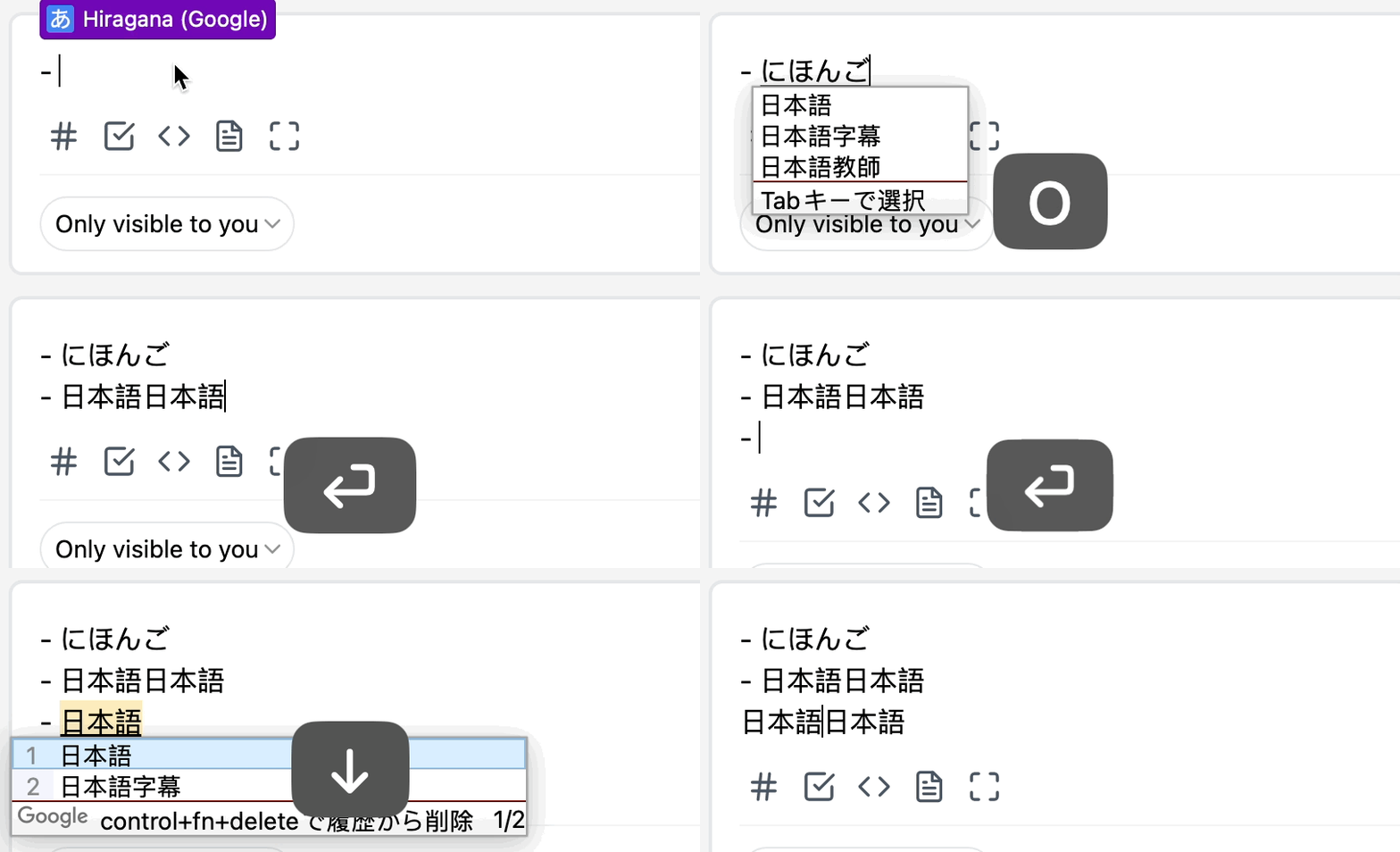
The text breaks unexpectedly after pressing enter, which can cause duplicate candidate words on the new line.
Screenshots
I performed some tests on several popular IMEs, and here are the screenshots of the reproduction.
Pinyin - Simplified (Chinese)

Squirrel (Chinese)
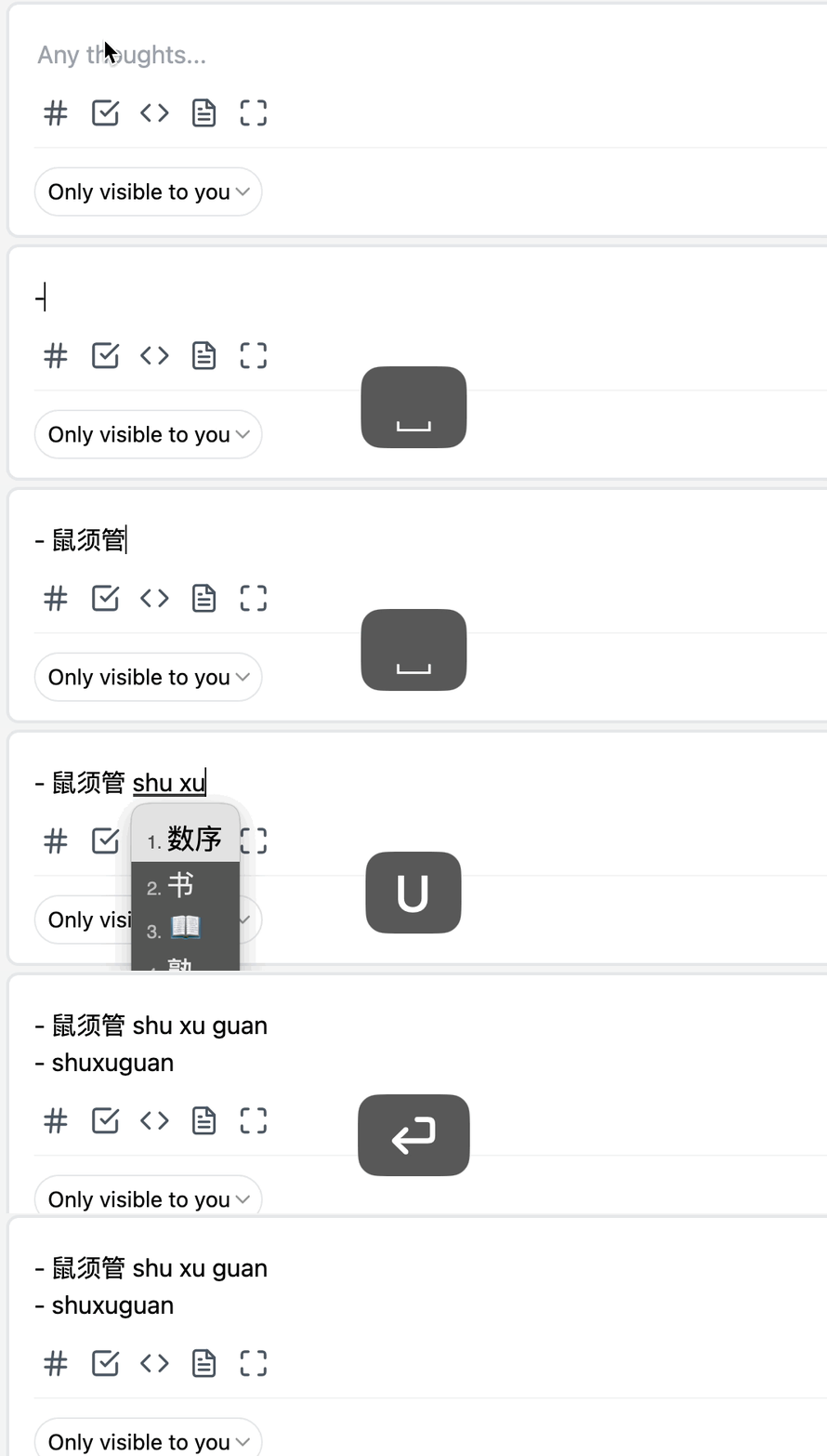
Sougou (Chinese)
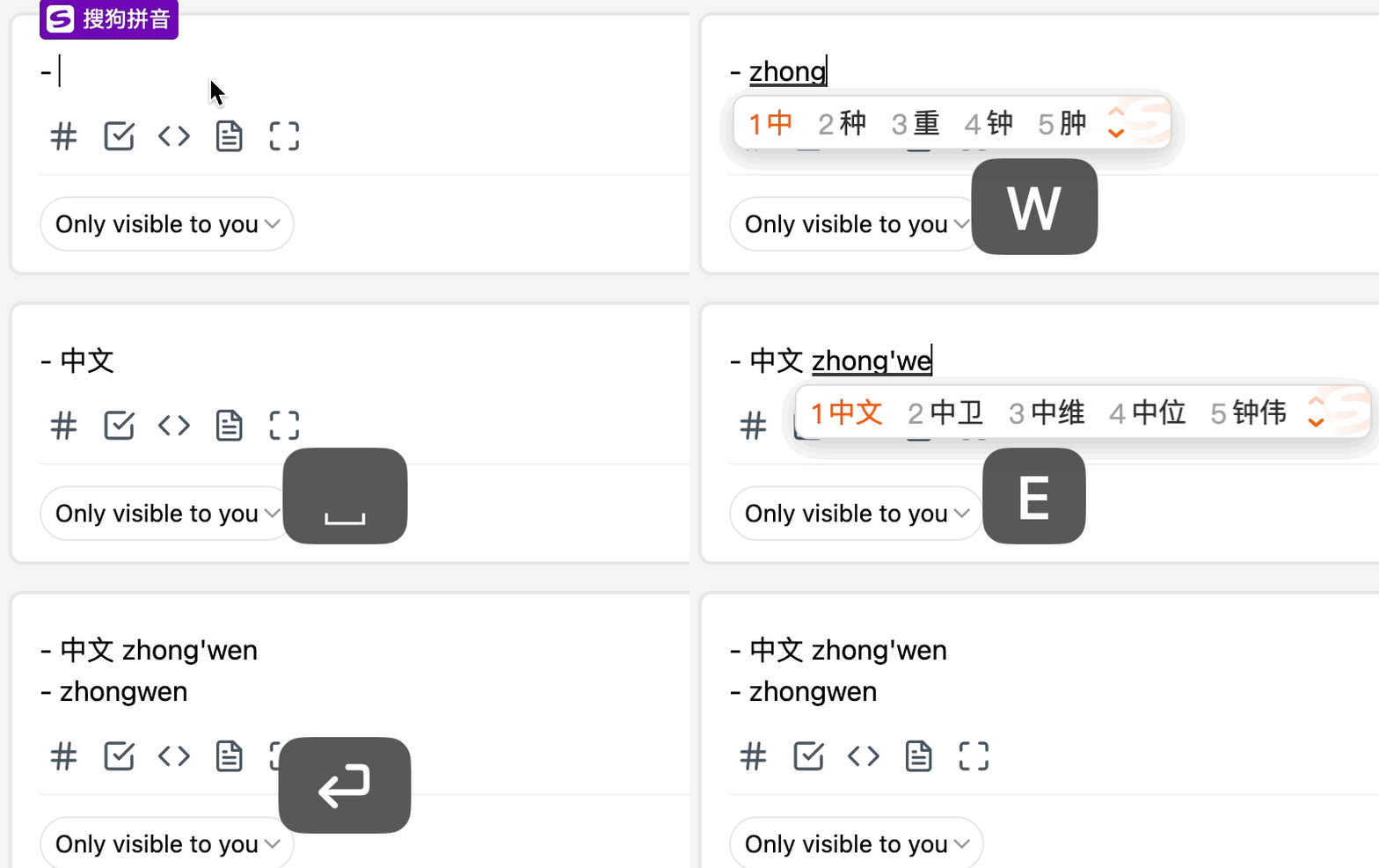
Hiragana (Japanese)

Google Japanese IME (Japanese)
Environment
- Operating System: macOS 13.2.1
- Browser: Chrome 111.0.5563.64
Additional Information
It seems the issue is strongly related to what browser is used, and I did not experience the issue when testing on any of the same browsers below on Windows 10.
And for macOS 13.2.1:
| Browser | Actual Behavior |
|---|---|
| Chrome 111.0.5563.64 | Unexpected line breaks and duplicated candidate words |
| Firefox 110.0.1 | No unexpected behaviors |
| Safari Version 16.3 (18614.4.6.1.6) | Only unexpected line breaks |

@boojack
#1084
I now recommend removing all the damn shortcuts for the editor (like list completion) to ensure there won't be some "bugs" about it. 😤
