
ReoGrid
 ReoGrid copied to clipboard
 unvell
Reogrid performance issue with multiple sheets and formulas in rgf format
Description
Our WPF application uses Reogrid to load the files in rgf format. This internally calls loadRGF() method. The file has approximately 8000+ formulas and around 16000 cells filled with data, data formats, styles and formulas. We also have few custom formulas like INDEX and MATCH. We found using profiler that maximum time that is around 49% of time is spent in RecalcCell() method which calls UpdateWorksheetReferencedFormulaCells() where each of the reference cell in the formula is getting recalculated. This causes UI to freeze for longest of time. This hits the loading time of the file to greater extent. I have attached the sample rgf file and image from profiler below. We could replicate the same behaviour in Reogrid Demo Application v3.0.0. It will be really helpful if there is any workaround for this problem.
##To reproduce
We have created and uploaded a dummy rgf file instead of actual file.The rgf file contains VLOOKUP formula dragged upto 3168 cells. Total data filled cells (with formula cells ) is 4179 . When deserializing this rgf file, it takes 22 mins to load.
Screenshots
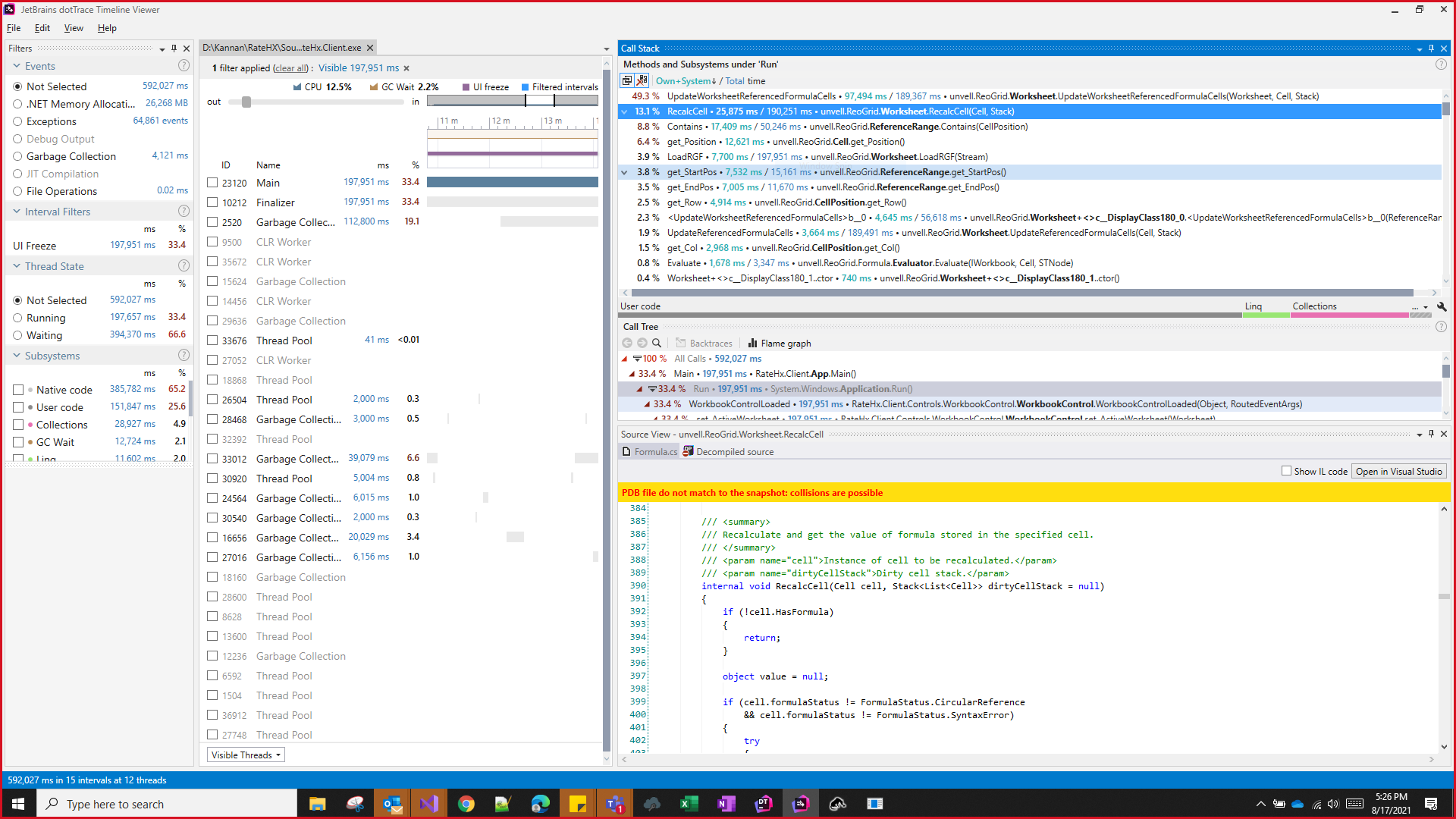
This is the profiler image of the time consumption of each method in our actual application. There were 64,861 exceptions thrown.
Edition
Which edition of ReoGrid do you using?
- WPF
##Version
- Reogrid v3.0.0
Environment
- OS: [e.g. Windows 10]
- Language of OS: English
