ReoGrid
 ReoGrid copied to clipboard
 unvell
filter columns issues
Dear jingwood,
Thanks for your useful work. Few issues with filtering columns:
- Filtering or sorting columns do not affect column adjacent columns. If i sort column in a table like Excel I suppose that all columns will be filtered upon the values of 1 selected filtered column
- Do you think about more complicated sorting mechanics? Please see AdvancedDataGridView on gihub. They group dates in filter and allows searching in filtering mechanics. Very useful, Excel does it too.
All the best for you, your project and family.
Vladimir

@vks2 Hi! The SortColumn method has a parameter applyRange. I will try it after.

Dear jingwood, And what about sorting? Now only one columns sorts from a to z, not Range, and there's no method ApplyRange. What we can do? Only raise an event .RowsSorted and then manually do LINQ with select all columns, sort by one of them (where sort button is clicked) and refresh grid? Thank you in advance!
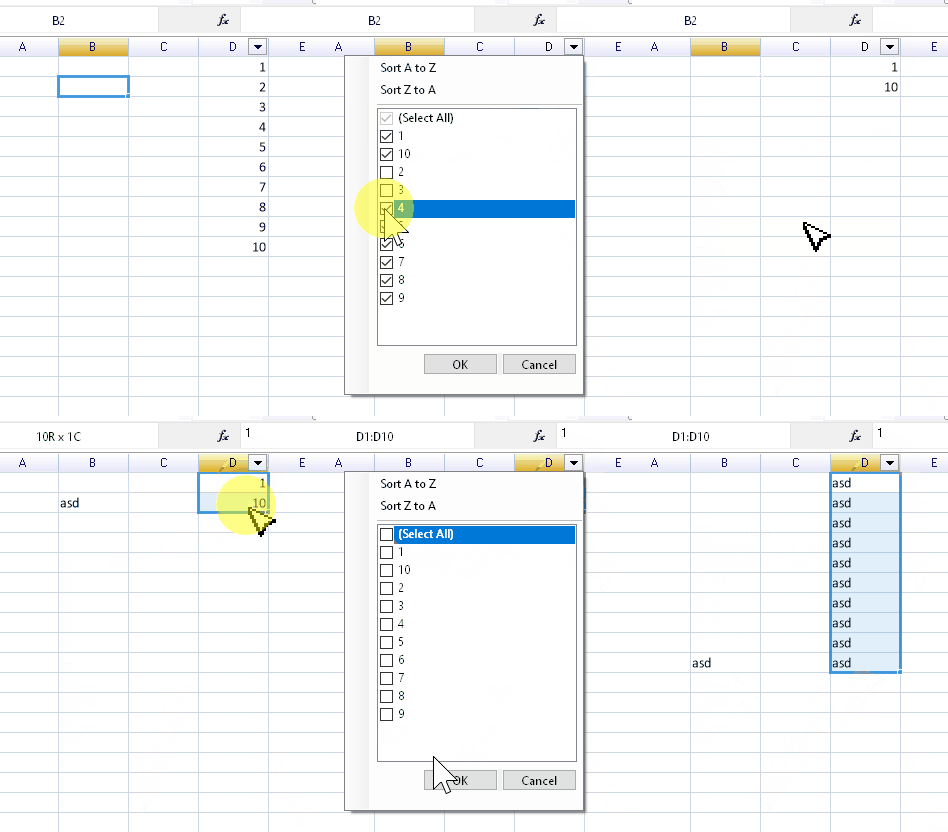
As I've tried the filter feature some more in my investigation of WPF implementation I've stumbled upon some unexpected behavior:
The filter does not update automatically when changing the values.
The rows are not removed from the grid, merely hidden, which causes range updates to overwrite the hidden values: