

 unoplatform
[Bug] FAB "natural" dimensions is not correct, compared to Figma
Steps to reproduce
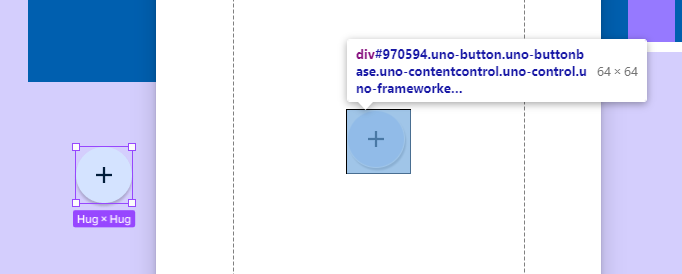
- Add a FAB to a frame in figma, leave its dimensions to "Hug". Its natural dimension is 56x56
- Generate a preview in the Uno Plugin
- Observe the dimension took by the control is 64x64

Also, when changing dimensions:
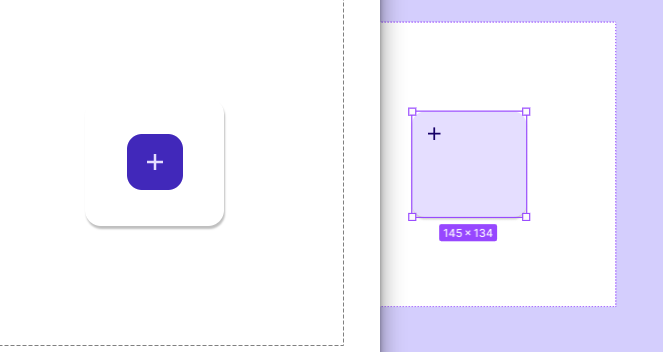
<Button Margin="10" VerticalAlignment="Center" HorizontalAlignment="Center" Width="145" Height="134" Style="{StaticResource FabStyle}"> <um:ControlExtensions.Icon> <PathIcon Data="{StaticResource Icon_Add}" /> </um:ControlExtensions.Icon> </Button>
SOLVED!!!

? Sorry I don't understand ? What is the final measurement and is it the same?

@NVLudwig Iury is saying the direction of shadow cast is different between:
- figma: // direction: straight down
- and, the preview result (uno.material implementation): // direction: diagonal bottom-right
asking which is correct?

Exactly :) ! Thanks Xiao!
But Ludwig is seeing another considerable issue (which i wasn't mentioning):
Having shadows in our controls changes the "position" of them in relation to their parents. We can see the button is not centered in the Frame 78 as we expect it to be, based on Figma document. This happens everywhere. But if i`m not wrong it was already discussed in Themes/Toolkit project.
Ah Sorry I assumed the Plugin was taking the directions from the Figma file itself instead of a hard coded reference so the question made no sense to me, so I scrolled up and saw the issue was about the Size...
Anyways the answer is "straight down"
Elevation level 3 except when pressed Level 1
The fab buttons are the correct size. A simple way to see that is that a corner radius of 28 will make the default fab button with this icon perfectly round, and if you compare it to another control of the same size, the control does take 56 points of space. The problem is that the shadow is part of the dimensions taken when in .net, while it's excluded in the figma file. I'm not sure if there's anything we can do about that. @kazo0 @carldebilly
